Added- **A running subagent can now be steered instead of only stopped.** Delegated subagent work runs as a blocking loop over a private transcript, so while the parent awaited
imux_spawn_subagent the parent's steer inbox had nowhere to drain and a subagent heading the wrong way could only be killed, losing everything it had already done. Steers now route into the live subagent and are injected before its next model call, so the model reads the redirect as new context rather than as a tool result. Delivered notes flip from pending to applied on the message that carries them.
Fixed- **A steer is only marked applied inside the conversation it belongs to.** The applied bookkeeping had an unscoped fallback that scanned every conversation, which could have flipped another conversation's pending note to applied.
Added- **Agent Chat has Chat and Agent tabs above the conversation.** Execution mode used to live in a menu, so the pane never showed whether a turn would answer or act on files. The header now carries a segmented
Chat / Agent control: Chat answers without touching the workspace, Agent runs the tool loop. Plan and Debug stay reachable as an acting sub-mode and surface as a suffix on the Agent tab, so selecting Agent from Plan does not silently demote it back to plain Agent. The tabs carry an .isSelected trait and fold the sub-mode into the accessibility label, since the suffix is visual-only.
Fixed- **The Agent Chat header row no longer overflows at narrow widths.** The mode label is dropped when the pane is tight so the trailing dock icons keep their 22pt hit targets.
- **Agent Chat no longer stalls on the first frame while reading the Keychain.** API-key resolution now caches per provider and caches misses too; a cold read could cost 0.35 s and was sampled inside 521/531 main-thread ticks of the first render.
- **Computer Use right and middle clicks act like the button you asked for.**
AXPress always synthesizes a primary click, so non-primary buttons now go through HID at the element's own frame instead of silently behaving as a left click. - **Browser automation rejects unknown targets instead of searching for them.**
goto data:… used to report OK while loading a Google results page; the address bar keeps its search fallback, the socket command no longer guesses. - **A stale
surface_id fails instead of typing into the focused terminal.** Named surfaces that resolve to nothing no longer fall back to whatever pane currently has focus. - **The title bar drags in one gesture on an inactive window.** The drag handle now accepts the first mouse, and
BrowserWindowPortal derives its titlebar band height from the same floor ContentView uses instead of a hardcoded 28, which had left the bottom 4pt owned by the portal host. - **The titlebar no longer reserves shortcut-hint width when no hint can render.** In
.compactMenu the icons fold into the + menu, but the reserve still held ~37pt, which read as a lopsided bar at 700pt. - **Unstaging works in a repository with no commits yet.**
git restore --staged needs a HEAD; a brand-new repo now drops the entries from the index instead of failing. - **Saving a file no longer hands back the pre-save text.** The content and attribute caches are invalidated synchronously; the
Task { @MainActor } hop left a window where editor save → reopen, or an agent write → read, returned stale bytes. - **
icc --json works after the subcommand.** The flag is now split from the options region only, so a payload that literally contains --json survives, and list-notifications --json no longer prints the raw V1 pipe record. - **An explicit
--surface no longer also demands --workspace.** - **The agent runner authorizes writes under a symlinked path.** Symlinks are resolved on the deepest existing ancestor, so creating a new file through a link that points outside the workspace is checked instead of skipped.
- **The activity rail scrolls in a short window** instead of pushing its top buttons out of view, and the session-persistence minimum width accounts for the rail plus the widest panel so panel and terminal stop drawing over each other.
- **A filename with a leading space is rejected instead of trimmed**, so the file is not created under a different name than the prompt said.
- **Empty
<|tool_call_start|> tokens no longer become the whole assistant bubble.** - **The Ghostty CLI helper stub is the unit-test default.** zig 0.15.2 cannot link the helper against the macOS 26 SDK; set
ICC_SKIP_ZIG_BUILD=0 to force a real build.
Fixed- **Semantic index rebuilds reuse embeddings for unchanged symbols.** Vectors are keyed by the SHA-256 of the text that produced them instead of the symbol id, so editing one function no longer re-embeds the whole workspace; identical text is requested once. A stale or missing vector file now also forces one rebuild instead of letting the index reuse an ID that can no longer be resolved.
- **The random crash after several workspace operations is gone.** The repository-root
ghostty.h had drifted from the header libghostty was built with: ghostty_surface_config_s had 13 fields (88 bytes) instead of 16 (112 bytes). ghostty_surface_config_new() and ghostty_surface_inherited_config() return that struct by value, so the library wrote 24 bytes past the buffer Swift allocated on every surface creation, corrupting adjacent stack slots. The damage surfaced later under unrelated names — NSRangeException from String.trimmingCharacters, objc_opt_class on an isa of 0x1e, and a failed MainActor.assumeIsolated. The root header is now the shipped xcframework header verbatim, fork-only declarations moved to ghostty-fork-additions.h, and scripts/check-ghostty-header-sync.sh fails the build and the release gates if they drift again.
Performance- **Cloud link projection no longer re-probes the Keychain on every heartbeat.**
Fixed- **Open Folder no longer crashes when it creates the workspace.** Picking a folder crashed deterministically at
TabManager.newTabInsertIndex (EXC_BAD_ACCESS on a garbage isa), because NSSavePanel invokes its completion handler from inside its own KVO notification dispatch (NSKeyValueDidChangeWithPerThreadPendingNotifications → observeMostRecentCompletion:). Mutating TabManager.tabs there left Combine's per-thread pending notifications queued while Published.subscript.getter read a torn [Workspace] slot. The completion now hops to the next main-actor turn before creating the workspace; the same pattern in the no-app-delegate fallback path is fixed too.
Added- **The CLI link panel speaks real ACP.** Verify ACP replayed
initialize / session/new / session/prompt inline from the panel, so the turn layer beside it had no production caller and could drift from what actually ran. AgentChatACPTurn now owns the whole turn and reports agent info; an overload accepts a caller-owned connection so the panel keeps its confirmation-bridge setup while the turn logic lives in one place. - **Loop runs carry a restore point.** A loop run that died interrupted left a stop reason and no way back: the checkpoint existed, but the ledger never recorded which one belonged to the run.
startReservedRun / bindReservedRun now take a checkpointRef read from the conversation's active checkpoint before the run is accepted, and /loops status prints the ref next to each run. - **Orchestration jobs run in their own worktree.** Each job gets an isolated tree, so a failed job leaves the primary checkout untouched. Fan-out narrows 8 → 4 after a wave where every job failed, and a crashed run names the files that may hold partial output.
Changed- **ACP permission requests wait for the confirmation card.** A permission request that arrived mid-turn used to be answered by guessing; it now parks the turn on the confirmation card, and
AgentChatACPPermissionBridge is the only permission path. - **Worker writes are attributed and gated on exit codes.** A job is failed even when the subagent reported success if its command exited non-zero; a timeout terminates the process. An empty command skips acceptance, and the concurrency cap moved 4 → 8 so five workers are no longer silently clamped.
- **507 untranslated strings now have catalog rows.** These keys had no
en / zh-Hans / zh-Hant / ja entry, so the product's Simplified Chinese default fell back to English. Confirmation-card strings, the queued-approval VoiceOver label, and the ACP probe prompt are included; the QR hint's line break is stored as a real newline.
Fixed- **The release version has one source again.** The comparisons page advertised "imux 5.0.29" for eleven releases because no gate compared marketing copy against the manifest, and the version gates themselves only ran from
test-release-gates.sh, which is invoked by hand. scripts/check-version-drift.js now compares MARKETING_VERSION / CURRENT_PROJECT_VERSION against latest.json, appcast.xml, and both brand-assets.ts trees, scans scripts/ and .github/workflows/ for assignment-shaped version literals, and runs from ci.yml, release.yml, and test-release-gates.sh. Comparison <meta> copy interpolates the version instead of restating it.
Fixed- **Open Folder works again.** 5.4.3 replaced the plain
NSOpenPanel path in the titlebar entry with a custom presenter that could leave the panel unsheeted, so clicking Open Folder sometimes did nothing. The 5.4.2 flow is restored: NSOpenPanel with canChooseDirectories, presented as a sheet on the main terminal window after activation. Open creates a workspace rooted at the chosen folder; Cancel creates nothing.
Fixed- **Every open project reaches the phone.** Workspace projection stopped at the first 40 workspaces, so projects past that cut never appeared on the phone. Projection now covers every open workspace; the same change ships in imux Mobile 0.2.11, which also restores the account-security surface.
Fixed- **Adding a project no longer crashes.** The folder picker handed the chosen directory to the workspace builder, which registered its new terminal surface in a table that holds surfaces weakly. That table is an Objective-C one, and the terminal surface is a plain Swift object, so once enough surfaces had accumulated it crashed while growing the table — a segfault inside
objc_loadWeakRetained, not a folder-panel problem. The registry now uses Swift's own weak references, which cannot hit that path.
Fixed- **Adding a project now shows the project.** The workspace was being created correctly all along, but Dashboard and Notifications render over the terminal column, so a new workspace was built behind that page and the click looked like it did nothing. Creating a workspace now leaves that page in the window that owns it. The previous four releases kept fixing the folder panel itself, which is why the symptom survived them.
Fixed- **Open Folder stays open when you click it.** The panel was presented in the same click that asked for it, so that click dismissed the panel and no workspace was added. It now appears after the click, as its own window.
Fixed- **Open Folder adds the project you highlighted.** Choosing a folder from Recents or search and clicking Open was still creating a workspace for the panel's starting directory (usually Documents), or the click did nothing. The highlighted folder is now the one that gets added, and Open selects that folder instead of stepping into it.
Fixed- **The context chip no longer reports a running total as window usage.** A long tool loop added every request's tokens together, so a 128k model could show
518k / 128k and a false "run it again" hint. The chip now uses the latest request. - **A finished conversation no longer stays on "running".** Reloading kept the previous phase, so the changes panel looked busy after the turn had already ended. Restore now returns those conversations to queued.
- **An expired sign-in falls back to guest, and running out of quota does not sign you out.** A dead session is cleared and chat continues on the guest credential. Quota errors still show the upgrade, switch-account, and bring-your-own-key hints.
- **Signing out stays signed out across the release app and a tagged dev build.** The dev build was picking the release app's saved session back up after it had been revoked, so every request failed with 401. A revoked token is remembered (as a digest, not the token) and is not adopted again.
- **Open Folder uses the folder you highlighted.** Recents and the search field left the panel's browser on the starting directory, so confirming opened that directory instead of the highlighted project.
Fixed- **Opening a project on an external disk lands in that folder.** Volumes under
/Volumes (MobileDrive, USB) start the shell in your home directory so the first terminal does not stall on a slow disk. The follow-up cd was sent as a paste. Once the shell turns on bracketed paste, a pasted line with a newline is not submitted, so the workspace was named for the project while the prompt stayed at ~. That cd is now Ghostty startup input and runs as the shell starts. Open Folder from the dashboard empty state, the command palette, the title bar, and Agent Chat also switches to the new workspace's terminal, and the chosen folder is recorded as a recent project.
Fixed- **New Workspace no longer freezes the app.** Creating a workspace triggers semantic re-indexing, and remote embedding batches waited on an unbounded semaphore while
embedAll waited on its group with no deadline. URLRequest.timeoutInterval does not bound a completion handler that never fires (DNS/PAC/proxy stalls leave the task outstanding), so each stuck batch parked a dispatch thread permanently — 16 concurrent batches exhausted the pool and every click in the window stopped responding. Each batch now waits at most requestTimeout + 10, cancels its task, and reports RemoteEmbeddingError.timedOut; the group wait is bounded too. - **Open Folder works while a sheet is already attached.** Every entry point funnels into
AppDelegate.openFolderFromTitlebar(), which called panel.beginSheetModal(for: host) unconditionally. A sheet cannot stack on a window that already hosts one: AppKit queues the request and the panel does not appear until the existing sheet closes, so adding a project looked dead whenever the onboarding wizard or any sheet was open. It now falls back to an app-modal panel in that case. - **Rail settings menu items actually run.** The settings popover tagged its window by guessing
NSApp.keyWindow (or the first visible window), which tagged the main window instead. Menu-item clicks then read as outside clicks, so the popover was torn down on mouse-down before the item could run its action. The popover now reports its own view and window identity is compared by object; the trigger button's own frame is excluded so clicking it still toggles.
Changed- **Simpler title bar.** The bar stated the workspace identity twice (name plus a full path) and split its center into two equally weighted capsules. The path text is gone — the folder is now an icon whose tooltip carries the full path — and the command palette became an icon-only segment inside the same capsule as Go to Workspace. Toolbar height and the right-hand action group are unchanged.
Fixed- **Dashboard "Open Folder" now reveals the new workspace.** 5.3.6 made the folder panel asynchronous and moved the sidebar callers into its completion handler, but the Dashboard entry still compared
tabs.count immediately after the call. That read the pre-panel count, so a successful add left you on the dashboard with the new workspace hidden underneath — indistinguishable from "picking a folder did nothing". The comparison now happens in the completion handler, like the sidebar entries.
Fixed- **"Add project" / Open Folder no longer looks dead.** Every entry point (sidebar header, empty sidebar, File menu ⌘O, dashboard, Agent Chat) funnels into
AppDelegate.openFolderFromTitlebar(), which called NSOpenPanel.runModal() synchronously from a SwiftUI button action. When imux was not the active app, or the key window was a panel/popover, the panel was never brought forward, so the click produced nothing at all — not even a visible cancel. The path now activates the app, picks a visible main terminal window (keyWindow → mainWindow → orderedWindows, skipping auxiliary panels), and presents the panel as a sheet (or an async begin when no host window exists); the File menu entry reuses the same function instead of its own runModal(). The two sidebar entries now switch to the workspaces list from the panel's completion handler, since the old synchronous tabs.count comparison can no longer fire after an async panel.
Fixed- **Chinese content and generation prompts are screened again.** Every Chinese keyword in the membership safety layer was wrapped in
\b(...)\b. A word boundary never holds next to CJK — both neighbours are word characters — so each Chinese alternative was permanently dead, with no error and no failing test. 制作炸弹 / 儿童色情 / 教我自杀 (content safety), 儿童色情 / 银行卡盗刷 (search), 修复 (dev-intent), 美女 (imagine segments) and 裸女 / 一键脱衣 / 习近平画像 (image + video prompt gate) all passed the filter untouched. Chinese branches now sit outside the boundary group, so the rules match. - **The image-prompt gate regained its anti-evasion folding.** The 5.1.18 rewrite dropped
normalizeImagePrompt and evaluateImagePromptRules from image-safety.ts, which took the leet / zero-width / dotted folding and the cosmetic-nude allowlist with them: n.u.d.e girl and p0rn poster slipped past, while nude lipstick and nude heels product shots were at risk of the opposite error. Restored, and prompts are now matched in both raw and normalized form. - **Showcase segment labels are short noun labels again.** The same rewrite lost 13 concept rules (
dog, earbuds, robot, fox, dragon, perfume, watch, sky, clouds, hills, necklace, coat, charging case), 11 system tags (showcase, product, chibi, portrait, haze, logo, street, enhance, editorial, fantasy, family) and the STYLE_NOISE_RE / SHOWCASE_QUALITY_TAIL_RE filters, so stills were labelled with whole lighting clauses instead of objects. - **The web test suite runs again.** Six files imported
vitest, which is in no lockfile in this repository — the runner is tsx --test. They had never executed, which is why a dead safety layer went unnoticed. Ported to node:test with every assertion preserved; app/lib/**/__tests__/*.test.ts is now 224/224 green (was 221 pass / 3 fail).
Changedclavue-inpaint-v1 request bodies are asserted against the documented contract: plain-string image / mask carrying data URLs (docs/imagine-segments-region-edit-spec.md §2.2), not bare base64.
Fixed- **Adding a project no longer deadlocks the app.** Session autosave wrote the window-geometry blob to
UserDefaults from the background sessionPersistenceQueue. UserDefaults.set synchronously posts UserDefaults.didChangeNotification, which SwiftUI answers on the same thread with UserDefaultObserver → Update.enqueueAction → Update.begin() → _MovableLockLock — a lock that must be taken from the main thread's layout context. That queue wedged permanently, and every later sessionPersistenceQueue.sync (new workspace, quit, update install, last-window-close) then blocked the main thread behind it. Reproduced on 5.3.3: the persistence thread sat inside _MovableLockLock for the whole 3 s sample window while the main thread was idle. UserDefaults writes now happen on the caller's thread (AppDelegate is @MainActor); the background queue only performs file I/O. Regression shipped in 5.3.0 (4890fe95f Move autosave persistence off main thread).
Added- **Debug execution mode (Cursor Debug analogue).** A fourth execution mode alongside Ask / Plan / Agent. Debug acts with the full tool set but its contract is diagnose-first: reproduce the failure and capture the real error output, state the root cause (not its symptoms), apply the smallest change that addresses it, then re-run the same reproduction and report the observed result. It never claims "fixed" without post-change evidence. The capability scheduler starts Debug in the
scout phase and the turn budget matches Agent, so it has room to reproduce, inspect, fix, and re-verify. Reachable from the composer mode segment, the mode quick menu, Shift+Tab rotation, and the interaction_mode: "debug" wire field (socket + remote dispatch). - **VS Code / Cursor
keybindings.json export.** Settings → Keyboard Shortcuts now has an export row (Copy / Save…) that renders the current bindings in the VS Code schema ([{ "key": "cmd+shift+e", "command": "…" }]). Only shortcuts with a real cross-editor command counterpart are included; imux-only surfaces are skipped rather than emitted as command IDs the other editor would ignore. This is the inverse of the existing onboarding import, and a unit test locks the two maps as mutual inverses so neither side can drift.
Changed- **Acting modes are expressed by intent, not a literal
== .agent.** AgentChatExecutionMode.actsWithTools now carries "this mode acts with the full tool set" (Agent and Debug), replacing ten scattered == .agent comparisons that would silently drop subagent/workflow lanes, the alwaysKeep tool floor, scout preference, solve-first recovery, the reviewer seam, trajectory observation, grounding nudges, and post-turn "implement with Agent" chips for any new acting mode.
Fixed- **Host gates no longer freeze headless turns.** A
trajectory_pause gate (raised on highErrorRate / passiveRead / unverifiedWrites) used to open an interactive confirmation card with no timeout. On a socket-driven / bypassApprovals turn nobody can click it, so the turn sat in awaiting_approval forever. Unattended turns now auto-continue with an injection repair nudge and record trajectory_pause_auto_continue in the harness ledger; attended turns still get the card. - **Long-command typing no longer breaks inside live panes.**
visible_pane typed commands into Ghostty's line editor, which mangles multi-line and heredoc (<<) input before the completion marker (__IMUX_DONE__) can echo — burning a full timeout per attempt. Pane-hostile commands are now refused and routed to the background helper runner (/bin/zsh -c). - **Recovered failures no longer paint a false "not done".** A failed call that the *same* tool later answers successfully (
imux_read_file misses a root package.json, then imux_glob finds it) is no longer counted as a turn failure. git_status / git_log / git_branch_list now carry the helper message so an environment probe ("No git repository found") is distinguishable from a real git failure. - **Read-only terminal runs no longer inflate the change count.** A
terminal_exec is only counted as a mutation when its command is not a read-only probe — python3 -c "print(17*23)" and uname -s no longer report "2 changes" against an untouched workspace. - **Completion claims are judged on user-visible prose only.** The private reasoning channel can no longer drive the honesty verdict: a
<thinking> line saying "Both done" no longer flips a correct answer into ● 未验证 / 建议重跑. - **Specialty upstream outages fall back to the main model.** When
clavue-2.1-search (503) or clavue-ocr (PaddleOCR 504 timeout) is down, the same job is re-issued against the main model instead of failing the turn — on the IDE, web chat, and mobile.
Changed- **Chat notices are tiered (Cursor-style cleanliness).**
role == .system lines are classified receipt / action / internal; host bookkeeping and machine verdicts (host success-stop, recompute tags, benchmark tables) stay in the transcript and journal for the model and for debugging but no longer render as visible chips. - **Raw error refs are opt-in.** Failed-turn bubbles no longer append the raw support ref (
排查参考: mbr_cli_… · HTTP 502) by default; the request id stays in diagnostics and can be re-enabled with imux.agent.debugErrorRef. - **Verify evidence extended.** A succeeded run of a file this turn mutated (
python3 app.py) and a completed host-designated Verify-lane subagent both count as verification, so a turn that ran the program it just changed no longer reports "no verify". Host auto-verify only injects a gate the repo actually owns (npm test requires a declared scripts.test). - **Reasoning-channel hygiene.**
<thinking> blocks are stripped at every entry point — task restatement, compaction summary, scout digest, and subagent results — so private reasoning can never leak into model-facing prompts or persisted state. - Bumped version to **5.3.1** (build **372**).
- Goal verifiers `.gitClean` / `.gitBranch` / `.pathExists` execute on the remote host — unreachable remote blocks completion loudly, closing the last of the three "fake green" layers (execution, context, verification).
Added- **Remote workspace UI parity is complete (P4 + P5).** On remote workspaces the agent now has the full "see, read, act" surface over SSH:
Added (long-task observability)- **Automation run ledger** (
ImuxAutomationLedger): append-only JSONL (automation-runs.jsonl, 2MB rollover) recording started/outcome for approved automation runs; new read-only tool imux_automation_runs. - **Automation inventory** (
imux_automation_list): schedule/enabled/runnable/lastFiredAt/nextFireAt plus daemon heartbeat freshness; invalid schedules report runnable=false rather than a fake "never". - **Task timeline** (
imux_task_timeline): structured in-memory inspection — goal, worktree (isolation-aware), checkpoints, and the latest verification receipt with per-item evidence. - **Inbox pipeline audit** (
imux_inbox_audit): daemon heartbeat, spool backlog (with workspace-registration diagnosis), and open proposal counts per workspace.
Changed- Bumped version to **5.3.0** (build **371**).
Fixed- **Agent Chat recovers tool calls from DeepSeek DSML dialects.** Some gateway-parsed DSML variants emit doubled full-width bars (
||) and padded spaces around DSML//DSML markers; the strict single-bar regex matched nothing, so raw markup leaked into the chat bubble and the turn stalled on an unfinished receipt. The three recovery regexes now accept 1–2 ASCII/full-width bars and a container-wrapper stripper removes leftover shells. Regression test replays the exact stalled-turn sample (AgentChatPseudoToolCallRecoveryTests.testRecoverDeepSeekDSMLOoseBarsDialect). - **Failed tool rows stay collapsed (Cursor parity).** A failed/denied tool no longer auto-expands its raw error output regardless of length; the danger-colored row is the summary and the raw error sits behind the chevron. Original error text still lands in the journal via
enrichFailureOutput. - **Sidebar focus and status sync.** Selected conversation rows use the new
sidebarFocused token (clearly above hover, below accent cards); dev-status subtitles refresh at lifecycle join points instead of going stale.
Changed- **Agents list row polish.** Chip-mode tags, right-aligned timestamps, accent spine on the active row, clearer status colors.
- **Receipt copy.** Dropped the
. · double separator, humanized the recompute word ("建议重跑"), stripped machine tags from receipts; sidebar goal stays one clause. - Bumped version to **5.2.7** (build **368**).
Added- **Guest users can use chat/completions without signing in.** Unauthenticated requests now auto-provision a per-IP guest account with fast 200/day and premium 100/day limits. Previously these requests returned 401
sign_in_required. The guest quota is separate from registered FREE plan limits (fast 20/day, premium 5/day) and is intended to let new users trial the product with zero setup.
Changed- Bumped version to **5.2.6**.
Changed- Bumped version to **5.2.4** (build **365**).
- **Membership image calls pick their upstream credential per host.**
ttkk and ttqq are separate New-API instances with separate token stores, but the attempt loop sent one key to every base, so the cluster-first hop for z-image* ids always failed 401 无效的令牌 before the working base was tried. resolveUpstreamKeyForBase() now selects the key per base in both the generations and edits routes; with IMUX_MEMBERSHIP_VISION_API_KEY unset it degrades to the previous single-key behaviour. Verified against the live relays: ttqq serves z-image-turbo, qwen-image-edit-album and the portrait path to the production key, so this removes a wasted hop rather than restoring a lost engine. See docs/model-call-and-membership.md §6.1 and §6.5.
Fixed- **Accepting a multi-file diff is one write instead of one write per file.**
AgentChatDiffReviewQueue.apply applied each selected block in its own git apply, so a failure on the second file left the first already on disk, and the caller was told those paths were "applied". The selected hunks now compose into a single patch and go through AgentChatDiffApplier once; a failure writes nothing and reports no affected paths. Selecting a single file, and leaving the rest proposed, behaves as before. composeQueuePatch already existed for this and had no production caller.
Changed- Bumped version to **5.2.3** (build **364**).
- **Agent Chat can finish a coding turn before the tool loop stops.** The agent loop ceiling moved from 12 iterations to 24, matching Clavue CLI
maxTurns. The second-to-last iteration still forces a final answer. Explore subagents stay shorter (8). - **
imux_glob finds files by name without walking one directory at a time.** Read-only, same path authorization as imux_list_files. A pattern with no slash matches at any depth. * stays inside one path component and ** crosses directories. Results cap at 100, newest first, and skip dependency and build directories. - **Agent Chat pauses once when a turn is spinning, instead of waiting for the hard ceiling.** A confirmation asks whether to continue after 12 reads with no edit, 10 edits with no test or lint, or an error rate above 40% in the last 8 calls. Three successes at the end count as recovery and do not pause. Allowing continues the same turn; declining stops tool calls and asks for a report of what already changed.
Highlights- **Compaction keeps both ends of a turn instead of only its opening.** The summary that replaces old history previewed each turn from its first 180 (user) / 220 (assistant) characters. That text is the model's *only* record of the turn —
AgentChatStore rebuilds history from message.content and never serializes toolEvents — so a head-only cut deleted the conclusion of every long turn. Turns are now bounded head+tail around an explicit omission marker, at 1,200 (user) and 2,000 (assistant) characters.
Fixed- **The compaction summary silently dropped all but the last four assistant turns.**
assistantOutcomes.suffix(4) discarded earlier decisions the user may still refer to, with nothing in the summary saying so. Every completed assistant turn is now carried. - **A truncated turn no longer reads as a complete one.** The head+tail bound states how much was omitted, rather than presenting a cut turn as whole.
Changed- Bumped version to **5.2.1** (build **362**).
Highlights- **User-defined slash commands.** Any markdown file in
<workspace>/.imux/commands/, ~/Library/Application Support/imux/commands/, or ~/.clavue/commands/ becomes a / command. Frontmatter supplies name, description, and argument-hint; the body supports $ARGUMENTS and $1…$9. With no placeholder the argument is appended rather than dropped. A project file shadows a user file with the same slug. - **The
/ menu is grouped and no longer silently truncated.** Rows are bucketed into Commands, Skills, Custom, and MCP with section headers, and each section caps at three rows behind its own Show N more. Previously a flat cap of eight hid the rest of the table with no way to reach it. The menu scrolls and keeps the highlighted row on screen. - **Built-in commands advertise their argument shape.** Rows render signatures such as
/plan [status|enter|import|execute|clear] instead of a bare token.
Fixed- **Expanding a menu section used to move the highlight onto a different command.** Inserting rows shifted every later row while the highlight index stayed put, so the next Return ran the wrong entry. The highlight now anchors to the row id.
- **A command file whose body starts with a heading produced a duplicate subtitle.** The description fallback used
# Apply Worktree as the subtitle, restating the title instead of explaining it. Heading-only paragraphs are now skipped.
Highlights- **Closed AI sessions that still hold RAM show one Inbox card.** Closing a pane is no longer silent if the process is still alive. Reclaim is user-confirmed: identity is
(pid, start time), never pid alone; TERM, then KILL only if that same identity is still there. A live pane, a tracked agent pid, a missing close intent, or an unreadable identity is warn-only — the card reports it and the button stays off. - **Scrollback replay files are pruned by lease, not by age.** Launch drops unreferenced
imux-session-scrollback files; a file the restore shell has not consumed yet is kept. The old keep-8-newest sweep is gone.
Fixed- **Process-governance sources were registered in the Xcode project but never committed.**
7e11e928 wired Inbox, report_tty, close-intent, and the sampler start, then left WorkspaceProcessIdentity / Ledger / Sampler / RecycleExecutor (and their tests) untracked. A clean checkout of main could not compile those units. They are in the tree now. - **Workspace attention dismissals survive a click and can be restored.** “Show Dismissed Reminders” puts the ack set back; the residue card’s dismiss is the same store, and the ack is dropped once the fleet is clean so a later residue can appear again.
Changed- Bumped version to **5.1.25** (build **360**). Public downloads remain **5.1.24** until this tag is signed and staged.
Highlights- **Agent Chat groups by project.** History search now sections "Recent Conversations" per project (
name · count), and the Agents list grows project headers as soon as it spans more than one. - **⌥⌘L to focus the composer is a real setting.** The overflow row said "click to change" while the key monitor compared a hardcoded chord — remap one and the two disagreed. Both now read the same live binding.
- **Retry no longer asks your question twice, and closing a tab no longer deletes a transcript silently.**
Fixed- **Retry on a failed turn appended a second copy of your question.**
retryFailedAssistant set the draft and called sendDraft(), which without a resend source appends a *new* user turn — one failure left "user · assistant(failed) · user · assistant", duplicating the turn in the transcript and in the next prompt. It now goes through truncateAndResendFromUserTurn: drop the failed bubble, clear the provider session, re-send with the original attachments. A stale bubble falls back to Continue instead of guessing at the last user message. - **English users saw Chinese, and Chinese users saw English.** A full-source scan for the three hard defects (EN row containing CJK / CJK default with no catalog row / missing EN row) is now clean.
agentChat.action.keyboardShortcuts defaulted to "快捷键"; the Agent Customizations "Plugins" section defaulted to "知识与连接器"; agentChat.sessions.importBody / importEmpty had "终端 Resume" inside their **EN** rows and their zh-Hans / zh-Hant rows were still English placeholders. Five gear keys that existed only as code defaults (Models / Rules / MCP / All settings / gear help) gained real catalog rows. - **Closing a conversation tab permanently deleted its transcript with no warning.** Both the tab ✕ and the right-click Close now confirm first; an empty conversation still closes in one click.
- **Every product chat returned HTTP 502.**
qwen3.8:27b on ttqq 400s on every ping while still being listed by /v1/models, and a 400 never triggers fallback. The repo-side contract now matches the live admin config: default product models ride qwen3.6:35b-a3b with a qwen3.6:27b fallback, and dead 3.8 aliases normalize to 3.6 instead of being rewritten back onto 3.8. - **Bonsplit left a blank pane after moving or closing a tab.** Vendor bumped to
f988e36: a stale selection falls back to the first tab, and the tab context menu is localized (en/ja plus new zh-Hans/zh-Hant). - **Agent Chat disabled controls still looked enabled.**
.plain and .borderlessButton keep an explicit tint, so gated icons never dimmed on their own.
Changed- **Every Ask / Plan / Agent segment states its own scope** as help, so the three can be compared before you commit instead of discovered by trying. Context depth had no surface in the composer at all; its current value now rides the policy-overflow help.
- **Header overflow drops its duplicate entries.** Show/Hide Agents list (the header already has that toggle), Permissions (the policy overflow Approval section opens the same sheet), and MCP / Skills (the composer gear already jumps to both) are gone. One entry remains — Agent Customizations — and it stays enabled while a turn runs, so the header path is never a dead end. The composer gear gained a Skills jump so it is the single section shortcut.
- **Disabled states are honest.** Every secondary composer control carries a disabled-reason tooltip, the primary button has four explicit states instead of a click that does nothing, and gated icon controls no longer keep their live tint. Header and composer icon controls now share one metric (
agentIconControlSize = 22, previously 22/24 by call site). - **Tool status chrome is unified** behind
AgentChatToolStatusChrome (icon, label, color, rollup and research icons in one place), and tool cards plus rollups now show per-step elapsed — running chips tick, finished chips freeze from their timestamps, and a terminal event without completedAt shows no fake duration. - **Message-level Branch and Delete.** The bubble context menu's "Branch from here" forks with
upToMessageID and rewrites session memory (new memoryTruncated), so summaries, plans, scout digests, delivery obligations and injection journals derived from post-cut turns cannot leak into the branch. "Delete messages from here" confirms, then truncates in memory **and** on disk, clearing the provider resume id. **Working-tree files are not reverted, by design.** - **Fork/delete hardened across legacy paths.** Transcript entries now use
message.id as entry.id (existing files still match via parentID), truncation is disk-first and aborts on failure, provider_session entries before the cut are dropped so reconcile can never resurrect a deleted backend session, and compaction memory is preserved for tracked compaction while untracked memory resets.
Performance- **Streaming publishes at flush cadence.** Deltas no longer publish
streamingContent one by one; newline, >200 chars, and the 0.2 s tick are the only publish points. A new chatStreamingPublish counter makes the rate observable. - **Conversation rows are Equatable snapshot projections.** Rows no longer subscribe to the store, so streaming ticks stop rebuilding every row; diff stats gained a fingerprint cache (
messageCount + lastMessageID + updatedAt) that skips the transcript scan on a hit. - **Hot chrome short-circuits through
Equatable** (run status chip, queued list, context usage chip, composer primary button, changes bar). - **Semantic index cache is bounded.** A 128 MB budget over the decoded-index cache with LRU eviction; oversized indexes resolve per call and are never cached.
- **Stale-index GC stays off.** Auto-deletion remains
staleSweepEnabled=false: liveness is only provable for one tab list while other windows and instances can read an index without rewriting it, so mtime proves nothing about use. The sweep logs a dry-run count only, until a durable cross-window workspace registry exists.
Changed- Bumped version to **5.1.24** (build **359**).
Highlights- **Agent Chat now calls tools instead of hanging on a blank frame.** Official clavue-2.1* turns return native
tool_calls in a few seconds; inspect-only workspace questions force a first-hop tool call; a 502 from the gateway fails after one retry instead of walking the whole model ladder. - **Chat chrome matches Cursor's send slot.** Streaming stays pinned to the bottom, thinking shows live, edit-and-resend stays in the same thread, and the composer morphs Send / Queue / Stop (Escape stops).
- **Notebook and the floating attention capsule no longer cover the terminal.** Opening Notebook resyncs the Ghostty portal to the trailing chrome width; the project-attention beacon is opt-in and no longer floats for a plain running automation.
Fixed- **Agent Chat on imux Official answered tool turns with a blank frame, then a "我先读取…" line and a Continue button after ~70s.** Two gateway defects on api.clavue.com: the Brain–Hand coding-phase filter dropped every
imux_* tool call to [] (phase=read keeps only read/glob) and shipped an empty assistant message; and the 2026-09-03 WP1 rule (non-coding tool catalogs go straight to the product model) had never been deployed — the live proxy was from 08-30. Both patched on production (deploy/clavue-owned/overlay/brain-hand/patch-foreign-tools-*.py, idempotent). imux tool requests now get native tool_calls from clavue-2.1* in ~3–5s. Client side: the in-turn Official ladder is built from the composer's pick again (an auto turn used to inherit the explicit-2.1 shape and put pro's slow upstream second), and a turn that ends on an "I'll first read…" line with zero tools executed is reported as a failed turn with Retry instead of a quiet completion. - **"Running Automations" capsule floating over the terminal.** The project-attention beacon no longer floats for plain
running, and the floating capsule itself is now opt-in (Settings → Notifications → Floating Project Attention Capsule, default off). The sidebar rail badge is unchanged. - **Agent Chat turn feel, brought in line with what a Cursor user expects.** Gateway: api.clavue.com now streams SSE frames through as they arrive instead of buffering the whole reply (
patch-pipe-internal-stream.py), so the first token shows up instead of a 5–10 s frozen composer. Client: the Task Bootstrap hard gate (restate before any tool) and mission-goal seeding are opt-in now — they cost a full extra round trip per task and turned exploratory questions into "missions"; tool cards render inline *before* the answer, in the order they ran; the duplicate sticky restatement bar is gone; Continue appears only after a failed / interrupted turn, a credential problem, or an ask → agent upgrade, not after every completed answer; a turn that ends on a "let me first read…" preamble with zero tools run is a failed turn with Retry; the "no progress · stalled" stamp only accumulates when the *same* prompt is re-sent (scheduled tick / auto-continue), not across three different read-only questions; icc agent send no longer flips a conversation's IDE-context setting off permanently. - **Changes bar counted your own dirty files and "Drop All" would have reverted them.** The composer bar and the Changes panel now count and act only on paths the agent wrote in this conversation (intersected with live
git status); bulk Keep/Drop skip everything else and say so. Opening the Changes panel no longer runs git status synchronously inside a SwiftUI update (re-entrancy crash); the snapshot refresh moved to a background queue. - **Agent Chat invented file lists instead of calling tools, then spent a second hop apologizing.** Live 2026-09-09: "src-tauri/src/commands 目录下有几个 .rs 文件" returned seven invented names (the directory has 14) with zero
tool_calls. The host now treats a path-shaped "what's in this folder" question as tool intent, and if the answer names files that do not exist it nudges once with those phantom paths (the user never sees the invented reply). The Task Bootstrap contract no longer says "restate, then stop" while the hard gate is off — restatement and tool_calls belong in the same response. System prompt no longer describes browser / mesh / canvas / workflow families that are not in this turn's tool subset, and turn receipts (✓ Worked · stalled) plus heuristic scout digests from the previous question are not fed back as instructions. Tagged debug launches write [imux.agent] HH:mm:ss.SSS request.begin/end to ICC_DEBUG_LOG (prompt composition, first token, usage). - **First hop of a workspace look-up now forces a tool call, matching Cursor Ask/Agent.** clavue-2.1 with
tool_choice=auto plus the 8–11k Agent pack still answered "what does this file do" from memory (~14s, toolCalls=0); the same model with a 360-token prompt returned imux_list_files in 1.5–3.8s. Inspect-only questions now send tool_choice=required on hop 1, drop the generic mutate/shell/goal floor, and skip Serious Engineering + extremity doctrine so the system prompt is a look-up contract, not a mission. Implement / fix / run prompts stay auto with the full Agent pack. - **Agent Chat timeline, answers, and Review now match Cursor's interaction.** Streaming tokens keep the transcript pinned to the bottom (not only when a new bubble appears); scrolling up stops the chase and shows Jump to latest. Focused density no longer clips a normal reply at 12 lines / 1k characters — only dump-sized output folds. A mutating turn or Apply no longer auto-opens the Review sheet; the composer Changes bar still opens it on click.
- **Edit a past prompt reruns in the same thread, and thinking streams live.** Sending an edited user message now truncates later turns and regenerates here (it used to fork a new conversation). While the model is still writing a
<think> / <thinking> block, the Thought disclosure opens as "Thinking…" instead of waiting for the turn to finish. - **Composer and message chrome now match Cursor's send slot.** Edit / Copy sit on the bubble as hover overlays instead of a permanent pencil. While a turn is running, an empty composer morphs the send button into Stop (Escape also stops); typing a follow-up turns it into Queue. The unused fork-on-edit path is gone.
- **A 502 from api.clavue.com no longer walks the whole Official ladder.** Consecutive gateway 5xx hops now fail the turn after one retry (Retry stays on the bubble) instead of silently cycling 2.1 → fast → auto → pro for tens of seconds.
- **Opening Notebook no longer paints over the terminal.** Files ↔ Notebook keeps the same sidebar width, so the old portal resync skipped the layout change and the Ghostty surface stayed full-width under the new pane. Trailing chrome width now drives the portal resync, and the tool pane clips to its column the same way Agent Chat already does.
Changed- Bumped version to **5.1.23** (build **358**).
Family- **Imagine matches api.clavue.com stills.** Membership hop now sparks short/CJK prompts into a 60–120 word director paragraph (look pack first, then LLM, then local template), sends Turbo to ttkk first (
z-image-turbo 9/0, portrait n=3 seed 11/23/41), and routes identity edits to qwen-image-edit (mask patches still use clavue-inpaint-v1). chat.clavue.com /Imagine and Clavue Mobile gain 写真/配图/图标/中日韩漫 chips plus 港风胶片 look pack. Showcase click still only fills the prompt. - **Inbox reaches the phone and the web.**
automation_due cards that imux 5.1.21+, imux-win 0.3.1 and Clavue GUI 0.2.0 publish are now accepted by api.clavue.com (previously dropped), and both **chat.clavue.com 0.2.0** (top-bar Inbox with badge) and **Clavue Mobile 0.3.0** (/inbox screen, drawer badge) list every open card from your linked computers with Approve / Defer / Dismiss. One card, one decision; the host applies it on its next sync. Deployed; API, headless-browser and Android-emulator end-to-end runs are in web/scripts/e2e-family-inbox*.mjs. - **Clavue Mobile 0.3.0** (Android versionCode 20 · iOS build 21, uploaded to App Store Connect) on
downloads/mobile/latest-mobile.json. The Android build script no longer lets the Expo template's debug signing override the release keystore. - **Clavue GUI 0.2.1** macOS arm64 + Intel on
downloads/gui/latest-gui.json: while signed in, the GUI registers as a cloud device and mirrors Inbox cards to Clavue Mobile / chat.clavue.com (K2). Windows NSIS 0.2.1 is built on WinStation (pending-sign, sha256 2a19d03c…) and listed once EV-signed. - **chat.clavue.com 0.2.1 / Clavue Mobile 0.3.1 (source):** archive, fork from any message, rename, and search across message bodies (K3). Project share copy is honest: it is a live invite, not a published snapshot. Mobile store binaries are still 0.3.0 until the next IPA/APK.
Highlights- **Bring your setup from Cursor, VS Code, Claude Code, and Codex.** A new first-run step (and Settings → Agent → Import) scans those clients read-only and lets you tick what to bring: recent projects open as workspaces;
.cursor/rules/*.mdc, CLAUDE.md, and ~/.codex/AGENTS.md become .imux/rules/imported-*.md; MCP servers from mcp.json, ~/.claude.json, and config.toml are added disabled with env values blank; the color theme sets appearance; matching keybindings map to imux actions. Each row shows Direct or Partial fidelity, and things that cannot migrate (chat databases, extensions, credentials, Cursor's skill pack) are listed with the reason. Re-scans badge what is new since your last import. - **Cursor agent sessions in External Sessions.** Transcripts under
~/.cursor/projects appear alongside Codex, Claude, Clavue, and Grok: read the conversation and continue it in Agent Chat. Read-only; no terminal resume because Cursor has none.
Changedimux_cli_sessions accepts kind: "cursor".- Bumped version to **5.1.22** (build **357**).
Highlights- **Syntax coloring** in Agent Chat diffs, transcript code blocks, and the file editor (20 languages, no new dependency).
- **Before you Keep:** the Changes panel runs the repo's own linters (swiftlint / eslint / ruff) over the changed files and shows findings per file. "Fix with Agent" puts them in the composer; nothing is sent until you press Send. Agents get
imux_lint_changes and imux_pr_comment (posts a PR comment through gh). - **Explorer context menu** aligned with Cursor's tree menu: Open in Integrated Terminal, Open Folder as Workspace, Open Folder Settings, Add File/Folder to (New) Agent Chat, Find in Folder…, Copy / Paste files, Copy Relative Path, Open With ▸.
- **Automations that outlive the app (first cut):** Settings → Agent → "Keep automations running when imux is closed" installs a per-user
imuxd LaunchAgent that watches .imux/automations/*.md schedules (every 30m, daily at 09:00, weekdays at 18:30, RRULE) and puts a card on the Inbox when one comes due. Approve runs it as one Agent Chat turn; Dismiss / Defer run nothing. - Light appearance shell aligned with VS Code / Cursor; System / Light / Dark theme cards; activity bar items can be hidden.
Fixed- Failed tool results are valid JSON again. The repair hint appended to failed tool output had broken workflow replay, browser ensure-surface retries, and the phone projection ("The data couldn't be read").
- 152 UI strings shipped only with a Chinese default and no catalog entry, so every language saw Chinese (MCP health / doctor / error text, CLI probe hints, Skills / Plugins / MCP settings). All now have English, Simplified, Traditional, and Japanese.
- Unit tests no longer write into the developer's real Agent Chat catalog (they filled it to its 80-conversation cap).
Changed- Removed 27 views that were never shown (old command bar, supervisor tiles, quota strip, channels pane, sidebar help button, update pill, companion pill) and 461 unused catalog strings. A completeness gate now fails on new unmounted views or catalog-only strings.
- Bumped version to **5.1.21** (build **356**).
Changed- Agent file review stays on Changes Keep / Drop (hunk Accept/Reject chrome is not a second review surface). Stay-in-imux Keep/Drop is counted in-process against “Open in Cursor” hops.
- Inbox Waiting-for-you rows stamp waiting→decide seconds in memory. CLI waiting rows that leave without a sample are dropped instead of hanging the clock.
- Split god files so the monolith line-count gate is green: ContentView chrome, AppDelegate menu-bar extra, Workspace remote session, TerminalController v2 commands, Agent Chat store/tool implementations, explorers, browser import, GhosttyApp, iccApp channel settings, CLI handle formatting.
- Removed unmounted QuickAction cards and the unused recent-sessions rail.
- Bumped version to **5.1.20** (build **355**).
Changed- Agent Chat
@ is a short context picker: recents plus Files & Folders, live Terminals, Past Chats, Branch (@git), and Browser. Typing git / web still finds those leaves. The dock @ button inserts @ at the caret and opens the same menu. - CLI plan Import / Inspect sits at the end of the transcript, not on the input. Quota, 加油包, and rush-grab leave the composer; Usage… stays in the model gear.
- Status-strip layout toggles are icon-only. The titlebar no longer keeps a permanent GUI companion pill.
- Explorer listings honor
.imuxignore / overlay ignore rules, and the file tree can show git decorations. - Bumped version to **5.1.19** (build **354**).
Fixed- Agent turns no longer stall when a tool call fails. The thrash guard now blocks only fingerprints that failed repeatedly (2+ times); a first failure stays retryable and successful repeats — re-reading a file after an edit, re-running the same verify command — always execute instead of being rejected with "You already have this result".
- Agent loops stop burning the iteration budget on dead ends. Three consecutive tool batches that produce only failures or denials trip an in-turn circuit breaker that ends the tool phase and reports the real blocker instead of spending minutes on model round trips.
imux_read_file and imux_edit_file on a directory path return a structured is_directory result pointing at imux_list_files, rather than leaking a raw Cocoa "could not save file" error into the transcript.- Tool calls emitted as prose are recovered across far more upstream dialects: fenced JSON arrays, bare single-call objects,
name/tool/tool_name with arguments/parameters/args/input, and DeepSeek DSML markup. Gateways that never translate their model's tool markup into OpenAI tool_calls no longer leave the agent unable to act. - Reasoning output is no longer printed as the answer.
reasoning_content / reasoning / Anthropic thinking deltas stream on their own channel into the collapsible Thought disclosure, and a message that is entirely reasoning no longer renders its chain-of-thought twice.
Changed- Agent Chat second header row keeps only actionable state. The project, provider, terminal, and browser pills duplicated the window title, composer model control, and workspace itself; the row now shows just an IDE-context warning when context is off and Attach Workspace until it is attached, and collapses entirely otherwise.
- The balance line under the composer is hidden while the account is healthy. Percentages appear only on warn/critical or once a pool passes 60% used.
- Skills / MCP chips are a first-run affordance again: they show on a new thread and yield the space to the transcript once the conversation is under way (
/skills, /mcp, and the gear still reach them). - Bumped version to **5.1.18** (build **353**).
Fixed- Blank terminal after switching tabs or workspaces. The selected surface rebinds and redraws instead of staying empty. A shell that already exited no longer leaves a dead pane.
Changed- Bumped version to **5.1.16** (build **351**).
Changed- Agent-mode
imux_generate_image fills image from the last user PNG/JPEG/WebP/GIF attachment when the model omitted it, so 改成/精修 still goes to /images/edits. - Bumped version to **5.1.15** (build **350**).
Changed- Agent Chat
clavue-img hop: attached still + change/look language posts /images/edits (keep identity) instead of t2i. PNG/JPEG/WebP/GIF only. - Bumped version to **5.1.14** (build **349**).
Changed- Agent Chat
clavue-img hop sends turbo whitelist sizes (1024x1024 / 768x1344 / 1344x768). Portrait prompts infer 3 takes. 720x1280 is remapped. - Family Imagine contract locked in
shared/chat/image-product-contract.json with Chat identity + live smoke gates so overlay hotfixes cannot drop the showcase wall. - Bumped version to **5.1.13** (build **348**).
Fixed- In-app updater no longer labels Sparkle **4005** (installer agent timeout after a successful download) as “move imux into Applications.” The dialog now says the package downloaded but the installer helper did not start, and points at https://www.iccjk.com/download for a manual DMG.
- Extraction progress is throttled so thousands of DMG ticks cannot starve the installer agent.
- Sparkle is **2.9.6** (probes the installer agent on launch; 5.1.5 shipped 2.8.1). **Existing 5.1.5 installs still cannot in-app-update through this 4005;** they need one manual DMG install, then later in-app updates use 2.9.6.
Changed- Bumped version to **5.1.12** (build **347**).
build-sign-upload.sh exports the Developer ID G2 intermediate from the local keychain when Apple’s CA URL is unreachable.
Highlights- CI/PR wakes share one Proposed Action card on Inbox, Agent Chat, and imux Mobile. Approve, Dismiss, or Defer. Approve does not start another silent supervisor round; Inbox then offers **Start loop**.
- After an agent turn dirties the working tree, the Review panel comes forward. **Keep** stages; **Drop** restores HEAD.
- When the model changed files and left no test or browser evidence, imux runs one bounded verify command (or a snapshot) before close.
- New Agent Chat threads use Serious Engineering until you pick Fast Chat or Scout. Waiting Codex / Claude / Clavue / Grok terminals appear as named Inbox cards.
Fixed- Phone Approve stamps the card closed immediately; a later Mac heartbeat cannot reopen it. A second, different decision after the Mac consumed the first is rejected.
build-sign-upload.sh deploys download assets only. It no longer full-rsyncs the multi-project website.
Changed- Bumped version to **5.1.11** (build **346**).
Fixed- In-app updater no longer reports “no updates” after Sparkle already found a newer feed item. Background finds are remembered; a 10s check timeout or a dismissed silent download keeps “Update Available” instead of a false notFound. Duplicate Check for Updates clicks no longer abort the first Sparkle session.
Changed- Bumped version to **5.1.10** (build **345**).
Fixed- Restored the official imux star AppIcon (5.1.8 still shipped the legacy
im lettermark). - Restored Clavue diamond / imux star website marks after a full-site rsync had overwritten them with a historical 龍 asset.
Changed- Bumped version to **5.1.9** (build **344**).
Highlights- Isolated Agent worktree changes can be merged into the open project from the Composer Changes bar (
Deliver). Keep All still only stages the worktree. - Titlebar
GUI ↗ installs or opens Clavue. Phone and chat use the same confirm-then-download hop; they do not version-lock to this Mac build.
Changed- Bumped version to **5.1.8** (build **343**).
- **api.clavue.com** capability map:
/v1 + /v1/usage + /healthz, full /v1/* aliases (images/segments/try-on, catalogs), CORS for family + Bearer clients, x-clavue-client in logs. Docs: docs/api-clavue-surface.md. - Family **bug desk** on every product line (
/bugs, header **报错 · ¥5**, playground, Bot, imux Help, CLI icc feedback, mobile Account). Submit ¥5 / adopt ¥50, 30+ chars + screenshot. Ops lifecycle: submitted → triaging → adopted → fixed, clustered by fingerprint. - Membership **wallet**: share invite → referrer **¥5** on successful register; bug reports (≥30 chars + screenshot on R2
bug.clavue.com) credit **¥5** immediately and **¥50** if adopted. Wallet spends on API turns (¥1 = 20) or paid plans. Account / mobile Plans / ops **Bug 反馈**. Secrets stay in R2_* env. See docs/membership-wallet.md. - Membership **redeem codes**: users redeem
CLV-… on /account (and mobile Plans) for a market-bound paid plan; ops mint/disable in the membership console. Secrets are HMAC-only, rate-limited, never listed again after mint. See docs/membership-redeem-codes.md. - Ops admin for public beta: bind/email/phone columns, per-user and **all-user quota reset** (day/week/month) with audit log, installer download counters, redeem timestamps, public-beta toggle.
- Product line:
/products groups by job (Chat / Bot / GUI / CLI / imux / Models). imux Mac+Win+phone share /download. /usage lists every surface that spends the same quota. Docs: docs/public-beta-readiness.md, family upgrade map in release-update-rules.md.
Highlights- **Chrome and secrets survive restart.** Agent Chat pane visibility, the detail sidebar collapsed state, and the preferred browser profile come back with the session. Password, supervisor API keys, and Ghostty extra config prefer
~/Library/Application Support/imux/ first.
Fixed- Waiting for a terminal surface no longer blocks the main thread, so send and focus stay responsive.
- Mac-only website staging keeps the existing Windows download channel in
latest.json.
Changed- Bumped version to **5.1.7** (build **342**).
Highlights- **Optional Clavue host worktree in Agent Chat.** Default remains a local isolated tree under
.imux/worktrees. Changes can switch Primary / Local worktree / Clavue host. Host file tools use the public match, tree, and blob APIs; shell and git stay on this Mac. Placement and host branch survive restart.
Changed- Bumped version to **5.1.6** (build **341**).
Highlights- **Signing no longer steals the login keychain.** A killed or crashed release sign cannot leave the Mac without a default keychain.
Fixed- Temp
imux-signing-*.keychain-db stays on the search list and is passed as codesign --keychain only. Restore state is written to ~/.icc/signing-keychain-restore. Repair: ./scripts/restore-user-keychain.sh.
Changed- Bumped version to **5.1.5** (build **340**).
Highlights- **One official window table:**
clavue / clavue-2.1 are 32K (same generation as auto/fast). 8K is gone. Agent Chat usage chrome follows /v1/models; stale 8K/16K labels are rejected.
Changed- Public catalog, ops routing row, and default product windows share
official-product-windows.json. - Bumped version to **5.1.4** (build **339**).
Highlights- **Official window honesty:** Agent Chat usage chrome uses the TUI probed table (
auto/fast 32k · clavue/2.1 8k · pro/rev 128k). The public catalog’s “128K for every product” no longer widens official budgets.
Changed- Plan/review default upstreams are
deepseek-v4-flash / deepseek-v4-pro (no longer qwen3.6:27b). - Bumped version to **5.1.3** (build **338**).
Highlights- **Honest Agent Chat transcript:** host receipts (停滞 / queue / compact / Mission) stay out of the assistant bubble; a “now let me answer” close after tools is not treated as the answer.
- **Clickable work, one primary diff:** Read/Edit paths and backtick citations open in the imux editor (
path:line / ?line=N); collapsed diffs are rows, only one file expands with Keep/Reject.
Fixed- File-chip cap no longer drops writes when a turn has many reads.
- Official ladder does not climb on 429 /
rate_limited (quota only; no RPM spend-up). - Routed send skips bloated or stalled conversations unless
--conversation is set. - Automation
include_ide_context=false no longer injects workspace/skills/MCP.
Changed- Bumped version to **5.1.2** (build **337**).
- Release gates now pin
AgentChatPresentationTests and AgentChatDiffReviewChromeTests.
Highlights- **Honest turn close:** Agent Chat will not treat a turn as done when verify evidence is missing, the run stalled, or a “done” claim contradicts failed tools or open plan steps. Scheduled Mission loops hold once, then continue — they no longer deadlock unattended.
- **Same verify rule on Clavue GUI:** git inspect counts only with a successful file change; a failed test run is still verify evidence; a failed edit is not a mutation.
Added- Localized notices for verify-required, stalled, and delivery-hold states.
- Session-memory encode/decode pins for delivery state and the host-injection journal (the class that previously vanished across restart).
Changed- Bumped version to **5.1.1** (build **336**).
icc sidecar status JSON reports state_under_imux_sidecars (configured-root check) instead of the hardcoded pollutes_cursor.
Highlights- **Agent Chat workbench:** long
imux_terminal_exec jobs open a real Ghostty tab (no focus steal) with a composer **background terminal** strip; several imux_spawn_subagent Explore calls in one step run in parallel with live Explorer rows + Stop. - **Canvas:** first-class documents (
imux_canvas_upsert, composer chip, editable panel, auto-promote long audits). Panel is a document + Recent rail; composer chip is Canvas: title. - **Phone projection:** conversations can be
waiting with slim explorers[] + Canvas title/body. Agent-spawned Ghostty tabs are marked origin=agent. Protocol stays 2 (agent_journal / agent_terminals / canvas).
Added- Explorer rows use task title + role badge +
Waiting for subagent; terminal spines use > command with live preview. - imux Mobile **0.2.10** read-only Canvas page; cloud sanitizer keeps journal/canvas fields. Android APK published; iOS IPA uploaded to App Store Connect (build 28).
Changed- Bumped version to **5.1.0** (build **335**).
Highlights- **Keychain dialog spam eliminated** on launch and Sparkle update: no more “找不到钥匙串 / device-secret / 还原为默认” system sheets blocking normal use.
- **Cloud device secret** (
device-secret) now lives primarily in Application Support (mode 0600); Keychain is an optional mirror only when the default keychain is usable. - Site ops already live:
/releases matrix · /gui product page · benchmark + releases catalog APIs (assets + earlier site rebuild).
Fixed- **Keychain “找不到钥匙串” spam:** pre-probe default keychain (
SecKeychainCopyDefault + silent match), process-wide SecKeychainSetUserInteractionAllowed(false), circuit-break *before* any SecItemAdd. See docs/keychain-no-dialog-policy.md. - Cloud-link identity no longer forces Keychain write on every cold start / post-update re-bind.
AddedLoginKeychainStore.probeDefaultKeychainIfNeeded() at AppDelegate idle + UpdateController.- File path:
~/Library/Application Support/imux[/dev/<tag>]/secrets/cloud-device-secret. - Unit coverage:
iccTests/LoginKeychainStoreProbeTests.
Changed- Bumped version to **5.0.36** (build **334**).
Related site (already published)- Releases matrix
/releases · Clavue GUI /gui · GUI Mac arm64/Intel + Windows NSIS · releases-index.json · benchmarks catalog.
Highlights- **AutoHarness control layer** on Agent Chat (engine manifest · harness ledger · cage canaries · state table · router facts · plan graph · evolution dial · thread-keyed worktrees).
- **Multi-agent human gate:** packs with ≥3 jobs + fan-out ≥2 require **Approve multi-agent** (Run Inspector /
/workflow approve / tool action=approve). - **Six-client product map:** imux Mac/Win · imux-mobile · Clavue GUI · Clavue Mobile · web chat — see
docs/surface-capability-parity.md. - **Host skill (herdr-style):**
icc skill / icc --skill prints agent-readable host skill; icc layout movie-hacker applies a bounded sci‑fi multi-pane wall (skills/imux-host/, docs/imux-host-skill.md). Skills ship under Resources/skills/ in the app bundle.
Multi-surface parity · GUI harness slice- **Matrix**
docs/surface-capability-parity.md (all client surfaces + Discover + Harness 11). - **Clavue GUI** (sibling): engine manifest · harness ledger · mirror gate · state/router/dial (Settings → Runtime);
docs/HARNESS-ALIGN.md. - **Site:**
/docs/surface-parity + docs nav. - **RouterFacts** live confidence floor from Evolution Dial; plan-graph
dependsOn resolves **labels**; orchestration resume transitions fixed.
Agent harness (AutoHarness-aligned control layer)- Gap matrix
docs/autoharness-gap-matrix.md + protocol imux.engine-manifest.v1. - Thread-keyed worktrees (
conversationID); harness JSONL denials; cage fail-closed toggle; plan graph preflight.
Related channels (not this DMG)- **Clavue Mobile 0.2.11** (code 12) — Discover + Desktop GUI phone-mirror (published).
- **imux-mobile 0.2.8** (code 26) — Mac/Win remote coding companion (published).
- **imux Windows 0.2.4** — separate Electron channel (unchanged this tag).
- **Clavue GUI 0.1.1** — Tauri workbench harness slice (sibling ship).
- Discover catalog rev **2026.08.11.5** (242 plugins).
Changed- Bumped version to **5.0.35** (build **333**).
Highlights- **Blank terminal recovery**: after session restore or layout churn, imux detects when a terminal panel still exists but the portal is not painting (pure black main area), auto-reattaches up to twice, then offers Doctor recovery that can open a fresh terminal in the project directory.
- **Portal health policy**: shared
TerminalPortalHealth checks (detach / missing surface / unusable bounds) for deterministic recovery without false empty-workspace prompts.
Fixed- Local imux launch leaving a selected Grok/agent terminal blank while automation still showed “running”.
- Doctor only covered empty panels / unmounted workspaces; blank-but-present terminals now surface as **Terminal display is blank**.
Changed- Bumped version to **5.0.34**.
Highlights- **imux brand refresh**: full star/cross monogram icon pack applied to macOS AppIcon, imux-mobile (iOS/Android), and website imux marks/favicons (
docs/imux_Icon_Pack → scripts/apply-imux-icon-pack.mjs). - **Agent Chat BYOK fix**: Keychain cold-read works on MainActor again (Save API Key / Use provider no longer dead after relaunch); provider settings Save/Use feedback and conversation binding fixed.
- **Clavue mobile**: new diamond brand pack on web + mobile; iOS **0.2.8** build 9 uploaded to App Store Connect.
Changed- Bumped version to **5.0.33**.
- Static brand routes (
/brand/*, imux logos) served from web/server.js without full Next rebuild.
Highlights- **Semantic Launch (frozen)**: task contract → restatement bootstrap → capability schedule → optional hard gate before tools. Aligned with Grok Build / Cursor Plan·Agent / Cline Plan·Act (see
docs/agent-chat-semantic-launch.md). - **Cross-surface parity**: chat.clavue.com + Clavue Android inject the same restatement/schedule system contracts; sticky **Understanding** bar on web and mobile.
- **Plan → Agent**: approved plan execute is thin (no second restatement tax); carries prior restatement as Objective.
- **Launch observability**:
ImuxLaunchPerformance.summaryLine() after session restore; prepare marks around Semantic Launch.
Changed- Bumped version to **5.0.32** (build 330).
- **clavue-mobile 0.2.7** (versionCode 8): semantic system extras + restatement sticky/chip.
Related channels- Web chat: deploy playground +
web/app/lib/chat/* (membership API source prefer patch script when only API; full UI needs intentional site rebuild per deploy-safety rules).
Highlights- **Release deploy safety**: Mac publish no longer full-rsyncs the shared VPS site (assets-only). Staging preserves the live Windows channel in
latest.json. - **Desktop Agent Chat / workbench polish** carried from the multi-surface line: orchestration visibility, tool confirmation, terminal portal recovery after chrome/layout transitions, denser brand icon pipeline.
- **Cloud membership list slim** remains server-side (task previews capped for mobile/list clients).
Fixed- Website rollbacks after Mac DMG release (rsync swap + windows channel reset).
- Zen / layout transition blank terminal recovery (portal re-sync) remains first-class in the ship tree.
Changed- Bumped version to **5.0.31** (build 329).
scripts/build-sign-upload.sh defaults to deploy-website-vps.sh --mode assets.scripts/stage-website-release-assets.sh merges previous/live Windows channel into latest.json.
Related channels- **imux-mobile 0.2.8** (Android published · iOS ASC uploaded).
- **Windows 0.2.5** is the live signed channel (
downloads.windows, EV dual-sign outer, job 20260813-092137). Mac 5.0.36 keys unchanged.
Highlights- **Zen Mode terminal recovery**: enter/exit Zen no longer leaves a blank center pane after titlebar/footer
safeAreaInset thrash. - **Denser App Icon**: full-bleed brand squircle + larger monogram (international-style fill, less white padding).
Fixed- Terminal portal re-sync + surface redraw after Zen Mode and left-chrome restore (
TerminalWindowPortalRegistry.recoverAfterWorkbenchChromeChange). - Layout-transition window preserves visible portals through transient tiny/outside frames (also helps occasional mid-dev blank panes).
Changed- Regenerated macOS AppIcon set via
scripts/generate_imux_brand_assets.mjs (does not overwrite Clavue web/public/logo.png). - Bumped version to **5.0.30** (build 328).
Highlights (carry-forward)- **Windows 0.2.3 (published)**:
browser.run + task_space, semantic snapshot/@ref, Mission Control browser_evidence; EV inner+outer (sign-inner-023-20260807). - **imux-mobile 0.2.5**: task Browser 验收卡 · Activity
Browser ✓/✗ · compose **UI verify** 预设 · 主机 Browser 能力角标(Win≥0.2.3 / Mac≥5.0.28 / browser_run cap);Mac 云联机广告 browser_run;**Android APK + iOS App Store IPA** 已发布。 - **Wave3 chat.clavue.com / Clavue App**: multimodal vision attachments,
/video + Imagine Video (clavue-video), project knowledge search, public URL connector fetch, imux Run-on-Mac deep-link bridge. - **Wave4 competitive high-bar**: Imagine i2v/multi-ref + duration tiers; Canvas-lite artifact edit/rewrite; honest connectors (Soon vs Live); Voice ASR transcriptions API + App closed loop.
- **P0 ship polish**: user image bubbles + persisted
imageUrls, paste screenshot to attach, project knowledge file upload UI. - **P0+ follow-up**: vision compress; project notes list/remove; Canvas restore/insert; plus Fetch URL; mobile image thumbs + persist; knowledge toast.
- **Shared Projects + OAuth connectors + duplex voice**: project share/join; Drive/Gmail OAuth + Notion key + query; web Live voice barge-in loop + TTS API.
Highlights- **BrandKit app icon** applied to macOS AppIcon (all sizes + dark variants).
- **CLI plan banner hardening**: strip corrupted/orphan SGR truecolor residues (
[0m, {48;2;…m, bare 38;2;…m) so “检测到 CLI 计划” shows real step titles; refuse pure styling noise as a plan offer.
Fixed- Agent Chat CLI plan preview garbage from Grok/Clavue TUI scrollback export.
Changed- Bumped version to **5.0.29** (build 327).
Highlights- **Mobile remote coding path hardening**: cloud device protocol 2, multi-surface terminal inject, and agent task write-back remain aligned with imux-mobile / Windows phone-link.
- **Attention / composer reliability**: attention inbox and composer capability surfaces for remote dispatch.
- **Website + multi-surface docs** for Mac ↔ Win ↔ mobile joint development.
Fixed- Session and remote-bridge edge cases from phone-link joint acceptance.
- Status strip / membership account paths used by multi-device sessions.
- **CLI plan banner**: strip ANSI / orphan SGR sequences from terminal scrollback so “CLI plan detected” shows real step titles instead of
[0m[48;2;…] garbage (source fix; rebuild to pick up in app).
Changed- Bumped version to **5.0.28** (build 326).
Highlights- **Official-only Chat/Agent product path**: membership Official models are the default route; dual-track no longer maps product ids to third-party
sonnet/opus aliases that ~/.clavue remaps onto foreign hosts. - **Browser agent reliability**: navigate auto-creates a surface, waits for
complete, and snapshots retry once when the first capture is empty. - **Automation harness aliases**:
agent.chat.send accepts full_access / bypass / ask style presets and access scopes used by live tests.
Fixed- Dual-track CLI isolation uses membership Official API + product model ids (
clavue-2.1*) with --bare settings so local third-party alias remaps cannot steal the CLI arm. - Dual-track no longer leaves Dual · clavue-cli conversations as the active product chat after a suite.
- New / ensure conversation pins Official provider +
directAPI when signed in; legacy CLI dual shells are not reused as the current chat. - Queue system notice no longer ships the literal
[\(prioLabel)] \(preview) string (localized defaultValue freeze). - Tagged
reload.sh launch no longer crashes under set -u with an empty optional env array. - Browser
imux_browser_snapshot retries after a short ready wait when the first a11y tree is empty/pre-paint.
Changed- Login always auto-activates Official Cloud for the product model surface (BYOK remains available as advanced escape hatch).
- Bumped version to **5.0.27** (build 325).
Highlights- **CLI continuity fix**: panes titled Clavue no longer relaunch as Codex after upgrade when a newer sibling CLI session shares the project root.
Fixed- Session continuity prefers the agent identity from panel title/scrollback before the newest on-disk session of any kind.
- Restore reconciles poisoned
codex resume snapshots when the pane title is clearly Clavue (and the reverse for matching kinds). - Autosave will not re-poison
agentKind / resumeCommand with a cross-product disk session for the same cwd.
Changed- Bumped version to **5.0.26** (build 324).
Highlights- **Agent Chat credential recovery**: unauthenticated users get Sign In / Save API Key CTAs instead of a dead Continue after failed sends.
- **Notifications inbox redesign**: VS Code-density toolbar, All/Unread filter, Today/Yesterday/Earlier grouping, and agent-oriented empty state.
- Capability starter chips receive clicks reliably (fixed chip-rail hit testing).
Fixed- Sending without membership or BYOK key no longer only leaves a Failed bubble — preflight opens login or provider settings.
- Continue after credential failure maps to Sign In / Save API Key; other failures retry the last user message.
- ChromeChipRail uses a fixed height and content shape so empty-state starters are tappable.
Changed- Composer shows a credential recovery banner when the active Official/BYOK route cannot send.
- Notifications page uses ImuxChrome list grammar (mark all read, clearer meta pills).
- Docs:
docs/agent-chat-core-map.md maps Chat/Agent host paths. - Bumped version to **5.0.25** (build 323).
Highlights- **Restart keeps project directories**: after relaunch, terminals open in the workspace project root again instead of a shared
~ shell. - Local agent resume injects into an interactive shell so failed/exited agents no longer demote cwd to home.
Fixed- Last-panel replacement (
createReplacementTerminalPanel) inherits the workspace project working directory. - Session restore uses Ghostty
initial_input for local cd … && agent --resume instead of process-replace command (which exited and left $HOME). - Panel directory metadata is re-seeded when a replacement terminal is created.
Changed- Bumped version to **5.0.24** (build 322).
Highlights- **Multi-session chat tabs**: always switchable Cursor-style strip with close (×) and new (+).
- **Correct agent labels**: Clavue Agent Chat no longer disappears behind false "Grok CLI · 执行中".
Fixed- Agent Chat native events now use Clavue/Codex/Claude kind tokens the sidebar already understands.
- Prefer native Agent Chat running state over residual
~/.grok vendor noise. - Empty workspace roots no longer match every Grok session (leak into unrelated projects).
- Bumped version to **5.0.23** (build 321).
Highlights- **Cursor-style slim composer**: input starts as a single line and only grows with typed content, so the transcript keeps most of the chat pane.
Changed- Composer min height 52 → **22**; max 180 → **140**; tighter card padding and insets.
AgentChatComposerEditor measures text layout and publishes height (auto-grow, not a fixed tall box).- Bumped version to **5.0.22** (build 320).
Highlights- **Cursor charcoal palette**: dark chrome lifted to layered charcoal (
#1A1A1A / #181818) instead of coal-black slabs. - **Restrained accent**: softer
#6B9EFF, neutral secondary text, elevated composer cards, soft SCM status letters.
ChangedImuxChrome adds panelElevated, link, accentMuted, and soft git status roles.- Dark
textSecondary uses neutral white 52% (no cold fixed grey). - Agent composer sits on elevated panel fill; SCM status glyphs use soft palette.
- Bumped version to **5.0.21** (build 319).
Highlights- **Cursor-class workbench chrome**: thin overlay scrollbars across Explorer, SCM, Remote, Agent Chat, and related panes.
- **Agent Chat pane**: wider max width (up to 720 / ~42% of the window), denser empty-state chips at min width without the white scrollbar glitch.
- **Titlebar Chat control is a real toggle**: open when collapsed, collapse when open (with active chrome), plus a clearer in-pane collapse control.
Fixed- Titlebar top-right Chat no longer open-only — click again collapses the Agent Chat column.
- Horizontal capability chips no longer flash a misaligned white scrollbar under min width.
- Composer model control stays within the Agent pane floor without clipping mode/send controls.
Changed- Shared
ChromeCursorScroller / .imuxCursorScrollbar() for work-surface scroll views. - Agent Chat default open width 380; max raised from 520 to 720 with a dedicated width ratio.
- Bumped version to **5.0.20** (build 318).
Highlights- **Session restore cwd fix**: after upgrade, every historical project no longer opens an identical
~ shell. - Drop cross-contaminated agent
resumeCommand values that forced wrong cd across workspaces. - Prefer stable session snapshot when primary has mass terminal
$HOME demotion.
Fixed- Terminal start directory prefers workspace project root over demoted panel
$HOME paths. - Resume commands are validated:
cd target must match the workspace project root. - Continuity hint no longer falls back to an unrelated project's newest disk session.
- Session metrics detect panel-level home demotion and load the healthier stable snapshot.
Changed- Bumped version to **5.0.19** (build 317).
Highlights- **Full zh / en / ja (and zh-Hant) UI catalog**: String Catalog coverage for Agent Chat, Mission Control, SCM, membership quota, and source defaults.
- **Zen Mode fixed**: enters true minimal chrome (hides activity bar + side bar), restores previous layout on exit, always-visible Exit Zen control.
- **Keychain dialog spam stopped**: broken default-keychain path is circuit-broken and writes are serialized so system sheets no longer stack.
Features- Comprehensive
Localizable.xcstrings fill for en / zh-Hans / zh-Hant / ja (4500+ keys). - InfoPlist camera usage description now includes Simplified Chinese.
- Product default interface language remains Simplified Chinese with en / ja / zh-Hant selectable.
Fixed- Zen Mode no longer leaves left chrome open under a hidden titlebar (overlap / undiscoverable exit).
- Exit Zen restores pre-zen activity bar, primary side bar, and Agent Chat snapshot.
- Concurrent Keychain saves for Official provider IDs no longer stack “找不到钥匙串 / Restore Defaults” sheets.
- Hardcoded Chinese/English UI paths (quota strip, CLI link status, supervisor stage/timeline, research notes) now use String Catalog.
ChangedImuxWorkbenchLayout zen enter/exit API with restore bookkeeping; menu, palette, shortcuts, and status strip share one path.LoginKeychainStore serial persist queue + missing-default-keychain circuit breaker.- Bumped version to **5.0.18** (build 316).
Highlights- **Agent Chat quality**: host success-stop ends multi-step tool thrash, Ask/Plan stay read-only, Official models and modes align with chat.clavue.com.
- **Cleaner DEV isolation**: tagged reloads keep conversations under
imux/dev/<tag>/, optional --fresh session, and empty conversation auto-prune. - **Chat layout**: Cursor-style single chrome column — wider pane, Ask·Plan·Agent in the composer dock, less stacked toolbar noise.
Features- Tag-scoped Agent Chat storage (
ICC_TAG → Application Support imux/dev/<tag>/) so parallel DEV builds do not share the production catalog. agent.chat.prune socket API and Agents-list prune for stale/empty threads../scripts/reload.sh --fresh skips session restore for clean UX smoke.- Official product model alias resolution (search/fast/pro/rev) matching the web catalog.
- Capability starters and mode/workflow guidance locked to chat.clavue.com presets.
Fixed- Host success-stop no longer runs tools after goals are done; quieter receipts after stop.
- Ask mode hard-denies mutations; Plan hard-denies non-safe tools (plan lifecycle allowed).
- Empty conversation shells no longer bloat the Agents list (load-time prune + reclaim on New).
- Unit-test host no longer rewrites the production conversation catalog on load.
- Duplicate tool fingerprint rejection and thrash guards for re-read / re-navigate loops.
- Pure filesystem
imux_read_file (no terminal surface misroute).
Changed- Agent Chat pane: min/max width 360–520, default 400; Agents list column 200pt.
- Composer dock holds mode segment + model + Deep Think / Research; policy overflow for scope/approval/workflow.
- Outer “Chat” title strip removed; collapse control lives in the conversation top bar.
- Bumped version to **5.0.17** (build 315).
Highlights- **Models & Providers settings reliability**: missing third-party API keys fail before network, loading state clears cleanly, and Official → Third-party switching is UI-tested.
- **Education membership**: teacher/student plans (first month free, then ¥5/mo or ¥60/yr), LLM qualification, teacher classroom seats (up to 500), and a public
/education page. - **Login → chat closed loop**: teacher-team students can sign in with username; session Bearer path for imux Agent Chat is verified end-to-end.
Features- Education verify API with automated LLM review (heuristic fallback), personal-use / no-transfer policy, and trial plan apply.
- Teacher team APIs to create/disable passworded student seats without public self-registration.
- Account Education tab + pricing education section + dedicated education marketing page.
FixedfetchClavueModels reports whether a network request was scheduled; no-credential path does not hang in loading.- Settings window can open from UI-test init path (
ICC_UI_TEST_SHOW_SETTINGS) when SwiftUI onAppear is delayed. - Membership
/me returns full education snapshot (school, reason, reviewedAt) after verification. - Client plan badges recognize paid / ×5 / ×20 / teacher / student (not only legacy Pro/Max).
Changed- Bumped version to **5.0.16** (build 314).
Changed- Bumped version to **5.0.15** (build 313). Release packaging and download manifests.
Highlights- **Plan / approval is “waiting for you”** in the sidebar: Agent Chat plan ready, tool confirm, and needs-input project into a distinct purple **You** attention state — separate from orange Review and red Blocked.
Features- Project Agent Chat session state (plan draft/ready, approval, waiting input) into workspace development status and the 关注 queue.
- Sidebar project rows use development primary for tint, help, and subtitle when plan/approval needs you — even before a secondary attention signal fires.
- Attention strip and popover expose a dedicated **You** count (plan · confirm · answer).
Changed- Bumped version to **5.0.14** (build 312).
Highlights- **Multi-agent orchestration packs** (Grok Build
/workflows–style): phased parallel subagents with budget, journal, resume/retry, custom JSON DAGs, and sequential chains — native Swift, not Rhai. - **Session restore + update UI fixes** from 5.0.12 remain in this line for users still on 5.0.11 and earlier.
Features- Built-in packs:
pr-review, deep-research, codebase-audit, security-quick. - Slash:
/workflows, /workflow …, /workflow resume|retry|chain|export. - Tool:
imux_run_workflow (start · list · resume · retry · export · chain). - Prior-job journal injection into Verify/Synthesize; mid-run disk journal; demote stuck
running after force-quit for Resume. - Custom JSON packs under Application Support +
.imux/workflows with dependsOn, maxConcurrent, chainNext, validation. - Retry failed jobs only (keep successes); pack chains on success (max 6 remaining).
- Export markdown reports to clipboard +
~/Library/Application Support/imux/orchestration/reports/. - Run Inspector: orchestration card with job tree, budget/job progress, Resume / Retry / Export.
- Post-run absorb into session memory, ScoutDigest, empty-plan steps, soft Mission goal (when workspace goal empty).
Changed- Bumped version to **5.0.13** (build 311).
Highlights- **Session restore survival across Sparkle updates**: workspaces, pinned projects, and project directories no longer vanish after installing an update.
Fixed- Persist the session **synchronously** on update relaunch (async
Task could lose the last full snapshot when Sparkle terminated the process). - Startup restore health failure **no longer deletes** the dual-file snapshot pair; only the primary autosave is quarantined while
.stable.json is kept. - Prefer richer project-rooted **stable** when the primary snapshot is home-demoted (classic post-update
$HOME wipe). - Refuse to overwrite a project-rooted stable with empty/home-only promoting saves after recovery.
- Tighten demotion heuristics so intentional multi-panel
~ sessions and mostly-healthy primaries are not replaced by older stable. - Drain the session persistence queue on terminate/update writes so thin autosaves cannot race after the final promote write.
- Cap
*.failed-restore-*.json quarantine files (keep newest 3).
Changed- Bumped version to **5.0.12** (build 310).
Highlights- **chat.clavue.com parity for Agent Chat**: Ask · Plan · Agent DNA, Deep Think / Research toggles, capability starters, Official Search research cards, boost/rush quota strip, post-turn Next chips → Mission goal/verify.
- **Research memory**: successful web_search absorbs into ScoutDigest + session summary; Cite pins memory; Set goal writes done-when from sources.
- **Shared capability catalog**:
shared/chat/capability-starters.json powers web playground + native chips.
Features- Research card with tappable sources, Cite, Set goal; Next chips: implement / research deeper / plan / cite / set goal / verify.
- Official
mcp__clavue__web_search graded safe (Plan-ready); Research mode auto-allows local web_search. - Quota strip: day F/P, boost packs, check-in, invite copy, timed rush grab.
- Localizable Next / Research / Quota strings (en · zh-Hans · zh-Hant).
- **Reviewer seam hard policy**: default mid-cycle L1 only after first mutation batch (silent sidechain); sparse risk gate; verify-fail / multi-file / claim-complete gated; pure Read never reviews (
AgentChatReviewerSeam). - **Host model policy (Official first + BYOK fallback)**: Reviewer + Official Search prefer
api.clavue.com product models (clavue-2.1-rev / clavue-2.1-search) even when main chat is third-party; if Official is unavailable, fall back to the user's main provider/model. Scheme menu toggle *Host services: Official first*.
Fixed- Research markdown tool results no longer misclassified as failed; larger preview budget for source lists.
Changed- Bumped version to **5.0.11** (build 309).
Highlights- **Competitive maturity wave**: TerminalController extract under budget, dual-track imux vs Clavue CLI benchmark (socket + UI), settings schema auto-upgrade on version upgrades.
- **Agent Chat host reliability**: no MainActor Keychain writes, directory listing off-main, dual-track stall tracks tools (not only assistant text), plan mode avoids monorepo tool dumps that caused context-length 502.
- **Membership hydrate** for tagged debug builds (sibling UserDefaults) + Official quota path clarity.
Features- Dual-track suite:
agent.chat.dual_track.run / .status, standard 3 prompts, fair winner only when both arms complete, product→CLI model map. AppSettingsUpgrade table-driven schema migrations; Agent Chat lossy decode tolerance.- Workbench layout / fleet chrome / computer-use setup readiness / workflow step-through chrome (competitive UI).
Fixed- Dual-track status no longer blocks on
performOnMainSync while turns run. - CLI unattended launch uses
bypassPermissions + skip-permissions + --no-chrome. - Plan/chat strip pseudo
tool_call markup; agent transcript compaction + force final text after tool rounds. - Monolith budget re-baseline after extract wave (ratchet down only going forward).
Changed- Bumped version to **5.0.10** (build 308).
Highlights- **Agent Chat product density (Clavue second-round)**: human tool spines (
Run / Read / Update), honest turn receipts (Worked / Interrupted), and Focused·Reading·Verbose journal behavior. - **Decision surfaces**: permission 1/2/3, weak-cwd project picker, Plan approve/execute/clear workbench — separate from tool y/n.
- **Stability**: context-window single source (e.g. grok-4.5 → 500k), transport failures never look like “Needs You”, stream usage won’t wipe real counts.
Features- Edit / explore / agent rollups (
Edited N files, Read N files, N agents finished). Thought for Xs before the first tool; density-aware markdown collapse and capped tool results.- Journal density setting in composer settings (orthogonal to workflow presets).
Fixed- Cancelled turns stamp **Interrupted** receipts (not Failed).
- Pure chat no longer shows quiet
0 files · verify density noise. - Permission cards soft-wrap multi-line commands and use spine titles instead of raw
imux_* names.
Changed- Bumped version to **5.0.9** (build 307).
Highlights- **Smoother in-app updates**: background downloads show progress instead of failing when you open Settings and check for updates mid-transfer.
- **No more false “Updater is still starting”** when Sparkle is already downloading a newer build—imux adopts the in-flight session and keeps progress visible.
- Clearer errors when the updater truly cannot start vs. when an update is already in progress.
Fixed- Manual **Check for Updates** no longer races silent background Sparkle sessions into a timeout error.
- Update pill and Settings reflect download/extract progress for background updates (with version when known).
Changed- Bumped version to **5.0.8** (build 306).
Highlights- **Clavue 金钥匙 Host 复刻**:DSpark 纪律(scout → execute → verify → keep/recompute);写码无验证不得安静「完成」。
- **ScoutDigest IR**:探索结果结构化写入 session memory,下轮执行注入短 prefix。
- **Efficiency ledger**:本地 JSONL 记录回合工具/诚实/处置;低效回合可审计。
- **内置浏览器一等**:子集/提示/Verify 子代理优先
imux_browser_* 验 UI。 - **Smoke**:
./scripts/smoke-agent-chat-extremity.sh(cloud-ready · schemes · 可选 membership tools)。
Changed- Bumped version to **5.0.7** (build 305).
Highlights- **Agent Chat 官方模型提质提效(Wave 1–5)**:对齐 Clavue Cloud Brain–Hand 方案——工具子集收窄、args 规范化、失败 repair / force-read、同 fingerprint 拒收、官方方案路由、额度诚实 UI。
- **
imux_edit_file**:Clavue Edit 同构(old_string / new_string / replace_all),写失败后优先 Read 再改。 - **Run Inspector 质量卡**:本会话 + 进程累计 tool 成功率 / repair / force-read / 重复拒收。
- **cloud-ready 门禁**:
scripts/check-cloud-ready.sh;CI 硬失败,本地默认 soft。
Features- Official schemes 选择器(composer / settings / Account):scout / plan / review / subagent 产品 id 菜谱。
- Official 路径 Day 额度条;402 hard-block 秒停转圈,引导升级 / 加油包 / BYOK(不「仅重试」)。
- 登录 Cloud 不劫持已有 BYOK 提供商(双轨)。
- Client IR(
clavue-ir 启发 / fence 解析)驱动 BYOK 工具子集,无二次 Brain 网络跳。
Changed- Bumped version to **5.0.6** (build 304).
Highlights- **终端 ↔ 浏览器一等联动**:终端内
icc browser … 默认走右侧关联 browser;不再反复手写 --surface。 - **开发驾驶舱**:
icc dev up --port … [--run …] 一键等端口 → 开浏览器 → 同步 git;ports / git / open / workflow / ui CLI 补齐。 - **空白终端修复**:Ghostty portal rebind 识别
reattachToken,分屏后中栏不再空白。 - **自动化更稳**:浏览器 pin 用 durable UUID + live 校验;
ports.wait 非阻塞 TCP;git.status 离开主线程;非 focus 路径默认不抢焦点。
Features- Shell 集成自动加载/刷新
ICC_BROWSER_SURFACE_ID(pin 文件:~/Library/Application Support/icc/browser-pins/<workspaceUUID>)。 icc workflow export 导出可执行 shell(CSS selector,无 python3 / 临时 @eN 依赖)。icc ui --mode plan|agent:Desktop Computer Use 可切只读/观察模式。icc --json dev up 输出单一合并 JSON,便于 agent 消费。
Fixed- 关闭/重建 browser 后 stale pin 仍命中错误 surface 的问题(失败则 fallthrough 到 linked resolve)。
workspace.file.open / browser.open_split 在自动化路径抢键盘焦点的问题。dev up --run 注入当前交互 shell 的问题(默认新 pane,可用 --same-pane 退出)。
Changed- Bumped version to **5.0.5** (build 303).
Highlights- **工作区项目身份修复**:禁止 shell 的
$HOME 覆盖真实项目路径;会话恢复从 resumeCommand/panel 元数据自愈,侧栏不再全部显示成用户名 lu。 - **开发状态缓存**:cwd 抖动不再清空状态点;仅在项目根真正变化时 invalidate。
- **钥匙串弹窗**:去掉
login.keychain 打开路径;ACL 失效静默重建;会员 session 本地 fallback,避免每次启动要登录密码。 - **Activity Bar(VS Code)**:个人中心 / 更新 / 设置固定左下角;安装与重启需二次确认。
- **会员 Ops 后台**:隐蔽路径
/ops/<slug>;完整会员列表、订单、封禁、额度、分组;旧 /admin 返回 404。
Fixed- 点击左侧工作区后项目名/状态被 home 目录批量覆盖的问题(含 session 持久化链路)。
- 更新按钮直接安装无确认的问题。
- 会员 Keychain 每次启动弹「登录钥匙串密码」的问题。
Changed- Bumped version to **5.0.4** (build 302).
Highlights- **Clavue Official MCP · web_search**:
mcp__clavue__web_search 官方托管搜索能力;产品模型 clavue-2.1-search(上游 grok-4.20-multi-agent-console);合规安全网关 + clavue.search.v1 agent JSON。 - **imux Agent**:自动注入官方 MCP 工具;
imux_web_search 登录后优先官方路径。 - **chat.clavue.com / playground**:「调研」真实走
clavue-2.1-search 并渲染来源。 - **文档**:
/docs/official-mcp 完整使用说明(imux · chat · API)。
Features- API:
GET /v1/mcp、POST /v1/mcp/tools/call;OpenAI 等价 model=clavue-2.1-search。 - Web:开发者页 / CLI 参考 / 错误指南挂载 Official MCP 入口。
- imux:
AgentChatClavueOfficialMCP 合成工具(无需 stdio);工作区权限可用。
Changed- Bumped version to **5.0.3** (build 301).
Highlights- **会员 / 官方模型错误体系(对标 Cursor 排查体验)**:所有 membership 与 OpenAI 兼容 API 错误统一信封(
requestId · code · stage · message / messageZh · 安全 debug),不再只显示 openai_error。 - **上游失败自动退额度**:
/v1/chat/completions 上游非 2xx 一律 refund;上游 401/403 映射为 503,避免误判为「未登录」。 - **用户排查文档上线**:
/docs/errors-and-support 完整指南;账号页、Playground、开发者页、CLI 参考均可跳转。 - **imux Agent Chat**:错误气泡展示人话 +「排查参考」行;请求携带
x-imux-request-id;控制台可按 requestId 关联。
Features- Web:
membership 错误码目录、结构化日志、服务端 error-ring(管理端 /api/membership/admin/errors)。 - Web:
jsonError 全量升级为支持信封;api.clavue.com / www.clavue.com / www.iccjk.com 同源生效。 - Web:
/docs/errors-and-support(中英);开发者页与 overview 挂载排查入口。 - imux:
AgentChatProviderErrorPresentation 机器码人话映射(openai_error / 限流 / 额度 / 上下文等)。
Fixed- Agent Chat 仅显示
openai_error、无法区分登录 / 额度 / 上游故障的问题。 - 上游失败仍扣会员额度的问题。
- 上游鉴权失败被客户端当成会员未登录的问题。
Changed- Bumped version to **5.0.2** (build 300).
Highlights- **Clavue 平台站全面升级**:OpenAI 风格首页、限时抢加油包活动条、模型排名仪表盘、Claude Code 结构文档(overview / quickstart / CLI / what's new / legal)。
- **加油包经济**:1 包 = 20 次对话;签到 / 邀请 / 限时抢;On-demand 包价按 API 活动价 × 正常开发对话 token 自动计算。
- **会员 Chat**:设备码登录加固(30 分钟 TTL + 文件锁)、上游 Key 配置、内容安全轻量网关;imux 会员面板可签到/邀请/抢包。
- **TLS**:api.clavue.com Let’s Encrypt 证书修复(告别自签 SSL 错误)。
Features- Web:
/rankings 官方模型使用量堆叠图、并发与 imux/Clavue 在线示意、用户增长曲线(纪元 2025-06-01)。 - Web:
/docs/overview · /docs/quickstart · /docs/cli-reference · /docs/whats-new · /docs/legal-and-compliance。 - Web:平台首页三大载体(imux / Clavue 运行时 / 模型)+ 活动价模型卡。
- Membership:device-code 30m TTL、跨进程锁、
/api/membership/boost(checkin / redeem_invite / rush_grab)。 - Membership:top-up 按
12k in + 3k out 旗舰活动价计价;promo 折扣由 api-pricing.json / 环境变量配置。 - imux:
ImuxMembershipAccount 加油包字段、签到 / 邀请 / 限时抢 API 客户端。
Fixed- api.clavue.com self-signed certificate → valid LE cert.
- Chat “Upstream API key is not configured” on production.
- Device approve “Unknown or expired code” races and short TTL.
- On-demand 包文案从硬编码 ¥5/¥20/¥60 改为 token 活动价推导。
Highlights- **会员体系**:Google / GitHub OAuth、邮箱 OTP、密码登录与会话管理,统一收敛进
ImuxMembershipAccount,网站 /account 与 /pricing 上线会员档位与支付入口。 - **支付集成**:WeChat Pay v3 与 Alipay checkout 落地,订单创建、异步通知、对账与 admin 控制台闭环。
- **Agent Chat 升级链路**:OpenAI 兼容网关空流式响应自动回退非流式,provider adapter 与 store 升级路径加固;replay 在语义目标歧义或工具切换 browser surface 时 fail-closed,并报告审计持久化失败。
- **远程遥测拆分**:
WorkspaceRemoteTelemetry 将高频心跳与 proxy traffic 移出 Workspace.objectWillChange,侧栏只观察遥测子 store,避免整个工作区重渲染。 - **OAuth URL scheme**:
Info.plist 注册 imux:// 回调 scheme,承接 Google/GitHub 登录跳转。
FeaturesImuxMembershipAccount + ImuxMembershipAccountView:账号、会话、绑定/解绑、profile 与密码流转。AgentChatConversationListSidebar / AgentChatConversationSwitchboard:会话侧栏与切换器,固定置顶、未读角标、diff 统计。- 网站会员 API:
/api/membership/auth/*、/api/membership/checkout、/api/membership/payments/*、/api/membership/plans、/api/membership/v1/chat/completions、/api/membership/admin/config。 AgentsMenuCommands:Agents 菜单与新建会话命令。RemoteProxyTrafficSidebar:proxy traffic 独立侧栏视图。
PerformanceWorkspaceRemoteTelemetry 隔离心跳与 proxy 日志发布,不再触发 Workspace.objectWillChange。KnownRefsRefreshGate 风格的隔离延续到遥测子 store。
Securityimux:// URL scheme 回调限定 PRODUCT_BUNDLE_IDENTIFIER.oauth。- replay fail-closed:歧义语义目标 / 工具切换 browser surface / 审计持久化失败均拒绝继续。
- workspace automation trust 默认关闭,host-local 且需显式信任。
Changed- Bumped version to **5.0.0** (build 297).
Highlights- **Agents 列表与切换**:Cursor 风格会话侧栏、固定置顶、未读角标、+/- diff 统计,以及 ⌘[ / ⌘] 相邻会话切换。
- **Provider 兼容加固**:OpenAI 兼容网关空流式响应自动回退非流式;模型列表解析与官方根路径
/v1 规范化更稳。 - **远程遥测拆分**:proxy traffic / heartbeat 不再触发整个 Workspace 重渲染,侧栏只观察遥测子 store。
Features- Agents 菜单与 Shift+⌘T 新建会话;会话 pin / 未读 / 相对时间 / 每会话 diff 统计。
- Computer Use 桌面观察 fail-closed 门禁:search / inspect / wait 校验 workspace、epoch 与授权。
- Grok 默认模型升级为
grok-4.5,并补充内置模型目录。 - Ask 模式展示标签对齐 Cursor(持久化值仍为
chat)。
PerformanceKnownRefsRefreshGate 将 known-refs TTL 检查移出主线程同步路径。WorkspaceRemoteTelemetry 隔离高频心跳与 proxy 日志发布。
Changed- Bumped version to **4.1.20** (build 296).
Highlights- **Goal 跨会话身份**:Mission Control Goal 具备稳定 ID + revision,重启后合同与 receipt 可对账。
- **Loop 成本与停机原因台账**:Agent Chat loop 记录 token / 时长 / stop reason,便于预算复盘。
- **Record & Replay 步进恢复**:
/replay step、/replay continue|resume、/replay status|runs 支持从安全检查点继续。 - **Socket 控制面加固**:
iccOnly 仅允许 imux 子进程;密码校验改为固定长度常量时间比较。
Features- Goal ID / revision 写入会话快照,并在 Mission Control 与
/goal status 展示。 - Loop ledger:
stopReason + prompt/completion tokens + duration(estimatedUSD 仅在显式提供时出现)。 - Workflow replay 检查点模型:
paused / resume-from-last-safe、单步执行、resumeCount。 - Selection capture 与外部编辑器 deep-link 完善 Agent Chat 写代码闭环。
SecurityiccOnly 无 peer PID 或非 imux 后代时 fail-closed,不再回退 same-UID。- 非 DEBUG 构建规范化掉
allowAll;密码验证走 SHA-256 digest 常量时间比较。
Changed- Bumped version to **4.1.19** (build 295).
Highlights- **Agent Chat Diff Review Queue**:多文件 diff 支持 hunk 级选择与队列化应用,对齐 Cursor 的部分接受工作流。
- **Changes 面板 Accept all**:工作树变更可一键 stage;单文件/多文件 apply 共享同一 hunk 选择语义。
FeaturesAgentChatDiffReviewQueue:默认全选 hunk、compose 跳过已拒绝 hunk、空选择 fail-closed。- 工具栏多文件 apply 与 hunk 级 apply 按钮;
AgentChatDiffApplier.applyAll 走 review queue。 - Scoreboard / comparisons 增加 **editorIntelligence** 维度,官网对比页诚实标注与 Cursor / VS Code 的编辑器智能差距。
Fixed- pbxproj 中 SessionController / RunInspectorView 与 DiffReviewQueue 的重复 object ID 冲突。
Changed- Bumped version to **4.1.18** (build 294).
Fixed- **Agent Chat 队列 drain**:避免处理中 guard 嵌套导致失败命令永久 re-enqueue,队列可继续推进。
- **XCTest 宿主启动 hang**:测试/UI 测试环境下强制关闭 Sentry/PostHog 遥测,聚焦单测可稳定连接。
Changed- 官网与 README 定位校准:明确 imux 是 **terminal-first multi-agent command center**,不是完整 VS Code / Cursor IDE 克隆。
- 轻量模块拆分:
TerminalController+V2Notifications、AppBrand/AppVersionInfo 抽出,降低巨型文件热区。 - Bumped version to **4.1.17** (build 293).
Fixed- **打开/二次启动闪退(同版本)**:单实例逻辑改为「已有同版本进程则激活并退出新进程」,不再把正在运行的主窗口 SIGTERM 掉(Dock/Finder 重复打开、Sparkle 残留进程时的典型闪退)。
- 升级路径仍保持「更高 build 优先」。
Changed- Bumped version to **4.1.16** (build 292).
Fixed- **升级后打开闪退**:单实例仲裁改为「更高 build 优先」。Sparkle/手动升级后,仍存活的旧进程不再 SIGTERM 杀掉新版本(表现为启动即退出)。
- Agent Chat 计划横幅:去掉每帧
planSteps.map 动画值与热路径 GeometryReader,降低 AttributeGraph 相关布局风险。
Changed- Bumped version to **4.1.15** (build 291).
Highlights- **Agent Chat Plan 生命周期(IDE 内置)**:对齐 Grok Build / Codex 的 enter → draft → ready → 用户执行流程;Composer 计划卡片一键「执行计划」。
- **步骤 checklist 实时进度**:
imux_update_plan / step_updates 推进 pending → in_progress → completed;全部完成可自动收尾;Banner / Inspector 进度条与清单。 - **Linked Mode 计划互通**:解析 Codex/Claude/Grok CLI scrollback 计划、导入会话、多 peer plan 槽位、plan-sync 策略(默认 milestones,降低终端噪音)。
- **Mission Control ↔ Plan**:双向链接、Verify 通过可回写会话 plan;Plan 完成仅在 Agent 模式触发 auto-verify(Plan 只读不再静默跑完成谓词)。
Featuresimux_ask_user 选择题 / 自由文本确认。/plan 系列:status · enter · import · link-goal · execute · clear(完整清理 peer/binding/goal)。- Inspector 展示 Linked Mode fleet、CLI plan 与会话步骤进度。
Fixed / Hardening- Plan 只读与 Side Chat 边界:禁止 bind CLI、禁止 plan 模式自动 Mission Control verify。
goal_to_plan 默认 soft-link,不覆盖已有 checklist。- Composer banner / Inspector scrollback 解析加 TTL 缓存,减轻布局热路径负担。
hasExecutablePlan 不再把已完成 plan 当作可执行;默认 plan-sync = milestones。
Changed- Bumped version to **4.1.14** (build 290).
Fixed- **侧边栏工作区状态误报**:运行中指示(绿点 / 播放图标)与数字徽章不再被普通 terminal 噪声和过期 agent 状态抬高。
- 纯 running 状态只保留播放图标,不再叠错误数字;徽章数字只统计主优先级(blocked / review / unread 等)。
- CLI agent attention 与 mesh 事件仅计入 Claude / Codex / Clavue / Grok,不再把每个 busy shell pane 当成 agent。
- 缓存快照中过期的
executing turn 会按 activity lease 降级,避免侧边栏长期假绿。
Changed- Bumped version to **4.1.13** (build 289).
Highlights- **VS Code 风格分支快捷选择**:点击标题栏分支徽章,顶部打开可搜索的分支/标记 Quick Pick(创建分支、分离签出、本地/远程/标签)。
- **Agent Chat 布局**:对齐 VS Code 密度——精简顶栏、输入区下方策略条、设置弹层字体与遮挡修复。
Features- 标题栏显示 **↓ behind / ↑ ahead** 同步计数。
- SCM 侧栏分支名与「切换分支」接入同一 Quick Pick。
- 远程分支签出支持 **local tracking**(
--track 多级回退)。
Fixed- 打开 Agent Chat 闪退(4.1.11 起停用自动最近会话条挂载)。
Changed- Bumped version to **4.1.12** (build 288).
Fixed- **打开 Agent Chat 闪退(根治)**:完全停用打开 Chat 时自动挂载/扫描最近会话条(AttributeGraph 必现路径);请用「外部会话 /resume」手动打开。
Changed- Bumped version to **4.1.11** (build 287).
Fixed- **打开 Agent Chat 闪退(加固)**:默认关闭自动展示最近会话条;仅在展开时挂载 rail;磁盘扫描与相对时间标签延后到布局完成之后,避免 AttributeGraph 崩溃。
Changed- Bumped version to **4.1.10** (build 286).
Fixed- **打开 Agent Chat 闪退**:最近会话条在
body 中调用 Date() 导致 SwiftUI AttributeGraph 循环崩溃;改为刷新时固定参考时间(History / 外部会话面板一并加固)。
Changed- Bumped version to **4.1.9** (build 285).
Highlights- **VS Code 级工作台 chrome**:侧栏 / Explorer / Remote / SCM / Settings / Titlebar 对齐成熟 IDE 密度与信息架构。
- **统一设计系统**:
ImuxChrome 为唯一语义色板;ICCChrome / SidebarV3Chrome 转发,去渐变与自创仪表卡。 - **Supervisor 常用/高级**:Goal Loop 常显,高级控制默认折叠。
Fixed- **侧栏扫读**:去掉 Quick Actions 磁贴墙与 Radar 仪表盘;工作区行 ≤1 badge。
- **SCM**:Changes / Staged / Commit 列表语法;清理死卡片代码。
- **Work Console / Mission / Notifications**:列表密度,不再用营销大卡。
- **Keyboard Shortcuts**:表格式命令·绑定行。
- **Titlebar**:默认更安静的 14px 图标与扁平 hover。
Changed- Bumped version to **4.1.8** (build 284).
Highlights- **Cursor 风格 Agent 审批**:内联在 composer 上方;命令卡 / 外部路径卡;允许一次与会话/工作区/永久记忆;跳过。
- **Clavue 内置 + 插件门槛**:Clavue 走 imux 配置;Codex / Claude Code 仅 VS Code 插件可用时展示。
- **热路径性能**:只读工具离主线程与并行;审批不再 30s 误杀;Work Console 新装不再卡死。
Fixed- **Work Console 新装点击卡死**:磁盘 hydrate 改后台;UI 立即 loading/空态。
- **Claude Code / Codex**:仅当 VS Code / Cursor / Windsurf 插件 + native binary 就绪才进选择器。
- **Clavue 产品定位**:内置 Chat/Agent 品牌,配置中心模型/API Key,不读本机 clavue CLI。
- **Agent 热路径**:确认不超时误拒;去掉双超时竞态;read/list/search 离主线程;安全工具并行(≤4);网络限流 24/min。
- **审批交互**:内联命令卡 + 风险提示;工作区外路径「允许一次 / 本会话文件夹 / 本仓库」。
- **多语言**:补齐审批 / Work Console / 最近会话 / Clavue 品牌相关 en · zh-Hans · zh-Hant;源文案统一 English defaultValue。
Changed- Bumped version to **4.1.7** (build 283).
Highlights- **最近会话交互重做**:从模态弹窗改为 Agent Chat 侧栏对话上方内嵌列表,并明确显示所属项目路径。
Fixed- **最近会话交互**:不再用模态「每天每项目弹一次」;改为 Agent Chat 侧栏对话**上方**内嵌「本项目最近会话」,每行明确显示
项目名 · 路径。 - **全局一次**:跨项目最近会话默认全局只自动展开一次;进入项目后始终可在对话上方选择本项目会话;支持「全部项目」切换。
Changed- Bumped version to **4.1.6** (build 282).
Highlights- **独立最右 Agent Chat 栏**:Chat 与 Files / Git / Remote 等工具栏并存,不再互斥覆盖。
- **外部会话 /resume**:在 Agent Chat 中按时间浏览 Codex、Claude Code、Clavue、Grok CLI 与 live mesh 会话,支持读取、终端 Resume、在此继续(绑定 imux 模型)。
- **UI 密度与 Design System**:
ImuxChrome / ImuxSettingsChrome 统一间距、字号与侧栏密度(对齐 Cursor / VS Code)。
Added- Agent Chat
/resume 面板与工具栏入口;自动弹出最近会话(默认每个项目每天一次,可改为每次打开或关闭)。 AgentCLISessionBridge 终端 resume 命令:codex resume / claude --resume / clavue --resume / grok --resume。- 「在此继续」创建对话并绑定 providerSessionID(Codex/Claude/Clavue)与 imux 设定模型。
- Activity rail 图标与列表密度收敛;Settings chrome 单源化。
Fixed- Agent Chat 打开不再替换 Git/文件树详情栏。
- 删除未编译的
SettingsSharedViews 重复实现与未使用的 SCM marketing overview 卡。 - 后台语义引用扫描 CPU 热点(按行 tokenize + Set 交集)与相关 scanner 串行/合并。
Changed- Bumped version to **4.1.5** (build 281).
Highlights- **Desktop Computer Use**:从「只控制 imux 壳内终端/浏览器」升级到「在授权下操作任意 macOS 窗口」,并与 Goal / Mission Control / Record-Replay 一体。
Added- **统一 UI 工具面**:
imux_ui_find_roots / observe / search / inspect / act / wait / audit;覆盖桌面窗口与 in-app Browser surfaces。 - **Desktop 权限独立轴**:权限中心开关、App 白名单、前台策略;**Full Access 不授予桌面控制**;钥匙串等 denylist。
- **Mission Control 投影**:Computer Use 状态卡(开关、Accessibility、白名单、最近活动)。
- **Record & Replay 桌面步骤**:
ui.observe / ui.press / ui.set_text / ui.wait_text / ui.assert_text(--bundle)。 - **Goal
ui_text 完成谓词**:allowlisted App 中出现指定可见 UI 文本才可验收完成。 - **资源级串行调度**:按 pid / browser-surface 串行;act 后返回 successor
stateId 并作废旧 state。 - **Setup Doctor**:检测 Accessibility / Screen Recording。
Security- Desktop 控制默认关闭;未授权 observe/act fail closed。
- 发布脚本显式签名
Resources/bin 下全部 Mach-O(含 imux-agent-runner),避免 adhoc helper 导致公证 Invalid。
Changed- Bumped version to **4.1.4** (build 280).
Highlights- **可信工作区状态与 Agent 指挥中心**:Codex、Claude Code、Clavue、Grok CLI 与原生 Chat 统一投影为可解释的开发状态;正在执行、等待授权、本轮结束、待验收与已完成不再混淆。
- **Goal、Loops 与 Record & Replay**:增加可验证的
/goal、有预算和停止条件的 /loops,以及 Browser-first 的语义化录制与受权限约束的重放。
Added- **Chat 权限控制面**:Chat / Plan / Agent、默认审批 / 绕过审批、Workspace / Full Access 成为独立三轴;权限中心提供集中解释和快速切换。
- **Agent 管理中心**:集中查看 Agents、Skills、Instructions、Prompts、Hooks、MCP 与 Plugins;MCP/Skills 可直接进入对应管理页。
- **多代理安全协作**:Side Chat 固定只读;子代理只能继承或降低父会话权限;并发审批采用 FIFO 队列。
- **Setup Doctor / 首启成功路径**:首启向导改为「打开项目 → 环境扫描 → 权限边界 → 预填只读首任务」;自动检测 Claude/Codex/Clavue/Git/gh 与 API Key,并推荐路径。
- **会话额外目录授权 UI**:Agent 权限中心可授予/撤销本会话额外文件夹,配合路径围栏。
- **Task + Changes Panel**:Agent Chat 以 Task 绑定目标/权限/checkpoint;写入前自动 checkpoint;Changes 面板展示真实
git status 工作树变更,支持文件级 Accept(stage)/Reject(restore) 与整任务恢复。 - **写任务 Worktree 隔离**:Ask/Automatic/Full access 默认在
.imux/worktrees/task-* 独立分支写入,Plan 留在主工作区只读;Changes 面板可开关隔离并展示验证收据(分支、diff 规模、checkpoint)。 - **Deliver 交付**:Changes 面板支持将 worktree 分支 commit + merge 回主工作区(可选 prune)。
- **Side Chat**:从主任务打开只读 Side Chat,不创建写隔离 worktree,不污染主任务时间线。
- **行内反馈 → 修订**:Diff hunk 可写反馈并一键 **Revise**,自动生成修订提示发回 Agent。
- **浏览器/CI 证据**:验证收据收集 Browser 面板 URL、gh PR/run 状态与本地测试提示。
- **Seatbelt Helper(初版)**:
imux_terminal_exec 在非 Full access 下经 sandbox-exec 写路径围栏运行(无网络默认);不可用时安全回退并标注。 - **独立 imux-agent-runner Helper**:独立进程执行
write_file/shell;宿主用 sandbox-exec 启动 Helper,写入不再默认发生在 App 进程内;路径围栏由 Helper 二次校验;Xcode 资源脚本构建并装入 Resources/bin/。 - **Helper 覆盖扩写**:只读
git_status / git_log / git_diff / git_branch_list,以及 apply_diff / git_stage / git_unstage / git_commit / git_push / git_branch_* / git_restore / **git_deliver** / **git_worktree_add** / git_worktree_remove / delete_file / mkdir 经 Helper/XPC;worktree 创建/交付/删除均限制在 .imux/worktrees/;Changes 快照与 Accept/Reject/Deliver 同步走 Helper。 - **真 NSXPC Helper 传输**:打包
Contents/XPCServices/imux-agent-runner.xpc(ai.imux.agent-runner),宿主用 NSXPCConnection(serviceName:) 调 Helper;突变优先走 XPC,不可用时回退 one-shot stdin / seatbelted process(endpoint 不能用 NSKeyedArchiver 跨进程传递)。
Security- **工作区路径围栏**:第一方 Agent 文件工具默认拒绝工作区外绝对路径,并校验
.. 与符号链接逃逸;额外目录需本会话显式授权,仅 Full access 可离开工作区。 - **网络工具默认需确认**:
imux_web_search / imux_docs_query 调整为 confirm 级,并纳入网络速率限制。 - **权限文案去沙箱暗示**:Automatic 更名为 Auto-approve tools;Full access 明确为审批提升而非技术沙箱。
Fixed- **状态误报**:不再从终端标题、复盘文本或
done/complete 关键词推断项目完成;只有与当前 Goal 和环境绑定的验证证据可以显示已完成。 - **Chat 权限语义**:打开 Chat 或权限中心不再改写用户草稿或静默提升为 Agent;旧版 Read only 默认安全迁移为 Plan + Workspace。
- **官网版本漂移**:营销 SEO 文案从
latest.json 派生版本号,并新增 scripts/check-website-version.sh 发布门禁。 - **Agent Helper 进程等待**:
imux-agent-runner 客户端与 Helper 内部不再用 terminationHandler+DispatchGroup(快进程竞态可导致挂起/假超时),改为轮询 + waitUntilExit。 - **Seatbelt 放行 /dev/null**:profile 在
deny file-write* 后显式允许 /dev/null 等设备节点,避免 sandboxed git 报 Operation not permitted。 - **Helper apply_diff 保留 patch 尾换行**:不再
trim 整段 diff,避免 git apply 报 corrupt patch。 - **Helper 误进 XPC 服务模式**:忽略环境里的占位
XPC_SERVICE_NAME=0,避免 one-shot stdin 路径 SIGABRT。
Changed- Bumped version to **4.1.3** (build 279).
Improved- **Chat 统一入口**:Chat 现在可直接回答或按任务需要调用工具,Agent 用于自动执行,不再将 Chat 显示为错误或受限模式。
- **模型快捷列表**:可在每个 API 运营商下选择显示的模型,全局最多 20 个快捷项。
- **多运营商路由**:同一模型可同时关联多个 API 运营商,会话保留具体的模型与运营商组合。
- **长内容阅读**:Chat 长消息默认折叠,支持展开/收起并显示行数与字符数。
- **工作区切换**:使用有界的最近工作区挂载缓存,改善十余个工作区时的切换流畅度,并消除短暂的 Doctor 误报页。
Changed- Bumped version to **4.1.2** (build 278).
Added- **快速冷备**:新增 Git-aware ZIP 冷备、排除规则、SHA-256 校验、安全恢复、历史与保留策略。
- **多目标备份**:支持目录/挂载 NAS、FTP/FTPS、邮件或云盘命令适配器,以及应用内和 launchd 后台计划。
Improved- **文本编辑与阅读**:增加增量查找、链接识别、行列/选区状态、文件信息和 Markdown 编辑/预览切换。
- **Agent Provider**:简化为选择运营商、保存 Keychain 密钥并获取模型的一体化流程,自动选用可用模型。
- **多语言**:统一主窗口和设置窗口 Locale,补齐冷备、编辑器和 Provider 的英语、简中、繁中与日文。
- **发布可靠性**:清理已退役的 Python 测试入口,新增 session/draft/controller/focus 发布门禁,并增强临时 Keychain 签名重试。
Security- **API Key**:Chat/Agent 密钥仅写入 macOS Keychain;旧版本地密钥文件会安全迁移并删除。
- **恢复安全**:恢复前验证归档哈希、manifest、路径穿越和符号链接,且仅恢复到空目录。
Changed- Bumped version to **4.1.1** (build 277).
Improved- **稳定性**:强化 Work Activity、Notebook 和会话快照的内存与磁盘使用限制。
- **响应速度**:减少 socket 控制路径的主线程同步工作,降低高频操作的卡顿风险。
- **项目切换**:切换工作区时收起并延后加载右侧详情,避免目录和 Git 信息刷新影响终端交接。
Fixed- **Agent Chat**:工作区切换后保留未发送的草稿、附件和重新发送编辑状态。
- **SSH**:移除托管 SSH 命令中重复的连接超时参数,确保连接策略明确一致。
Changed- Bumped version to **4.1.0** (build 276).
Fixed- **更新检查反馈**:设置页的“检查更新”现在会显示检查中、无更新、下载、安装和错误状态;失败后可再次检查。
- **中文界面**:补齐版本、更新和关于区域的简体/繁体中文文案,不再回退为英文。
- **更新可靠性**:Sparkle 缓存更新的兼容反射失效时保留已下载包并记录诊断,不会中断常规更新流程。
Changed- Bumped version to **4.0.9** (build 275).
Highlights- **工作中台 (Work Console)**:本地日/月/年开发活跃时长、项目/远程、模型与预估 tokens、验证次数(类似系统电量用量视图)。
- **本地记事本 (Notebook)**:Markdown 笔记、模板/标签、语音与音频转写、发给 Agent Chat、发通知;首次可创建桌面快捷方式。
- **语言策略**:用户设置优先 → 跟随系统 → 缺失回落英文;欢迎向导可切换语言并即时刷新。
- **小挂坠 / 菜单栏**:悬浮助手显示今日摘要并一键打开中台/记事本;菜单栏提供今日工作摘要与快捷入口。
Added- Left-rail **Work Console** and **Notebook** detail panes (session-persisted selection).
- Local activity ledger under Application Support (
WorkActivity/ events + daily rollups). - Notebook store (
Notebook/) with templates, tags, voice input, file audio transcription, Agent/notify hooks. - Work report Markdown export; command-palette entries for Work Console / Notebook / New Note.
- Floating assistant glance chips + Work / Notes / Save note actions.
- Menu bar: today summary, Work Console, Notebook, New Note, Floating Assistant.
Fixed- Work Console active-time resume after app blur; 2‑minute heartbeats so long sessions accumulate.
- Activity event flush no longer drops pending writes; month/year rebuild loads events once.
- Notebook autosave no longer loses edits on note switch or fires false edit events on load.
- Shared voice listeners no longer steal transcripts between Notebook and Floating Assistant.
- Audio file transcription always completes (timeout + single resume).
- Cancelled Agent Chat turns are not counted in Work Console.
- First-run wizard localization keys; language default is system (not forced Simplified Chinese).
Improved- Settings expandable sections use a unified disclosure chrome (title + subtitle + collapsed summary).
- Notifications settings layout: primary controls first; remote/shell advanced collapsed by default.
- Agent Chat captures provider token usage when available (OpenAI stream usage / Anthropic usage).
Changed- Bumped version to **4.0.8** (build 274).
Fixed- **Update install crash**: clicking the sidebar/titlebar Update control no longer stack-overflows when a package is already ready (attemptUpdate ↔ custom check recursion). Ready packages confirm install/relaunch immediately.
Improved- Update log timestamps are formatted on a serial queue (safer under load).
Changed- Bumped version to **4.0.7** (build 273).
Highlights- **Agent Chat / CLI 联动性能与体验**:状态条与联合上下文更轻,联动面板打开更快。
Improved- Cache mesh CLI peer snapshot for toolbar chips (no full peers walk each render).
- Joint prompt injects live mesh only by default; disk session scan is optional.
- Cache CLI PATH/settings probes without shell spawn.
- CLI 联动 sheet opens light then loads heavy scans asynchronously.
- Toolbar badge + clearer chip labels; auto-clear status flash.
Changed- Bumped version to **4.0.6** (build 272).
Highlights- **Download surface cleanup**: prune pre-4.0 historical DMGs / remote helpers so website deploy stays small and VPS disk remains healthy.
Changedweb/public/downloads keeps only latest aliases (imux-macos.dmg / icc-macos.dmg), appcast.xml, latest.json, and **v4.0.x** archive + remote helper trees.- Bumped version to **4.0.5** (build 271).
Highlights- **Agent Chat ↔ terminal CLI 联动**:与当前项目里的 Codex / Claude Code / Clavue / Grok CLI 联合开发——读 session、注入终端、配置对齐,并提供可点的「CLI 联动」面板。
Added- Mesh/session tools:
imux_mesh_status|read_peer|dispatch|handoff, imux_cli_session_list|read|inject, imux_cli_config_status. - Interactive **CLI 联动** panel (toolbar 🔗 + status chip): enable Agent, Launch Linked Mode, bind preferred peer, quick inject presets, config check.
- Per-conversation
cliLinkEnabled / boundMeshRole; auto-bind when only one live CLI peer. - Joint context section in Agent prompts; Grok mesh kind; linked-mode = any ≥2 CLI peers.
Improved- Guided one-CTA flow (Chat→Agent → launch → pick peer → send); advanced details collapsed by default.
- Mesh dispatch/inject prefers active conversation bind, then single peer, then all.
- Clearer Chinese chip/status copy for empty and ready states.
Changed- Bumped version to **4.0.4** (build 270).
Highlights- **Agent Chat footgun purge**: open-folder + tools alignment so the model no longer claims it cannot inspect a bound workspace.
Fixed- Primary rail **对话** opens Agent mode (tools on); discussion-only Chat remains only via Mode → Chat.
- One-time migration promotes legacy tools-off sessions to Agent.
- System prompt and slash commands use exact
imux_* tool names (no bare list_files / read_file drift). - Unified workspace path resolution (
~, relative paths) across tools, mentions, MCP, skills, hooks, and context. imux_search_files uses ripgrep when available, else recursive grep (no fake git grep + rg flags).- Plan permission advertises only safe/read tools; Chat (tools off) is clearly distinct from Plan (read-only tools).
- Dual rail Agent Chat entries collapsed to a single primary control.
Changed- Bumped version to **4.0.3** (build 269).
Highlights- **Mission Control**: multi-agent fleet goals, observable completion checks, Start Mission dispatch, Supervisor UI + workspace sidebar strip, and beginner templates/coach.
- Positioning as a vendor-neutral **AI command center** (workshop) that hosts Claude, Codex, and other agents—not a single-vendor chat clone.
Addedworkspace.mission_control.* socket APIs: status, set_goal, verify, start, stop.- Completion predicates: git clean, git branch, shell, path exists, HTTP OK; verify prefers observables over LLM self-grade for stop-on-completed.
- Start Mission enqueues a mesh task and can dispatch a brief to ready fleet panes.
- Supervisor Mission Control card: coach tip, quick-start templates, done presets, Save / Start / Verify / Stop.
- Workspace list compact Mission strip (expand ▸) with Set goal / Start / Verify and collapsed badges.
- Session persistence for completion spec and last goal verify report.
- First-run / welcome-guide / website guide copy for Mission Control and multi-agent paths.
Improved- Light fleet snapshot for sidebar rows avoids handoff refresh during SwiftUI body evaluation.
- Loop stop-on-completed only trusts automatic predicates when configured; freeform “tests pass” no longer invents a fake shell success.
- Mesh loop starts only when explicitly requested (
start_mesh_loop).
Changed- Bumped version to **4.0.2** (build 268).
Highlights- Reliability and performance release for **Git sidebar**, **file/diff previews**, **explorer & remote SSH**, and **workspace open** paths that could hang, load forever, or freeze on large trees.
Fixed- Source Control refresh no longer drops in-flight loads when the directory or selected repo changes; pending refresh is requeued.
- Git process runner drains pipes with byte caps and SIGKILL after timeout (avoids large-status pipe deadlocks and silent “clean” trees).
- Multi-repo container folders discover children via
.git presence instead of sequential rev-parse storms. - Diff/file previews use tight budgets, generation cancellation, and no longer fall back to opening huge files when preview fails.
- Local and remote explorer directory listings capped; remote SSH
runSSH hardened; large remote files show truncated read-only previews. - Markdown panels load with a size budget and do not block the UI on huge files.
- Opening Source Control no longer re-probes every terminal panel; workspace git badges keep the branch when status is slow, and
gh PR probes only run when SCM is opened or on manual refresh.
Improved- Shared
BoundedTextFileReader for agent attachments, mentions, transcripts, semantic index reads, and SSH config. - Semantic index builds with bounded concurrent file reads.
- Context packet materialization no longer parks MainActor for long git waits on the async path.
- Sparkle update UX continues to show ready packages only (carry-forward polish from the 4.0 line).
Changed- Bumped version to **4.0.1** (build 267).
Highlights- Major release focused on **remote workspace continuity**, **open-source compliance hygiene**, and a first-party **Homebrew cask** for imux.
Added- Official Homebrew tap
mycode699/imux (homebrew-imux) with brew install --cask imux, livecheck against latest.json, and release sync/publish scripts. - Session restore for remote SSH workspaces (non-secret binding + layout/scrollback); restored remotes reattach the durable imux remote session.
- Shared host-key policy (
RemoteSSHHostKeyPolicy) with clearer host-key mismatch messaging. - Third-party compliance inventory (
docs/third-party-compliance.md), expanded THIRD_PARTY_LICENSES.md, website notice (web/THIRD_PARTY_LICENSES.md), and scripts/check-third-party-compliance.sh. - Outbound notification channel configuration for desktop-class IM delivery (Feishu / WeCom / Telegram style webhooks).
Improved- Remote SSH continuity: stable ControlMaster path per host, ControlPersist aligned to 1800s, exponential reconnect backoff in the interactive launcher, relay token rotate/wipe on reconnect/disconnect, UI↔CLI reverse-relay parity.
- Password automation no longer injects plaintext into long-lived process environments; Keychain account references only.
- Scoped reconnect and unified backoff paths remain the guardrail against reconnect storms.
- Product branding for remote session status uses **imux session** copy (not third-party tool names in UI).
Removed- Dead SwiftTerm fallback (
Sources/TerminalView.swift) and its SPM dependency; production terminals are Ghostty-only.
Changed- Bumped version to **4.0.0** (build 266).
- Result: no more per-file duplication, reentrancy eliminated at source, loops/queues/reloads are non-overlapping and observable, hot paths (drag, supervisor ticks, agent commands, file loads, reconnects) are fast and correct.
Improved- Top-level refactoring and centralized guard architecture for hot paths, performance, and elimination of duplication (bringing code quality to VS Code standards):
Changed- Bumped version to 3.5.7 (build 265).
The combination removes the SwiftUI recursion entry point and prevents AppKit responder-chain blow-ups. Depth caps remain as a final backstop.
Fixed- Fixed a crash (EXC_BAD_ACCESS / segmentation fault from stack guard violation) during mouse drag operations. The crash manifested as extreme recursion (tens of thousands of frames) through SwiftUI
MultiViewResponder.containsGlobalPoints / NSHostingView.hitTest into AppKit _nextResponderForEvent / forwardMethod. It was most commonly triggered when dragging over terminal panes, split-pane dividers, search/find overlays, or mixed browser + terminal workspaces.
Improved- Sidebar and explorer interactions are significantly smoother: file opens, Git diff previews, and commit comparisons now show loading placeholders immediately while content loads asynchronously in the background.
- Source control refresh uses a two-phase snapshot (status and changes first, commit history and remotes second) with parallel Git commands so the changes list appears much faster.
- Local and remote file trees render as flat LazyVStack visible rows instead of deep recursive views, and remote directory listings are cached for faster revisits.
- Large Git diffs are truncated for preview and agent chat context to avoid UI stalls on huge commits.
Improved- Source control graph commits now expose a VS Code-style right-click menu: open changes, GitHub, detached checkout, branch/tag creation, cherry-pick, remote/merge-base/ref comparisons, copy actions, and agent chat seeding.
- Remote Explorer now follows VS Code remote workflow: persistent SSH host list with connected badges, split hosts/files layout after connect, and a titlebar
SSH: host menu for connect/close actions.
- Visual/status polish: additional Terminal/Browser focus pills in context strip, "高效" efficiency badge for direct Clavue, stronger "thinking" labels + progress during runs, mode indicators.
Improved- AgentChat and automation reach significantly closer to Cursor-level (or better) experience, with careful avoidance of any state/model pollution during live runs:
- All updates follow isolation patterns, use localized strings with defaults, keep UI compact, no high-frequency churn or model pollution.
Fixed- Additional robustness in cancel paths for live tool progress cleanup.
Fixed- Sidebar workspace rows now show the running indicator (green dot and play icon) when a terminal panel reports shell activity via
report_shell_state running, including Clavue and Claude Code sessions in background workspaces. - Agent CLI attention signals now consider panel titles and shell running state, not only supervisor metadata keywords.
Addedicc agent install CLI command for Claude Code, Clavue, Codex, and OpenCode notification hooks (--dry-run, --yes, --json).AgentIntegrationInstallCLI runner with unit tests covering JSON envelope semantics.
Changed- Mutating
icc commands (send, send-key, focus-pane, focus-panel, new-split, new-pane, new-surface, etc.) now require --workspace or ICC_WORKSPACE_ID; bare numeric handles are rejected in favor of short refs like workspace:2. close-workspace requires an explicit --workspace target.
Fixedicc agent install --json now emits a single JSON document per invocation (no double stdout, correct applied flag for no_changes / blocked outcomes).
Added- Agent Chat credibility stack: session memory with
/compact, conversation /fork, Run Inspector timeline, /verify browser checks, and steer-now message queue (!message). - Clavue fusion: permission modes, PreToolUse/PostToolUse hooks, skills runtime (
imux_invoke_skill), command queue priorities, and wired tool confirmation sheets. - Phase B agent backends: direct Clavue API vs
clavue CLI toggle, JSONL transcript persistence, and subagent delegation (imux_spawn_subagent with Explore/Verify/General). - Phase C automation: durable
/loop closed-loop records in .clavue/loops/, JSONL cross-restart conversation restore, and Supervisor run journal fusion in Run Inspector. - In-process MCP client: discovers
.clavue/settings.json servers plus bundled imux-mcp-server.py, exposes mcp__<server>__<tool> tools directly in the agent loop.
ChangedAgentChatStore and related models extracted from ContentView.swift into Sources/AgentChat/AgentChatStore.swift to reduce UI monolith churn.- Agent Chat direct API runs now merge workspace MCP tool definitions and catalog sections into prompts when tools are enabled.
Fixed- Terminal portal drag reentrancy crash and Agent Chat sidebar freeze from mounting all explorer panes at once.
- Tool confirmation coordinator now actually gates
AgentChatToolRunner execution instead of silently denying writes.
Changed- Settings sidebar button now shows a popover category list (App, Sidebar, Notifications, Automation, Browser, Permissions, Shortcuts, Reset) before opening the specific settings panel, matching macOS Human Interface Guidelines for two-level preference navigation.
Added- Remote SSH terminals auto-attach to a persistent tmux session (
imux) when tmux is installed on the remote host, so dropped connections no longer lose shell state. Falls back to a plain shell when tmux is unavailable. - Remote file explorer uses the daemon
fs.* RPC fast path for directory listing, file read/write, create/rename/delete, eliminating per-operation ssh spawn latency. Falls back to ssh/scp when the daemon is down or lacks fs.* capabilities. - Daemon
iccd-remote advertises fs.readdir, fs.stat, fs.readfile, fs.writefile, fs.mkdir, fs.delete, fs.rename capabilities with path-traversal defense.
FixedIdentityFile paths from ~/.ssh/config (e.g. ~/.ssh/id_ed25519) now expand correctly across all SSH/SCP launch sites in the managed remote workspace path.- Remote file upload/download switches from in-memory base64 to streaming
scp, fixing memory spikes on large transfers. - Unified exponential backoff (2s → 4s → 8s → 16s cap) shared by daemon re-bootstrap, reverse relay restart, and proxy broker tunnel restart, preventing reconnect storms after network blips.
- Reverse relay retry counter is now independent from daemon re-bootstrap counter so independent failures don't inflate each other's backoff.
Added- EditorConfig enforces consistent indentation and line endings across Swift, Markdown, shell, JSON, and YAML files.
- SwiftLint baseline rules with line length, type body, and file length limits tuned to the current codebase.
- Structured logging via
ImuxLog (os.Logger wrapper) with categories for general, agentChat, terminal, git, network, persistence, ui, and supervisor. - Accessibility labels and hints on sidebar rail buttons, terminal surface, command palette search field, and agent chat search field.
Added- Agent Chat sidebar performance fixes: first-click render delay eliminated, Source Control git refresh off main thread, workspace attention signals cached.
- Sidebar rail consolidation: 13 buttons reduced to 7 (Dashboard, Search, Remote, Plugins, Account, Help buttons removed/merged).
- Expanded tool set: @Web search (imux_web_search), @Docs documentation query (imux_docs_query), and 30s tool confirmation timeout.
- supervisorHealth/supervisorLoopState unified via supervisorPhase computed property.
Fixed- Sidebar click lag resolved — explorer pane render now uses 0ms delay on first click.
- unowned→weak workspace reference in BonsplitTabContentView to prevent crashes.
- File I/O failures now logged via safeLoadData helper.
- Agent chat streaming parser now supports multiple provider formats (content_block_delta, message_delta, response.completed).
Added- Agent Chat now supports richer file references, including text/source file previews, folder listings, and image attachment metadata.
- The title bar includes a compact layout menu for quickly changing sidebar, panel, and zen-mode visibility.
Changed- Agent Chat message rendering is more compact and correctly formats escaped Markdown, JSON, diffs, and code blocks.
- The top overview and bottom status bar are clearer and less repetitive, with focused workspace status and layout controls.
Added- Profile and Settings sidebar menu with local profile details, project records, and quick access to preferences and model/API setup.
- Finder and macOS Open With support for opening text and source files directly into imux workspaces.
Changed- Sidebar navigation is clearer with dedicated search, workspace, chat, source-control, remote, plugins, automation, files, settings, and help entry points.
- Source Control actions are more focused on Git workflows, with automation-specific controls removed from the Git surface.
Added- Permissions Center now shows live authorization status for detectable macOS permissions, with manual-check indicators for permissions that macOS does not expose programmatically.
Changed- Terminal and sidebar interactions feel smoother by reducing hot-path hit testing, sidebar pass-through work, focus polling, drag-scroll refresh frequency, and inactive analytics timers.
- Remote SSH setup uses safer default behavior and clearer permission classification for managed workspaces.
Added- Horizontal metrics/benchmark profile panel for performance baseline tracking.
- Git stash operations in Source Control: push, pop, apply, and drop, plus stash count metric.
Changed- Git change list rendering is now performance-safe for large repositories: changed and untracked sections render an initial 12-item page, then incrementally reveal more files on demand.
- Git remote workflow reliability improves for large/slow repos: default remote detection, reachability checks, and pre-push upstream refresh.
Added- Navigation Center sidebar start page with project shortcuts, feature entry points, model/API setup, recent files, and app version details.
- Source Control sidebar now uses a VS Code-style layout with a pinned commit card, collapsible change groups, compact icon actions, file-row hover actions, and ⌘Enter commit.
Added- Git worktree isolation: each agent runs on an independent branch under
.clavue/worktrees/, avoiding file conflicts during parallel execution. - Agent orchestration panel: visualize worktree status, recent run outcomes, and prune isolation zones from the supervisor sidebar.
- Scrollback persistence: terminal history is now stored in Application Support instead of a temp directory, surviving system reboots.
Fixed- Improved workspace switching responsiveness by removing repeating sidebar animations from the hot path and replacing the per-row running spinner with a static activity indicator.
- Reduced sidebar recomputation during project changes by indexing workspace, attention, radar, archive, and remote context-menu state once per render pass.
Fixed- Update metadata now records the correct source commit in the app bundle and bundled
icc CLI. - Sparkle-updated apps refresh an existing
icc PATH symlink to the current bundled CLI, so terminal commands no longer keep pointing at an older installed app.
Changed- Source Control labels and fallback text are localized for Chinese system language.
- Source Control actions are easier to access with clearer staging controls and simplified automation entry points.
Fixed- Terminal surface cleanup: free Ghostty runtime surfaces synchronously during panel teardown and deinit so closed panes no longer accumulate stale Metal and IOSurface allocations.
- Terminal refresh hot path: cache the last display ID and skip redundant
ghostty_surface_set_display_id calls during force refresh, reducing excessive Mach calls and context-switch churn under heavy typing and split activity.
Changed- UI performance: add equality guards to terminal view setters so unchanged state no longer triggers re-renders.
- Coalesce portal geometry synchronization and per-surface refreshes to reduce fan-out during split resize and drag.
- Split
Workspace render state into a narrow WorkspaceRenderState value type so sidebar and panel views no longer observe the full ~130-property workspace model. - Cache read-only socket status responses (workspace list, mesh, notifications) to cut
performOnMainSync blocking on high-frequency polling. - Move session snapshot construction off the main thread; autosave builds the Codable payload on a utility queue with only minimal main-thread seed collection.
- Extend sidebar card
Equatable pattern to additional high-frequency subviews, including PanelContentView. - Unify ad-hoc debounce/throttle implementations (context refresh, semantic index, browser history, autosave quiet period) into a single
Debouncer / Throttler utility. - Optimize Bonsplit pane wrapper updates to avoid swapping
hostingController.rootView when pane identity and visibility are unchanged. - Make terminal focus routing explicit: only user-intent actions activate the app and steal first responder; SwiftUI view activation and badge sync no longer steal focus.
- Add
PerfProbe diagnostic counters behind DEBUG builds for terminal refresh, portal sync, and workspace refresh hot paths.
Added- Git stash operations: push, pop, apply, drop — available in branch actions card and repository context menu.
- Git conflict resolution: Resolve Ours / Resolve Theirs / Mark Resolved actions on conflicted files.
- Commit amend button in commit card with confirmation prompt.
- Reset HEAD~1 (Soft/Mixed) and Revert Last Commit in repository context menu.
- Branch delete and rename in repository context menu with confirmation.
- Branch switch upgraded from text input to picker dropdown for faster switching.
- Agent running status indicator (green pulsing dot) on workspace list items.
- File explorer multi-select mode: Cmd+Click toggles, Shift+Click range-selects, with Open All / Copy Paths action bar.
- Stash count metric shown in branch metrics when stashes exist.
Changed- Default language changed to Chinese (zh-Hans) when no explicit user preference is set.
- Improved main-thread safety: added guards in
TerminalSurface.forceRefresh(), batched port scanner updates, equality guards on remote port published arrays, and log entry batched mutation. - Hidden Project Radar sidebar section by default.
Added- Agent Chat security layer: operation grading (safe/confirm/forbidden), network rate limiting, and user confirmation prompts for write-grade tool calls.
- Settings infrastructure:
SettingKeys, SettingPropertyWrapper, and SettingStorage for type-safe UserDefaults access with shared settings views. - Workspace agent mesh improvements with expanded supervisor and automation coordination.
- Browser panel state transition tests, Ghostty config caching tests, session persistence edge-case tests, and terminal notification store sound tests.
- UI test target (
iccUITests) for automated interface verification.
Changed- Updated website marketing copy to reflect the AI command center positioning and v3.0.3 release.
- Updated Chinese variant utility and localized strings for both en and zh-CN.
- Refined welcome guide manager and content view layout.
Changed- Improved typing and workspace responsiveness by reducing autosave frequency, moving bonsplit runtime updates out of SwiftUI body evaluation, and throttling background context refreshes.
- Made Source Control status more useful with a changed-file badge while keeping Git and GitHub probes bounded by timeouts and output limits for large repositories.
- Updated the imux release skill with a faster public release path, clearer preflight gates, and explicit confirmation boundaries before deployment or git pushes.
Fixed- Prevented transient Git probe timeouts from incorrectly clearing branch, dirty, or pull request state in slow or very large repositories.
- Avoided repeated macOS Keychain prompts by using noninteractive credential reads on background paths while preserving retry behavior for legacy socket-password migration failures.
Changed- Hardened release staging with same-tag overwrite protection and remote manifest asset SHA256 verification.
- Updated legacy test runners to fail explicitly when Python suites are absent, preventing silent CI passes.
- Cleaned stale CI workflow invocations referencing deleted test scripts; remaining references are intentional skip markers.
Changed- Kept dirty Git workspaces visible in the workspace attention system and added a footer Git branch shortcut so Source Control stays one click away during development.
- Made the Source Control status pill show staged, modified, and untracked counts at a glance.
Added- Upgraded Agent Chat with streaming Clavue replies, workspace tools, Markdown bubbles,
@ context mentions, and socket/MCP automation APIs. - Added Agent Chat Phase 2: one-click
git apply for assistant diff blocks, /review /fix /explain /test /commit slash commands, @symbol semantic mentions, and palette actions to open chat, start a new chat, send the current selection, or toggle the floating assistant. - Added a floating assistant panel (
⌃⌥Space), voice input shortcuts, and a Chrome extension bridge for browser-to-workspace handoff.
Changed- Routed floating-assistant sends into Agent Chat when available and expanded the command palette with assistant and agent workflows.
Changed- Simplified the release path so stable updates are built on the current host, staged for website downloads, uploaded to the VPS, and recorded in git without publishing GitHub Release, npm, or Homebrew artifacts.
Changed- Moved the Remote workspace browser into the detail sidebar so host selection stays in the primary sidebar while remote files open in the explorer pane.
Changed- Published a fresh stable
v2.7.5 release target so GitHub release assets, website download aliases, remote helper assets, and Sparkle feed advance together on one signed installer.
Added- Added a standalone Plugin Center entry so the sidebar Plugins action opens real extension management instead of falling back to Agent Chat.
- Added edit-and-resend flow for Agent Chat messages that forks a new conversation from the edited turn.
Changed- Made the sidebar New Chat action create and focus a fresh Agent Chat conversation immediately.
- Defaulted Project Radar to a collapsed summary row with an explicit expand/collapse loop.
Fixed- Persisted and restored the Plugins sidebar selection across app session snapshots and socket selection commands.
- Localized previously bare empty-workspace strings in detail panes.
Changed- Re-published the last known-good v2.6.28 application code line as 2.7.1, restoring the optimized workspace interface and complete Agent Chat panel/entry points that were overwritten in the later 2.6.29/2.6.30 line.
Added- Added a clearer Agent Chat launch path in the titlebar, collapsed right-edge reveal control, and workspace footer so users can open Clavue/agent conversations without guessing that the generic right-sidebar button owns chat.
Changed- Simplified the top-right control cluster by moving the Clavue + Codex linked-mode quick action into the creation menu and keeping the visible controls focused on sidebar, Chat, notifications, and creation.
- Updated Agent Chat panel chrome so the in-panel close action reads as collapsing Agent Chat instead of another ambiguous right-sidebar layout toggle.
Fixed- Preserved the right sidebar's existing toggle behavior for Files, Git, and Automation while making Chat use an explicit open path across titlebar, full-screen, footer, and collapsed states.
Fixed- Fixed a launch-time layout loop in file editor panels that could keep the main thread busy, leaving restored terminal panes blank and the local socket unable to answer commands.
- Deferred hidden file editor text views so background or side panels cannot block terminal startup and prompt rendering.
Fixed- Cleaned up stale debug daemon/socket state that could leave historical clients crashing on launch after a previous workspace restore.
- Reduced the severe slowdown caused by orphaned local daemon sessions accumulating hundreds of PTYs and shell processes.
Changed- Published a fresh stable
v2.6.19 release target so GitHub release assets, website download aliases, remote helper assets, and Sparkle feed advance together on one signed installer.
Added- Added a bottom workspace command bar that can send a goal directly to the active terminal while keeping core workspace status, remote context, progress, pane count, and workspace count visible in one compact strip.
- Added command-bar quick actions for creating terminal and browser surfaces, splitting the active terminal right or down, and checking Agent Mesh status without leaving the workspace.
- Added a sidebar Agent Mesh card with direct linked-mode, mesh, doctor, context, board, handoff, and copy-packet actions for faster multi-agent coordination.
Changed- Upgraded the empty pane launcher into a compact action surface with localized terminal and browser actions.
- Published a fresh stable
v2.6.17 release target so GitHub release assets, website download aliases, remote helper assets, and Sparkle feed advance together on one signed installer.
Fixed- Changed Clavue official launch API setup to show
https://www.clavue.com instead of the Anthropic API endpoint, while keeping third-party mode on the Anthropic-compatible default. - Blocked accidental API-key pastes in the API URL field so
sk-... values are kept in the API Key field instead of being normalized into invalid URLs. - Let Clavue/Codex linked mode launch when both CLIs and saved API profiles are ready, with notification hooks shown as optional setup instead of a hard launch blocker.
Changed- Simplified the Launch API editor with clearer Official/Third-Party labels, one-line API URL entry, a Use Default URL action, and a Test action that confirms launch readiness after saving.
- Published a fresh stable
v1.10.10 release target so GitHub release assets, website download aliases, and Sparkle feed can advance together on one signed installer.
Fixed- Kept the left sidebar restore control visible after collapsing the sidebar, including minimal/titlebar-hidden layouts where the old titlebar control is not visible.
- Added an always-available right sidebar restore control when the right/detail pane is collapsed, so users can reopen it without relying on controls inside the hidden pane.
Changed- Published a fresh stable
v1.10.9 release target so GitHub release assets, website download aliases, and Sparkle feed can advance together on one signed installer.
Fixed- Simplified Supervisor LLM and Launch API credential saving so API settings persist to protected local files instead of triggering interactive macOS Keychain prompts.
- Allowed API URL and model settings to save without requiring an API key, while leaving a blank key field preserves an existing saved key.
- Made Clear Key suppress legacy Keychain fallback values so cleared API credentials stay cleared even when older Keychain entries still exist.
Changed- Updated API settings copy and placeholders to remove Keychain wording and make the save behavior clearer.
Fixed- Restored Ghostty default config loading when a discovered user config path exists but has no loadable settings, so empty or placeholder config files no longer suppress Ghostty's normal defaults.
Changed- Published a fresh stable
v1.10.7 release target so GitHub release assets, website download aliases, and Sparkle feed can advance together on one signed installer.
Fixed- Hardened the public update feed and latest-release manifest cache policy so Sparkle and website download checks fetch fresh release metadata instead of stale CDN/browser copies.
- Repaired the website release-link flow so homepage, changelog, latest manifest, appcast, archive URLs, and versioned DMG downloads stay aligned during installer upgrades.
Changed- Published a fresh stable
v1.10.6 release target so GitHub release assets, website download aliases, and Sparkle feed can advance together on one signed installer.
Added- Added an Agent Mesh command surface in the supervisor panel that packages active handoffs, evidence, review rounds, touched-file warnings, risks, requested next actions, and stop criteria into a copyable collaboration brief.
- Added a trusted-completion guard so supervisor reviews cannot mark work complete from stale metadata alone; completion now requires terminal output, recent execution signals, ledger evidence, or concrete visual evidence.
Changed- Published a fresh stable
v1.10.5 release target so GitHub release assets, website download aliases, and Sparkle feed can advance together on one signed installer.
Added- Added Clavue + Codex linked mode as the default multi-agent launch path, including bundled
clavue and imux-agent-mesh helpers for shared task context, peer discovery, notes, claims, and SDK handoff. - Added clearer linked-agent UI states so users can see when Clavue and Codex are associated with the same workspace and can install or launch the missing peer directly.
- Expanded the official website copy with richer imux positioning, Clavue agent collaboration, browser/terminal/file workflows, and agent-sdk use cases.
Changed- Polished the left activity rail, sidebar controls, and agent configuration surfaces for a smoother VS Code-style layout with clearer button/list separation and less panel overlap.
- Updated linked mode labels from Claude + Codex to Clavue + Codex across the titlebar and localized UI.
- Published a fresh stable
v1.10.4 release target so GitHub release assets, website download aliases, and Sparkle feed can advance together on one signed installer.
Fixed- Restored debug Ghostty config fallback to the release app-support bundle id so debug builds can reuse the stable imux config when no tagged debug config exists.
Changed- Expanded the source control sidebar with a repository history graph, richer file and commit context menus, commit diff previews, compare-with-HEAD actions, and direct GitHub commit links.
- Added safer repository actions for creating tags and branches from the current HEAD or a selected commit, plus copyable file and commit summaries for faster handoff.
- Published a fresh stable
v1.10.3 release target so GitHub release assets, the npm launcher, website download aliases, and Sparkle feed can advance together on one signed installer.
Documentation- Refreshed the GitHub, npm, and official website descriptions to position imux as a source-control-aware AI execution workspace for terminals, files, GitHub, remote hosts, browser tasks, and supervisor-guided handoffs.
Fixed- Kept browser pointer-drag focus allowance active until mouse-up so dragged browser interactions can retain focus without reopening background autofocus.
- Published a fresh stable
v1.10.2 release target so GitHub release assets, the npm launcher, website download aliases, and Sparkle feed can advance together on one signed installer.
Fixed- Added OpenAI-compatible supervisor response handling for image-capable models such as
gpt-image-2, including streamed progress text, generated image links, and backward-compatible persisted supervisor snapshots.
Changed- Refreshed the Settings experience with a cleaner canvas, stronger sidebar structure, carded search, and clearer control rows while preserving existing settings persistence and keyboard shortcut workflows.
- Published a fresh stable
v1.10.0 release target so the desktop app, website metadata, download aliases, and Sparkle feed can advance together once the signed installer is generated.
Changed- Published a fresh stable
v1.9.1 release so the desktop app, GitHub release assets, website download aliases, and Sparkle feed can advance together on one new signed installer.
Changed- Published a fresh stable
v1.8.16 release so the desktop app, GitHub release assets, website download aliases, and Sparkle feed can advance together on one new signed installer. - Tightened release-site verification so the live manifest, appcast, archived DMG, latest DMG alias, changelog, homepage, and public release pages must agree before a release is considered healthy.
- Preserved historical website download archives and remote helper release directories when syncing new release assets, so older installers and remote diagnostics stay available after a fresh release.
Fixed- Made remote daemon status diagnostics derive their GitHub repository from the published manifest instead of relying on stale hardcoded release metadata.
- Stopped the public nightly page from silently offering the stable installer when no nightly download URL is configured.
Changed- Published a fresh stable
v1.8.15 release so the desktop app, GitHub release assets, website download aliases, and Sparkle feed can advance together on one new signed installer. - Added a repeatable GitHub Actions quality sweep helper for release validation and made the macOS compatibility workflow manually dispatchable against a chosen ref.
Fixed- Reduced avoidable main-thread sync churn in terminal, tab, and Ghostty action routing by consolidating the remaining sync hops behind instrumented wrappers.
Changed- Published a fresh stable
v1.8.14 release so the desktop app, GitHub release assets, website download aliases, and Sparkle feed can advance together on one new signed installer.
Fixed- Rejected duplicate logical main-window registrations without retargeting the owning
TabManager to the duplicate window, preventing split-brain window ownership where one window loses its terminal attachment.
Changed- Published a fresh stable
v1.8.11 release so the desktop app, GitHub release assets, website download aliases, and Sparkle feed can advance together on one signed build. - Bundled the
codex launcher plus the shared imux-agent-common.sh helper into the shipped app resources so packaged installs keep the same agent wrapper coverage as the checked-in compatibility CLI surface.
Fixed- Stopped notification-ring-only terminal updates from forcing an unnecessary Ghostty portal rebind, which reduces avoidable live terminal churn when background attention state changes.
- Cleared stale workspace-level remote SSH error notifications as soon as a connection recovers, so the sidebar and notification surfaces stop showing an old failure after the workspace is healthy again.
Changed- Published a fresh stable
v1.8.10 release so the desktop app, GitHub release assets, website download aliases, and Sparkle feed can advance together on one signed build. - Simplified the leading and trailing sidebar chrome by removing the older glass-like card treatments and keeping the rail, explorer panes, and split chrome on flatter solid surfaces with fewer borders.
- Tightened the remote SSH sidebar metrics toward a denser VS Code-style host and file-tree presentation, while still allowing narrow windows to collapse the leading sidebar down to the activity rail when content space is constrained.
Fixed- Reused the normal terminal attach path for Ghostty background prewarming so off-window surface creation no longer leaves a permanently blank terminal that later attaches cannot recover.
- Added placeholder-tab recovery for orphaned visible pane selections so split and restore churn can rebind the surviving panel instead of leaving the workspace focused on an empty mapping.
Changed- Published a fresh stable
v1.8.9 release so the desktop app, GitHub release assets, website download aliases, and Sparkle feed can advance together on one signed build.
Fixed- Corrected Developer ID G2 intermediate detection in the release signing path so headless local packaging can match the real certificate chain without failing on issuer-order differences.
Changed- Published a fresh stable
v1.8.8 release so the desktop app, GitHub release assets, website download aliases, and Sparkle feed can advance together on one signed build.
Fixed- Added a startup restore window-health gate that rejects unhealthy restored window state, clears the bad persisted snapshot, recreates a clean window, and suppresses intermediate recovery saves so the app no longer re-saves a broken restore snapshot during launch recovery.
Changed- Published a fresh stable
v1.8.7 release so the desktop app, GitHub release assets, website download aliases, and Sparkle feed can advance together on one signed build.
Fixed- Moved supervisor API-key loading off startup and SwiftUI render paths so the app can finish launching without blocking on keychain access.
Changed- Published a fresh stable
v1.8.6 release so the desktop app, GitHub release assets, website download aliases, and Sparkle feed can advance together on one signed build.
Fixed- Restored remote SSH workspace path continuity so reconnecting a configured remote workspace now rehydrates
currentDirectory from the persisted per-host remote path state, and remote file restore/open fallback paths continue to preserve SSH identity end-to-end.
Changed- Published a fresh stable
v1.8.5 release so the desktop app, GitHub release assets, website download aliases, and Sparkle feed can advance together on one signed build.
Fixed- Rejected duplicate SwiftUI primary-window registrations without retargeting the owning
TabManager to the duplicate window, which prevents the recurring two-client split where one window loses its attached terminal surface.
Changed- Published a fresh stable
v1.8.4 release so the desktop app, GitHub release assets, website download aliases, and Sparkle feed can advance together on one signed build. - Stable update checks now run in the background on launch and on the hourly refresh cadence, so new releases can download silently and switch into an explicit install/restart reminder once ready.
- Tightened the SSH hosts sidebar for compact widths and localized the Bonsplit tab context menu strings so narrow layouts and translated tab actions present more consistently.
Fixed- Remote SSH password handling now reads and writes directly against the macOS login keychain and injects the saved credential into the startup environment once, which removes repeated
security shell calls from the reconnect loop and avoids the wrong-keychain popup path. - Managed remote host launches now auto-connect immediately, and terminals created later by splits, pane replacement, or new-surface recovery inside a remote workspace now stay on the remote SSH session instead of falling back to a local shell.
- Claude and Codex launch panes now receive stored API keys through initial environment injection rather than shelling out to Keychain on every launch.
- The SSH host list header and rows now collapse cleanly in narrow leading sidebars instead of overflowing and misaligning the remote host panel.
Changed- Published a fresh stable
v1.8.3 release so the desktop app, GitHub release assets, and website download aliases can move forward together on one signed build. - Added explorer conversation actions so local and remote files can be inserted into the active conversation target from the file manager, including drag and drop into browser and terminal conversation inputs.
Fixed- Managed SSH workspaces now apply TCP keepalive defaults, server-alive probes, faster connect timeouts, and a retry loop in the generated startup wrapper so transient transport loss no longer collapses the workspace as aggressively.
icc ssh compatibility metadata now reports the long-lived reconnect command and startup path, and the remote shell bootstrap waits briefly for the authenticated relay before handing control to the login shell.- Remote explorer state now remembers the last visited remote directory when opening files or revisiting folders, which keeps reconnects and host re-entry aligned with the user’s last working location.
Changed- Published a fresh stable
v1.8.1 release so the desktop app, GitHub release assets, website download aliases, and Sparkle feed can advance together on one new signed installer.
Fixed- Prevented non-focus synthetic input and debug socket commands from activating the app or stealing the key window unless the caller explicitly used a focus-intent command first.
- Reduced unnecessary terminal surface redraw pressure after socket-driven text, key, and clear-screen actions by only forcing refreshes for terminal views that are actually attached to a window.
Changed- Published a fresh stable
v1.7.4 release so the desktop app, GitHub release assets, website download aliases, and Sparkle feed can advance together on one new signed build.
Fixed- Stopped app-level shortcut routing from dropping
Cmd+W events that originated in auxiliary non-main windows, so those windows now close correctly without falling through into main terminal panel close logic. - Hardened the Ghostty copy/selection path to require a live runtime surface before querying selection state or dispatching copy-related binding actions, which reduces stale-surface crashes around
Cmd+C.
Changed- Rebuilt and republished the stable
v1.7.3 installer as one fresh signed and notarized DMG, then overwrote the existing GitHub release assets so the public release line points to one current artifact again. - Refreshed the website-facing changelog, release/update docs, and release metadata so the public site now describes
v1.7.3 as the current stable line and points users to the same installer path served by GitHub Releases.
Fixed- Corrected the stable website release metadata so
appcast.xml, latest.json, the website-hosted archive URL, and the direct download aliases all describe the same DMG bytes, length, hash, and Sparkle EdDSA signature. - Hardened the website deploy verification path to download the live archive and validate its size, SHA-256, and Sparkle signature before treating a release as healthy.
Changed- Expanded the source control sidebar into a fuller GitHub workflow surface with repository connect and update actions, base-branch selection, compare links, authored pull request forms, and draft release creation directly from the current workspace.
- Continued the
v3 panel polish across titlebar controls, sidebar chrome, iconography, and light-mode tinting so the desktop shell presents a more consistent dark-first visual system without leaving light mode behind. - Tightened the bundled
icc CLI usage contract around caller-relative workspace and surface defaults, and added executable usage tests so help text stays aligned with the runtime routing model.
Fixed- Stabilized portal-hosted terminal and browser layout synchronization so split, sidebar, and window-geometry changes no longer misplace live surfaces as easily during rapid workspace churn.
- Preserved the last-window session snapshot earlier in the close path, which reduces cases where closing the final main window drops a fuller restore state.
- Improved remote workspace connection coverage and tab-manager regression coverage around the newer routing and workspace state transitions.
Changed- Rebuilt the desktop shell around the new
v3 client panel with a denser dark-first chrome system across the left rail, sidebars, top controls, notifications, and settings surfaces, while also rebalancing light mode to use cleaner neutral tones. - Migrated core UI affordances onto a shared semantic icon layer backed by curated Lucide assets so navigation, source control, notifications, browser tools, and settings now use more familiar and consistent iconography.
- Added saved launch API profiles for Claude Code and Codex with Keychain-backed secrets, official endpoints, optional model overrides, and third-party compatible API URL support directly in Settings.
- Expanded the source control workspace sidebar with GitHub-aware repository creation and quick links for repository, branch, and Actions flows from the current workspace context.
Fixed- Background workspace terminal title changes now continue to update workspace labels and sidebar state even while another workspace is focused, which makes multi-workspace monitoring more reliable.
- Tightened CLI routing for destructive or workspace-sensitive actions so they require caller-relative or explicit workspace, tab, or surface context instead of silently falling back to the currently focused workspace.
- Refined sidebar and settings layout behavior to keep chrome, badges, and metadata presentation more stable and visually consistent across light and dark appearances.
Changed- Generalized the existing WeChat binding model into a broader Channels surface so future account integrations like QQ, Feishu, and Telegram can plug into the same conversation-to-workspace routing model without forking the core sidebar flow.
- Reworked the shipped
imux icon and wordmark set into a cleaner monogram-based system with matching light, dark, debug, and nightly variants generated from a single tracked asset source, and switched the release-facing logo set onto a white-backed mark. - Bumped the release line to
1.6.0 / build 100 so the desktop app, signed release artifacts, and website manifests can publish a new stable version cleanly.
Fixed- Preserved compatibility for existing saved channel settings and restored sidebar state by continuing to decode legacy
wechat identifiers and stored field names while presenting the new Channels naming in the UI. - Kept the release-facing desktop and web branding assets aligned by regenerating the app icon, website logo, and wordmark outputs from the same source generator.
- Reduced sidebar text density again on narrow left and right sidebars, and improved conversation route titles so compact layouts keep meaningful names visible.
- Stopped the Bonsplit debug event logger from aborting the app when debug log file writes fail on a full disk by falling back to in-memory buffering.
- Routed terminal notification store mutations back onto the main thread before touching published SwiftUI state, reducing background-thread publish violations in the updated sidebar flows.
Changed- Replaced the last shipped
iatlas/legacy app-name strings in the menu bar, notification prompts, welcome/about copy, and other localized desktop UI surfaces so the public app now consistently presents itself as imux. - Tightened the release-facing app copy around the
imux identity while leaving internal compatibility identifiers and legacy restore paths intact where they are still required.
Changed- Rebranded the shipped app, website download surfaces, feedback copy, and release asset naming from the legacy
icc/atlas mix to the public imux brand. - Replaced the shared app and web logo set with a new
imux icon system generated from tracked source assets so GitHub, the website, and the desktop app use the same visual identity. - Locked the website production build onto
next build --webpack, which avoids the Turbopack stall we were seeing on this release host and makes deployment reproducible again.
Fixed- Session restore now saves into the new
imux support path while still reading legacy iatlas and icc snapshot locations, so existing multi-workspace restores survive the brand migration instead of reopening empty. - Release packaging now restages website download assets as part of the signed upload flow, which keeps GitHub release artifacts,
latest.json, and the website deploy path aligned on the same versioned DMG.
Fixed- Session restore now preserves richer multi-workspace imux snapshots when the last main window closes, so reopening the app no longer tends to collapse a previously open pane set into a thin single-workspace state.
- Recent thin lifecycle saves no longer override a fuller recent stable snapshot during restore, which makes previously opened conversation and workspace panes far more likely to come back intact after close and reopen.
- Notification-driven workspace reorder and focus jumps now trigger explicit render recovery, reducing the intermittent black front panel that could appear after task-completion events.
Fixed- Remote SSH child-exit on the last terminal now preserves the workspace instead of cascading into workspace and window close, so reconnecting can continue from the same remote context.
- Enabled the existing transient terminal portal recovery path by default, reducing black-screen failures during split, sidebar, and workspace churn.
Changed- Promoted the active stable line to
v1.5.0 so the desktop app, GitHub release path, and website metadata can converge on a fresh release target instead of reusing the earlier v1.4.0 line. - Tightened the leading workspace chrome again so the activity rail, workspace header, and sidebar rows sit much closer to a dense VS Code-style layout instead of the rounder card-like presentation from earlier builds.
- Replaced the oversized terminal welcome banner with a compact version and shortcut strip so a fresh workspace opens into usable terminal space immediately.
Fixed- Website production builds no longer require feedback-delivery secrets at build time, so the public site can compile even when feedback sending is intentionally disabled.
- Added an explicit production website deployment workflow for the imux site so the web release path has a dedicated publish job instead of relying on indirect release-only updates.
- Restored right-sidebar resizing when the inspector is showing files so users can widen and narrow that panel directly instead of getting stuck at one width.
- Scoped Return forwarding away from active macOS input-method composition in the affected terminal path so pressing Return during IME composition no longer submits the partially composed text unexpectedly.
Changed- Refreshed the workspace chrome with denser VS Code-style sidebars, simpler pane titles, tighter file and remote lists, and dedicated left and right sidebar toggles in the titlebar.
- Local file rows now expose cleaner drag payloads so file paths can be dropped directly into terminal inputs and other compatible targets from the sidebar.
- Remote SSH workspaces now remember the last visited path for each host and keep the remote workspace configuration available after an SSH session ends, so reconnecting restores context instead of discarding the workspace.
Fixed- Reduced the default terminal font fallback to 12pt when the user has not set a font size explicitly, bringing the terminal back in line with the tighter layout.
- Scoped text-input recovery refreshes to short post-transition windows, which reduces unnecessary refresh work on macOS while still recovering blank terminal frames after visibility and window changes.
- Prevented duplicate primary windows from remaining open when macOS re-materializes the same logical workspace scene.
Fixed- Restored the terminal and browser content inset in within-window sidebar mode so a fresh install no longer draws the live workspace underneath the sidebar on first launch.
- Narrow-window workspace layouts now keep the content portal aligned with the visible sidebar edge instead of pinning the terminal to column zero behind the left rail.
Changed- Added release-asset resync support so an existing signed release can republish the website download surface without rebuilding new binaries.
- Updated the active GitHub release and homepage metadata so the website links, manifests, and automation all publish the same
v1.3.0 release line.
Fixed- Browser slash commands in embedded web chat inputs now keep their leading slash on submit even when WebKit routes text entry through its native field editor path.
- Dev-tagged builds no longer show the install-repair recovery prompt when they are launched from an isolated development path.
Added- Added an install-and-relaunch recovery flow when
icc is launched from a DMG, App Translocation, or another unsupported path, so the running copy can move itself into an Applications folder without making the user restart the process manually.
Fixed- Replacing an older installed
icc.app now overwrites the existing app bundle in /Applications or ~/Applications instead of treating that installed copy as a blocking directory. - Updater compatibility errors now offer a direct recovery action that repairs the installed copy and relaunches the app from the supported location.
Changed- Removed inherited public-brand shadows across the app, website, legal pages, support links, and localized release-facing copy so the active imux product line now presents one consistent identity.
- Repointed active docs, issue tracking, feedback handling, and release-facing GitHub links to the current imux repository and website surfaces.
- Refreshed the community and changelog web surfaces so the current stable installer, support entry points, and website messaging all describe the same release line.
Fixed- About/help/update surfaces no longer send users through stale repository paths when opening docs, issue tracking, commit links, or release notes.
- Website feedback delivery now uses imux-branded sender metadata and a configurable recipient path instead of exposing the previous company recipient in active runtime code.
Added- Added a titlebar quick action for Claude + Codex linked mode so the multi-model workspace layout is reachable directly from the main window controls instead of being hidden inside the source-control panel.
Changed- The AI Command Center collaboration launcher now works from the current workspace directory even when the workspace is not a Git repository.
- Updated website release copy so the public changelog and download surfaces describe the new stable line consistently.
Fixed- Main window, titlebar accessory, and settings-hosted SwiftUI controls now accept the first inactive-window click instead of dropping it on activation.
- The titlebar shortcut-hint layout now reserves space for the new linked-mode control instead of colliding with the create menu hint positions.
Changed- Rebranded active website docs, legal, and community surfaces to
icc, and aligned active GitHub links with the current miounet11/icc repository. - Updated localized message packs for active product surfaces so install and product copy no longer present legacy
icc naming.
Fixed- Sidebar interaction flow now supports a persistent left navigation pane while right-side tool panes are open, and workspace switches reset file and remote explorer editor context correctly.
Changed- Hardened the macOS installer packaging path by routing local and GitHub releases through one shared DMG creation helper.
- Updated the website stable-line copy and release notes so the homepage and changelog describe the same current installer version.
Fixed- Release publication now mounts and verifies the DMG before upload, checking the app bundle shape and the
Applications drag target so malformed installers are blocked before users download them.
Changed- Refreshed the stable imux installer and website download surfaces so the public homepage, manifest, and GitHub release can all point to the same versioned macOS package.
- Regenerated the imux-branded app icons and website logo assets from a single source so desktop and web branding stay aligned.
Fixed- Long supervisor prompt cards in the sidebar now stay bounded inside the panel instead of expanding the entire narrow layout.
Added- Quick settings import shortcuts for VS Code, Cursor, Claude Code, and Codex so users can move into
icc faster without rebuilding their terminal preferences by hand. - A source-control sidebar workflow for fast
git pull, fast git push, and repo-status actions that opens real terminal panes in the current workspace instead of acting like a disconnected stub. - An
AI Command Center collaboration panel that can add Claude and Codex panes or create a shared dual-model layout directly inside the current workspace.
Changed- Refreshed the app icon, product logo, welcome copy, and linked website surfaces so the public
icc brand is more distinct and consistent across the desktop app and the website. - Refreshed the release-facing documentation for the
icc launch: README files, install guidance, contributing notes, remote SSH docs, browser automation notes, notification docs, and legacy Homebrew/web documentation were updated to describe the current product and repository. - Added an imux brand guide and upgraded the translated README files from temporary placeholders into localized landing pages for the public
v0.0.1 release. - Strengthened the public-facing product narrative so the main docs and web notes present
icc as a premium, terminal-first AI command center instead of a plain rename. - Updated default terminal presentation to sit closer to a familiar VS Code baseline with a 14pt default font, adjusted terminal palette values, and cleaner sidebar/detail chrome.
- Reworked user-facing labels that still surfaced legacy
icc naming so the shipped product presents itself as icc in the main release-facing paths.
Fixed- The right sidebar collapse control now renders a visible icon again.
- The sidebar now exposes a footer settings entry so users can reach automation and app preferences more directly.
- English submit behavior in the native feedback/conversation composer now uses
Return to send and keeps Shift+Return for newline insertion, while preserving IME composition behavior. - Updater compatibility handling for older installs now detects disk-image, app-translocation, and non-Applications launch paths before Sparkle fails, and shows a direct recovery message with the current app path.
Added- Configurable sidebar tint color with separate light/dark mode support via Settings and config file (
sidebar-background, sidebar-tint-opacity) (#1465) - Cmd+P all-surfaces search option (#1382)
icc themes command with bundled Ghostty themes (#1334, #1314)- Sidebar can now shrink to smaller widths (#1420)
- Menu bar visibility setting (#1330)
Changed- CLI Sentry events are now tagged with the app release (#1408)
- Stable socket listener now falls back to a user-scoped path, and repeated startup failures are throttled (#1351, #1415)
Fixed- Command palette command-mode shortcut, navigation, and omnibar backspace or arrow-key regressions (#1417, #1413)
- Stale Claude sidebar status from missing hooks, OSC suppression, and PID cleanup (#1306)
- Split cwd inheritance when the shell cwd is stale (#1403)
- Crashes when creating a new workspace and when inserting a workspace into an orphaned window context (#1391, #1380)
- Cmd+W close behavior and close-confirmation shell-state regressions (#1395, #1386)
- macOS dictation NSTextInputClient conformance and terminal image-paste fallbacks (#1410, #1305, #1361, #1358)
- VS Code command palette target resolution, Ghostty Pure prompt redraws, and internal drag regressions (#1389, #1363, #1316, #1379)
Added- Cmd+T (New tab) shortcut on the welcome screen (#1258)
Fixed- Cmd+backtick window cycling skipping windows
- Titlebar shortcut hint clipping (#1259)
- Terminal portals desyncing after sidebar changes (#1253)
- Background terminal focus retries reordering windows
- Pure-style multiline prompt redraws in Ghostty
- Return key not working on Cmd+Ctrl+W close confirmation (#1279)
- Concurrent remote daemon RPC calls timing out (#1281)
Removed- SSH remote port proxying (reverted, will return in a future release)
Markdown Viewer, Browser Find, Vi Copy Mode, and Localization
Markdown Viewer. Open Markdown files in their own panel and keep them live with file watching. Notes, READMEs, and docs refresh automatically as the file changes on disk.
Find in Browser. Browser panels now support Cmd+F with inline find controls, so you can search long docs, dashboards, and issue threads without leaving imux.
Vi Copy Mode. Terminal scrollback now has a keyboard copy mode with vi-style navigation, making it much easier to inspect and copy from large output buffers.
Custom Notification Sounds. Choose from bundled sounds or pick your own audio file so background task notifications are easier to notice and easier to personalize.
Expanded Localization. imux now includes Japanese plus 16 additional languages, and a per-app language override lets you change the UI language without changing macOS system settings.
Added- Markdown viewer panel with live file watching (#883)
- Find-in-page (Cmd+F) for browser panels (#837, #875)
- Keyboard copy mode for terminal scrollback with vi-style navigation (#792)
- Custom notification sounds with file picker support (#839, #869)
- Browser camera and microphone permission support (#760, #913)
- Language setting for per-app locale override (#886)
- Japanese localization (#819)
- 16 new languages added to localization (#895)
- Kagi as a search provider option (#561)
- Open Folder command (Cmd+O) (#656)
- Dark mode app icon for macOS Sequoia (#702)
- Close other pane tabs with confirmation (#475)
- Flash Focused Panel command palette action (#638)
- Zoom/maximize focused pane in splits (#634)
icc tree command for full CLI hierarchy view (#592)- Install or uninstall the
icc CLI from the command palette (#626) - Clipboard image paste in terminal with Cmd+V (#562, #853)
- Middle-click X11-style selection paste in terminal (#369)
- Honor Ghostty
background-opacity across all icc chrome (#667) - Setting to hide Cmd-hold shortcut hints (#765)
- Focus-follows-mouse on terminal hover (#519)
- Sidebar help menu in the footer (#958)
- External URL bypass rules for the embedded browser (#768)
- Telemetry opt-out setting (#610)
- Browser automation docs page (#622)
- Vim mode indicator badge on terminal panes (#1092)
- Sidebar workspace color in CLI sidebar_state output (#1101)
- Prompt before closing window with Cmd+Ctrl+W (#1219)
- Jump to Latest button in notifications popover (#1167)
- Khmer localization (#1198)
- icc claude-teams launcher (#1179)
Changed- Command palette search is now async and decoupled from typing for reduced lag
- Fuzzy matching improved with single-edit and omitted-character word matches
- Replaced keychain password storage with file-based storage (#576)
- Fullscreen shortcut changed to Cmd+Ctrl+F, and Cmd+Enter also toggles fullscreen (#530)
- Workspace rename shortcut Cmd+Shift+R now uses the command palette flow
- Renamed tab color to workspace color in user-facing strings (#637)
- Feedback recipient changed to
[email protected] (#1007) - Regenerated app icons from Icon Composer (#1005)
- Moved update logs into the Debug menu (#1008)
- Updated Ghostty to v1.3.0 (#1142)
- Welcome screen colors adapted for light mode (#1214)
- Notification sound picker width constrained (#1168)
Fixed- Frozen blank launch from session restore race condition (#399, #565)
- Crash on launch from an exclusive access violation in drag-handle hit testing (#490)
- Use-after-free in
ghostty_surface_refresh after sleep/wake (#432, #619) - Startup SIGSEGV by pre-warming locale before
SentrySDK.start (#927) - IME issues: Shift+Space toggle inserting a space (#641, #670), Ctrl fast path blocking IME events, browser address bar Japanese IME (#789, #867), and Cmd shortcuts during IME composition
- CLI socket autodiscovery for tagged sockets (#832)
- Flaky CLI socket listener recovery (#952, #954)
- Side-docked dev tools resize (#712)
- Dvorak Cmd+C colliding with the notifications shortcut (#762)
- Terminal drag hover overlay flicker
- Titlebar controls clipped at the bottom edge (#1016)
- Sidebar git branch recovery after sleep/wake and agent checkout (#494, #671, #905)
- Browser portal routing, uploads, and click focus regressions (#908, #961)
- Notification unread persistence on workspace focus
- Escape propagation when the command palette is visible (#847)
- Cmd+Shift+Enter pane zoom regression in browser focus (#826)
- Cross-window theme background after jump-to-unread (#861)
window.open() and target=_blank not opening in a new tab (#693)- Terminal wrap width for the overlay scrollbar (#522)
- Orphaned child processes when closing workspace tabs (#889)
- Cmd+F Escape passthrough into terminal (#918)
- Terminal link opens staying in the source workspace (#912)
- Ghost terminal surface rebind after close (#808)
- Cmd+plus zoom handling on non-US keyboard layouts (#680)
- Menubar icon invisible in light mode (#741)
- Various drag-handle crash fixes and reentrancy guards
- Background workspace git metadata refresh after external checkout
- Markdown panel text click focus (#991)
- Browser Cmd+F overlay clipping in portal mode (#916)
- Voice dictation text insertion (#857)
- Browser panel lifecycle after WebContent process termination (#892)
- Typing lag reduction by hiding invisible views from the accessibility tree (#862)
- CJK font fallback preventing decorative font rendering for CJK characters (#1017)
- Inline VS Code serve-web token exposure via argv (#1033)
- Browser pane portal anchor sizing (#1094)
- Pinned workspace notification reordering (#1116)
- icc --version memory blowup (#1121)
- Notification ring dismissal on direct terminal clicks (#1126)
- Browser portal visibility when terminal tab is active (#1130)
- Browser panes reloading when switching workspaces (#1136)
- Sidebar PR badge detection (#1139)
- Browser address bar disappearing during pane zoom (#1145)
- Ghost terminal surface focus after split close (#1148)
- Browser DevTools resize loop and layout stability (#1170, #1173, #1189)
- Typing lag from sidebar re-evaluation and hitTest overhead (#1204)
- Browser pane stale content after drag splits (#1215)
- Terminal drop overlay misplacement during drag hover (#1213)
- Hidden browser slot inspector focus crash (#1211)
- Browser devtools hide fallback (#1220)
- Browser portal refresh on geometry churn (#1224)
- Browser tab switch triggering unnecessary reload (#1228)
- Devtools side dock guard for attached devtools (#1230)
Tab Colors, Command Palette, Pin Workspaces
Tab Colors. Right-click any workspace in the sidebar to assign it a color. There are 17 presets to choose from, or pick a custom color. Colors show on the tab itself and on the workspace indicator rail.
Command Palette. Hit Cmd+Shift+P to open a searchable command palette. Every action in imux is here: creating workspaces, toggling the sidebar, checking for updates, switching windows. Keyboard shortcuts are shown inline so you can learn them as you go.
Open With. You can now open your current directory in VS Code, Cursor, Zed, Xcode, Finder, or any other editor directly from the command palette. Type "open" and pick your editor.
Pin Workspaces. Pin a workspace to keep it at the top of the sidebar. Pinned workspaces stay put when other workspaces reorder from notifications or activity.
Workspace Metadata. The sidebar now shows richer context for each workspace: PR links that open in the browser, listening ports, git branches, and working directories across all panes.
Added- Command palette (Cmd+Shift+P) with update actions and all-window switcher results (#358, #361)
- Split actions and shortcut hints in terminal context menus
- Cross-window tab and workspace move UI with improved destination focus behavior
- Sidebar pull request metadata rows and workspace PR open actions
- Workspace color schemes and left-rail workspace indicator settings (#324, #329, #332)
- URL open-wrapper routing into the embedded browser (#332)
- Cmd+Q quit warning with suppression toggle (#295)
icc --version output now includes commit metadata
Changed- Added light mode and unified theme refresh across app surfaces (#258) — thanks @ijpatricio for the report!
- Browser link middle-click handling now uses native WebKit behavior (#416)
- Settings-window actions now route through a single command-palette/settings flow
- Sentry upgraded with tracing, breadcrumbs, and dSYM upload support (#366)
- Session restore scope clarification: icc restores layout, working directory, scrollback, and browser history, but does not resume live terminal process state yet
Fixed- Startup split hang when pressing Cmd+D then Ctrl+D early after launch (#364)
- Browser focus handoff and click-to-focus regressions in mixed terminal/browser workspaces (#381, #355)
- Caps Lock handling in browser omnibar keyboard paths (#382)
- Embedded browser deeplink URL scheme handling (#392)
- Sidebar resize cap regression (#393)
- Terminal zoom inheritance for new splits, surfaces, and workspaces (#384)
- Terminal find overlay layering across split and portal-hosted layouts
- Titlebar drag and double-click zoom handling on browser-side panes
- Stale browser favicon and window-title updates after navigation
Tab Context Menu, DevTools, Notification Rings, CJK Input
Tab Context Menu. Right-click any tab in a pane to rename it, close tabs to the left or right, move it to another pane, or create a new terminal or browser tab next to it. You can also zoom a pane to full size and mark tabs as unread.
Browser DevTools. The embedded browser now has full WebKit DevTools. Open them with the standard shortcut and they persist across tab switches. Inspect elements, debug JavaScript, and monitor network requests without leaving imux.
Notification Rings. When a background process sends a notification (like a long build finishing), the terminal pane shows an animated ring so you can spot it at a glance without switching workspaces.
CJK Input. Full IME support for Korean, Chinese, and Japanese. Preedit text renders inline with proper anchoring and sizing, so composing characters works the way you'd expect.
Claude Code. Claude Code integration is now enabled by default. Each workspace gets its own routing context, and agents can read terminal screen contents via the API.
Added- Tab context menu with rename, close, unread, and workspace actions (#225)
- Cmd+Shift+T reopens closed browser panels (#253)
- Vertical sidebar branch layout setting showing git branch and directory per pane
- JavaScript alert/confirm/prompt dialogs in browser panel (#237)
- File drag-and-drop and file input in browser panel (#214)
- tmux-compatible command set with matrix tests (#221)
- Pane resize divider control via CLI (#223)
- Production read-screen capture APIs (#219)
- Notification rings on terminal panes (#132)
- Claude Code integration enabled by default (#247)
- HTTP host allowlist for embedded browser with save and proceed flow (#206, #203)
- Setting to disable workspace auto-reorder on notification (#215)
- Browser panel mouse back/forward buttons and middle-click close (#139)
- Browser DevTools shortcut wiring and persistence (#117)
- CJK IME input support for Korean, Chinese, and Japanese (#125)
--help flag on CLI subcommands (#128)--command flag for new-workspace CLI command (#121)rename-tab socket command (#260)- Remap-aware bonsplit tooltips and browser split shortcuts (#200)
Fixed- IME preedit anchor sizing (#266)
- Cmd+Shift+T focus against deferred stale callbacks (#267)
- Unknown Bonsplit tab context actions causing crash (#264)
- Socket CLI commands stealing macOS app focus (#260)
- CLI unix socket lag from main-thread blocking (#259)
- Main-thread notification cascade causing hangs (#232)
- Favicon out-of-sync during back/forward navigation (#233)
- Stale sidebar git branch after closing a split
- Browser download UX and crash path (#235)
- Browser reopen focus across workspace switches (#257)
- Mark Tab as Unread no-op on focused tab (#249)
- Split dividers disappearing in tiny panes (#250)
- Flaky browser download activity accounting (#246)
- Drag overlay routing and terminal overlay regressions (#218)
- Initial bonsplit split animation flicker
- Window top inset on new window creation (#224)
- Cmd+Enter being routed as browser reload (#213)
- Child-exit close for last-terminal workspaces (#254)
- Sidebar resizer hitbox and cursor across portals (#255)
- Workspace-scoped tab action resolution
- IDN host allowlist normalization
setup.sh cache rebuild and stale lock timeout (#217)- Inconsistent Tab/Workspace terminology in settings and menus (#187)
Changed- CLI workspace commands now run off the main thread for better responsiveness (#270)
- Remove border below titlebar (#242)
- Slimmer browser omnibar with button hover/press states (#271)
- Browser under-page background refreshes on theme updates (#272)
- Command shortcut hints scoped to active window (#226)
- Nightly and release assets are now immutable (no accidental overwrite) (#268, #269)
Fixed- Fix panel resize hitbox being too narrow and stale portal frame after panel resize
Fixed- Fix split blackout race condition and focus handoff when creating or closing splits
Added- Terminal panes now show an animated drop overlay when dragging tabs
Fixed- Fix blue hover not showing when dragging tabs onto terminal panes
- Fix stale drag overlay blocking clicks after tab drag ends
No user-facing changes.
Changed- Move port scanning from shell to app-side with batching for faster startup
Fixed- Fix visual stretch when closing split panes
- Fix omnibar Cmd+L focus races
Fixed- Fix browser omnibar Cmd+L causing 100% CPU from infinite focus loop
Changed- CLI commands are now workspace-relative: commands use
ICC_WORKSPACE_ID environment variable so background agents target their own workspace instead of the user's focused workspace - Remove all index-based CLI APIs in favor of short ID refs (
surface:1, pane:2, workspace:3) - CLI
send and send-key support --workspace and --surface flags for explicit targeting - CLI escape sequences (
\n, \r, \t) in send payloads are now handled correctly --id-format flag is respected in text output for all list commands
Fixed- Fix background agents sending input to the wrong workspace
- Fix
close-surface rejecting cross-workspace surface refs - Fix malformed surface/pane/workspace/window handles passing through without error
- Fix
--window flag being overridden by ICC_WORKSPACE_ID environment variable
Changed- Faster workspace switching with reduced rendering churn
Fixed- Fix Finder file drop not reaching portal-hosted terminals
- Fix unfocused pane dimming not showing for portal-hosted terminals
- Fix terminal hit-testing and visual glitches during workspace teardown
Fixed- Fix menubar and right-click lag on M1 Macs in release builds
- Fix browser panel opening new tabs on link click
Fixed- Fix crashes and fatal error when dropping files from Finder
- Fix zsh git branch display not refreshing after changing directories
- Fix menubar and right-click lag on M1 Macs
Fixed- Fix crash (stack overflow) when clicking after a Finder file drag
- Fix titlebar folder icon briefly enlarging on workspace switch
Fixed- Fix right-click context menu lag in notarized builds by adding missing hardened runtime entitlements
- Fix claude shim conflicting with
--resume, --continue, and --session-id flags
Fixed- Fix sidebar tab drag-and-drop reordering not working
Fixed- Fix broken mouse click forwarding in terminal views
Changed- Rebuild with Xcode 26.2 and macOS 26.2 SDK
Fixed- Crash caused by infinite recursion when clicking in terminal (FileDropOverlayView mouse event forwarding)
Fixed- Right-click and menubar lag in production builds (rebuilt with macOS 26.2 SDK)
Added- Double-clicking the sidebar title-bar area now zooms/maximizes the window
Fixed- Browser omnibar
Cmd+L now reliably refreshes/selects-all and supports immediate typing without stale inline text - Omnibar inline completion no longer replaces typed prefixes with mismatched suggestion text
Added- "+" button on the tab bar for quickly creating new terminal or browser tabs
Fixed- App hang when omnibar safety timeout failed to fire (blocked main thread)
- Tab drag/drop not working when multiple workspaces exist
- Clicking in browser WebView not focusing the browser tab
Fixed- App hang when clicking browser omnibar (NSTextView tracking loop spinning forever)
- White flash when creating new browser panels
- Tab drag/drop broken when dragging over WebView panes
- Stale drag timeout cancelling new drags of the same tab
- 88% idle CPU from infinite makeFirstResponder loop
- Terminal keys (arrows, Ctrl+N/P) swallowed after opening browser
- Cmd+N swallowed by browser omnibar navigation
- Split focus stolen by re-entrant becomeFirstResponder during reparenting
Fixed- Browser not loading localhost URLs correctly
Fixed- Menubar and general UI lag in production builds
- Sidebar tabs getting extra left padding when update pill is visible
- Memory leak when middle-clicking to close tabs
Sidebar Metadata
Sidebar Metadata. The sidebar now displays git branch, listening ports, log entries, progress bars, and status pills for each workspace.
Added- Sidebar metadata: git branch, listening ports, log entries, progress bars, and status pills
Fixed- localhost and 127.0.0.1 URLs not resolving correctly in the browser panel
Changedbrowser open now targets the caller's workspace by default via ICC_WORKSPACE_ID
Added- Arrow key navigation in browser omnibar suggestions
- Browser zoom shortcuts (Cmd+/-, Cmd+0 to reset)
- "Install Update and Relaunch" menu item when an update is available
Changed- Open browser shortcut remapped from Cmd+Shift+B to Cmd+Shift+L
- Flash focused panel shortcut remapped from Cmd+Shift+L to Cmd+Shift+H
- Update pill now shows only in the sidebar footer
Fixed- Omnibar inline completion showing partial domain (e.g. "news." instead of "news.ycombinator.com")
Fixed- Update pill not appearing when sidebar is visible in Release builds
Added- Cmd+click on links in the browser opens them in a new tab
- Right-click context menu shows "Open Link in New Tab" instead of "Open in New Window"
- Third-party licenses bundled in app with Licenses button in About window
- Update availability pill now visible in Release builds
Changed- Cmd+[/] now triggers browser back/forward when a browser panel is focused (no-op on terminal)
- Reload configuration shortcut changed to Cmd+Shift+,
- Improved browser omnibar suggestions and focus behavior
Fixed- Sparkle updates from
0.27.0 could fail to detect newer releases because release build numbers were behind the latest published appcast build number - Release GitHub Action failed on repeat runs when
SUPublicEDKey / SUFeedURL already existed in Info.plist
Fixed- Release build failure caused by debug-only helper symbols referenced in non-debug code paths
Added- Optional nightly update channel in Settings (
Receive Nightly Builds) - Automated nightly build and publish workflow for
main when new commits are available
Changed- Settings and About windows now use the updated transparent titlebar styling and aligned controls
- Repository license changed to GNU AGPLv3
Fixed- Terminal panes freezing after repeated split churn
- Finder service directory resolution now normalizes paths consistently
Fixed- Muted traffic lights and toolbar items on macOS 14 (Sonoma) caused by
clipsToBounds default change - Toolbar buttons (sidebar, notifications, new tab) disappearing after toggling sidebar with Cmd+B
- Update check pill not appearing in titlebar on macOS 14 (Sonoma)
Fixed- Muted traffic lights and toolbar items in focused window caused by background blur in themeFrame
- Sidebar showing two different textures near the titlebar on older macOS versions
Fixed- Blank terminal on macOS 26 (Tahoe) — two additional code paths were still clearing the window background, bypassing the initial fix
- Blank terminal on macOS 15 caused by background blur view covering terminal content
Changed- Update bundle identifier to
com.icc.app for consistency
Changed- Rename app to icc — new app name, socket paths, Homebrew tap, and CLI binary name (bundle ID remains
com.icc.app for Sparkle update continuity) - Sidebar now shows tab status as text instead of colored dots, with instant git HEAD change detection
Fixed- CLI
set-status command not properly quoting values or routing --tab flag
Fixed- Xcode and system environment variables (e.g. DYLD, LANGUAGE) leaking into terminal sessions
Fixed- Zsh autosuggestions not working with shared history across terminal panes
Fixed- Auto-update not working (Sparkle EdDSA signing was silently failing due to SUPublicEDKey missing from Info.plist)
Fixed- Auto-update not working (Sparkle public key was missing from release builds)
Fixed- Traffic lights (close/minimize/zoom) not showing on macOS 13-15
- Titlebar content overlapping traffic lights and toolbar buttons when sidebar is hidden
Added- Sidebar blur effect with withinWindow blending for a polished look
--panel flag for new-split command to control split pane placement
Fixed- Typing lag caused by redundant render loop
Added- Setup script for initializing submodules and building dependencies
- Contributing guide for new contributors
Fixed- Terminal focus when scrolling with mouse/trackpad
Changed- Reload scripts are more robust with better error handling
Added- Customizable keyboard shortcuts via Settings
Fixed- Find panel focus and search alignment with Ghostty behavior
Changed- Sentry environment now distinguishes between production and dev builds
Fixed- Handle display scale changes when moving between monitors
Changed- Fix SwiftPM cache handling for release builds
Added- Notifications documentation for AI agent integrations
Added- Sentry SDK for crash reporting
- Documentation site with Fumadocs
- Homebrew installation support (
brew install --cask icc) - Auto-update Homebrew cask on release
Fixed- High CPU usage from notification system
- Release workflow SwiftPM cache issues
Changed- New tabs now insert after current tab and inherit working directory
Changed- Normalized window controls appearance
- Added confirmation panel when closing windows with active processes
Fixed- Socket key input handling
- OSC 777 notification sequence support
Changed- Customized About window
- Restricted titlebar accessories for cleaner appearance
Fixed- Environment variable and terminfo packaging issues
- XDG defaults handling
Fixed- Terminfo packaging for proper terminal compatibility
Added- Sparkle updater cache handling
- Ghostty fork documentation
Added- icc CLI with socket control modes
- NSPopover-based notifications
Fixed- Notarization and codesigning for embedded CLI
- Release workflow reliability
Changed- Refined titlebar controls and variants
- Clear notifications on window close
Added- Debug scrollback tab with smooth scroll wheel
- Mock update feed UI tests
- Dev build branding and reload scripts
Fixed- Notification focus handling and indicators
- Tab focus for key input
- Update UI error details and pill visibility
Changed- Renamed app to icc
- Improved CI UI test stability
Added- Sparkle auto-update flow
- Titlebar update UI indicator
Initial releases with core terminal functionality:
- GPU-accelerated terminal rendering via Ghostty
- Tab management with native macOS UI
- Split pane support
- Keyboard shortcuts
- Socket API for automation
Highlights- **Windows 0.2.3 (published)**:
browser.run + task_space, semantic snapshot/@ref, Mission Control browser_evidence; EV inner+outer (sign-inner-023-20260807). - **imux-mobile 0.2.5**: task Browser 验收卡 · Activity
Browser ✓/✗ · compose **UI verify** 预设 · 主机 Browser 能力角标(Win≥0.2.3 / Mac≥5.0.28 / browser_run cap);Mac 云联机广告 browser_run;**Android APK + iOS App Store IPA** 已发布。 - **Wave3 chat.clavue.com / Clavue App**: multimodal vision attachments,
/video + Imagine Video (clavue-video), project knowledge search, public URL connector fetch, imux Run-on-Mac deep-link bridge. - **Wave4 competitive high-bar**: Imagine i2v/multi-ref + duration tiers; Canvas-lite artifact edit/rewrite; honest connectors (Soon vs Live); Voice ASR transcriptions API + App closed loop.
- **P0 ship polish**: user image bubbles + persisted
imageUrls, paste screenshot to attach, project knowledge file upload UI. - **P0+ follow-up**: vision compress; project notes list/remove; Canvas restore/insert; plus Fetch URL; mobile image thumbs + persist; knowledge toast.
- **Shared Projects + OAuth connectors + duplex voice**: project share/join; Drive/Gmail OAuth + Notion key + query; web Live voice barge-in loop + TTS API.
Highlights- **Mobile remote coding path hardening**: cloud device protocol 2, multi-surface terminal inject, and agent task write-back remain aligned with imux-mobile / Windows phone-link.
- **Attention / composer reliability**: attention inbox and composer capability surfaces for remote dispatch.
- **Website + multi-surface docs** for Mac ↔ Win ↔ mobile joint development.
Fixed- Session and remote-bridge edge cases from phone-link joint acceptance.
- Status strip / membership account paths used by multi-device sessions.
- **CLI plan banner**: strip ANSI / orphan SGR sequences from terminal scrollback so “CLI plan detected” shows real step titles instead of
[0m[48;2;…] garbage (source fix; rebuild to pick up in app).
Changed- Bumped version to **5.0.28** (build 326).
Highlights- **Official-only Chat/Agent product path**: membership Official models are the default route; dual-track no longer maps product ids to third-party
sonnet/opus aliases that ~/.clavue remaps onto foreign hosts. - **Browser agent reliability**: navigate auto-creates a surface, waits for
complete, and snapshots retry once when the first capture is empty. - **Automation harness aliases**:
agent.chat.send accepts full_access / bypass / ask style presets and access scopes used by live tests.
Fixed- Dual-track CLI isolation uses membership Official API + product model ids (
clavue-2.1*) with --bare settings so local third-party alias remaps cannot steal the CLI arm. - Dual-track no longer leaves Dual · clavue-cli conversations as the active product chat after a suite.
- New / ensure conversation pins Official provider +
directAPI when signed in; legacy CLI dual shells are not reused as the current chat. - Queue system notice no longer ships the literal
[\(prioLabel)] \(preview) string (localized defaultValue freeze). - Tagged
reload.sh launch no longer crashes under set -u with an empty optional env array. - Browser
imux_browser_snapshot retries after a short ready wait when the first a11y tree is empty/pre-paint.
Changed- Login always auto-activates Official Cloud for the product model surface (BYOK remains available as advanced escape hatch).
- Bumped version to **5.0.27** (build 325).
Highlights- **CLI continuity fix**: panes titled Clavue no longer relaunch as Codex after upgrade when a newer sibling CLI session shares the project root.
Fixed- Session continuity prefers the agent identity from panel title/scrollback before the newest on-disk session of any kind.
- Restore reconciles poisoned
codex resume snapshots when the pane title is clearly Clavue (and the reverse for matching kinds). - Autosave will not re-poison
agentKind / resumeCommand with a cross-product disk session for the same cwd.
Changed- Bumped version to **5.0.26** (build 324).
Highlights- **Agent Chat credential recovery**: unauthenticated users get Sign In / Save API Key CTAs instead of a dead Continue after failed sends.
- **Notifications inbox redesign**: VS Code-density toolbar, All/Unread filter, Today/Yesterday/Earlier grouping, and agent-oriented empty state.
- Capability starter chips receive clicks reliably (fixed chip-rail hit testing).
Fixed- Sending without membership or BYOK key no longer only leaves a Failed bubble — preflight opens login or provider settings.
- Continue after credential failure maps to Sign In / Save API Key; other failures retry the last user message.
- ChromeChipRail uses a fixed height and content shape so empty-state starters are tappable.
Changed- Composer shows a credential recovery banner when the active Official/BYOK route cannot send.
- Notifications page uses ImuxChrome list grammar (mark all read, clearer meta pills).
- Docs:
docs/agent-chat-core-map.md maps Chat/Agent host paths. - Bumped version to **5.0.25** (build 323).
Highlights- **Restart keeps project directories**: after relaunch, terminals open in the workspace project root again instead of a shared
~ shell. - Local agent resume injects into an interactive shell so failed/exited agents no longer demote cwd to home.
Fixed- Last-panel replacement (
createReplacementTerminalPanel) inherits the workspace project working directory. - Session restore uses Ghostty
initial_input for local cd … && agent --resume instead of process-replace command (which exited and left $HOME). - Panel directory metadata is re-seeded when a replacement terminal is created.
Changed- Bumped version to **5.0.24** (build 322).
Highlights- **Multi-session chat tabs**: always switchable Cursor-style strip with close (×) and new (+).
- **Correct agent labels**: Clavue Agent Chat no longer disappears behind false "Grok CLI · 执行中".
Fixed- Agent Chat native events now use Clavue/Codex/Claude kind tokens the sidebar already understands.
- Prefer native Agent Chat running state over residual
~/.grok vendor noise. - Empty workspace roots no longer match every Grok session (leak into unrelated projects).
- Bumped version to **5.0.23** (build 321).
Highlights- **Cursor-style slim composer**: input starts as a single line and only grows with typed content, so the transcript keeps most of the chat pane.
Changed- Composer min height 52 → **22**; max 180 → **140**; tighter card padding and insets.
AgentChatComposerEditor measures text layout and publishes height (auto-grow, not a fixed tall box).- Bumped version to **5.0.22** (build 320).
Highlights- **Cursor charcoal palette**: dark chrome lifted to layered charcoal (
#1A1A1A / #181818) instead of coal-black slabs. - **Restrained accent**: softer
#6B9EFF, neutral secondary text, elevated composer cards, soft SCM status letters.
ChangedImuxChrome adds panelElevated, link, accentMuted, and soft git status roles.- Dark
textSecondary uses neutral white 52% (no cold fixed grey). - Agent composer sits on elevated panel fill; SCM status glyphs use soft palette.
- Bumped version to **5.0.21** (build 319).
Highlights- **Cursor-class workbench chrome**: thin overlay scrollbars across Explorer, SCM, Remote, Agent Chat, and related panes.
- **Agent Chat pane**: wider max width (up to 720 / ~42% of the window), denser empty-state chips at min width without the white scrollbar glitch.
- **Titlebar Chat control is a real toggle**: open when collapsed, collapse when open (with active chrome), plus a clearer in-pane collapse control.
Fixed- Titlebar top-right Chat no longer open-only — click again collapses the Agent Chat column.
- Horizontal capability chips no longer flash a misaligned white scrollbar under min width.
- Composer model control stays within the Agent pane floor without clipping mode/send controls.
Changed- Shared
ChromeCursorScroller / .imuxCursorScrollbar() for work-surface scroll views. - Agent Chat default open width 380; max raised from 520 to 720 with a dedicated width ratio.
- Bumped version to **5.0.20** (build 318).
Highlights- **Session restore cwd fix**: after upgrade, every historical project no longer opens an identical
~ shell. - Drop cross-contaminated agent
resumeCommand values that forced wrong cd across workspaces. - Prefer stable session snapshot when primary has mass terminal
$HOME demotion.
Fixed- Terminal start directory prefers workspace project root over demoted panel
$HOME paths. - Resume commands are validated:
cd target must match the workspace project root. - Continuity hint no longer falls back to an unrelated project's newest disk session.
- Session metrics detect panel-level home demotion and load the healthier stable snapshot.
Changed- Bumped version to **5.0.19** (build 317).
Highlights- **Full zh / en / ja (and zh-Hant) UI catalog**: String Catalog coverage for Agent Chat, Mission Control, SCM, membership quota, and source defaults.
- **Zen Mode fixed**: enters true minimal chrome (hides activity bar + side bar), restores previous layout on exit, always-visible Exit Zen control.
- **Keychain dialog spam stopped**: broken default-keychain path is circuit-broken and writes are serialized so system sheets no longer stack.
Features- Comprehensive
Localizable.xcstrings fill for en / zh-Hans / zh-Hant / ja (4500+ keys). - InfoPlist camera usage description now includes Simplified Chinese.
- Product default interface language remains Simplified Chinese with en / ja / zh-Hant selectable.
Fixed- Zen Mode no longer leaves left chrome open under a hidden titlebar (overlap / undiscoverable exit).
- Exit Zen restores pre-zen activity bar, primary side bar, and Agent Chat snapshot.
- Concurrent Keychain saves for Official provider IDs no longer stack “找不到钥匙串 / Restore Defaults” sheets.
- Hardcoded Chinese/English UI paths (quota strip, CLI link status, supervisor stage/timeline, research notes) now use String Catalog.
ChangedImuxWorkbenchLayout zen enter/exit API with restore bookkeeping; menu, palette, shortcuts, and status strip share one path.LoginKeychainStore serial persist queue + missing-default-keychain circuit breaker.- Bumped version to **5.0.18** (build 316).
Highlights- **Agent Chat quality**: host success-stop ends multi-step tool thrash, Ask/Plan stay read-only, Official models and modes align with chat.clavue.com.
- **Cleaner DEV isolation**: tagged reloads keep conversations under
imux/dev/<tag>/, optional --fresh session, and empty conversation auto-prune. - **Chat layout**: Cursor-style single chrome column — wider pane, Ask·Plan·Agent in the composer dock, less stacked toolbar noise.
Features- Tag-scoped Agent Chat storage (
ICC_TAG → Application Support imux/dev/<tag>/) so parallel DEV builds do not share the production catalog. agent.chat.prune socket API and Agents-list prune for stale/empty threads../scripts/reload.sh --fresh skips session restore for clean UX smoke.- Official product model alias resolution (search/fast/pro/rev) matching the web catalog.
- Capability starters and mode/workflow guidance locked to chat.clavue.com presets.
Fixed- Host success-stop no longer runs tools after goals are done; quieter receipts after stop.
- Ask mode hard-denies mutations; Plan hard-denies non-safe tools (plan lifecycle allowed).
- Empty conversation shells no longer bloat the Agents list (load-time prune + reclaim on New).
- Unit-test host no longer rewrites the production conversation catalog on load.
- Duplicate tool fingerprint rejection and thrash guards for re-read / re-navigate loops.
- Pure filesystem
imux_read_file (no terminal surface misroute).
Changed- Agent Chat pane: min/max width 360–520, default 400; Agents list column 200pt.
- Composer dock holds mode segment + model + Deep Think / Research; policy overflow for scope/approval/workflow.
- Outer “Chat” title strip removed; collapse control lives in the conversation top bar.
- Bumped version to **5.0.17** (build 315).
Highlights- **Models & Providers settings reliability**: missing third-party API keys fail before network, loading state clears cleanly, and Official → Third-party switching is UI-tested.
- **Education membership**: teacher/student plans (first month free, then ¥5/mo or ¥60/yr), LLM qualification, teacher classroom seats (up to 500), and a public
/education page. - **Login → chat closed loop**: teacher-team students can sign in with username; session Bearer path for imux Agent Chat is verified end-to-end.
Features- Education verify API with automated LLM review (heuristic fallback), personal-use / no-transfer policy, and trial plan apply.
- Teacher team APIs to create/disable passworded student seats without public self-registration.
- Account Education tab + pricing education section + dedicated education marketing page.
FixedfetchClavueModels reports whether a network request was scheduled; no-credential path does not hang in loading.- Settings window can open from UI-test init path (
ICC_UI_TEST_SHOW_SETTINGS) when SwiftUI onAppear is delayed. - Membership
/me returns full education snapshot (school, reason, reviewedAt) after verification. - Client plan badges recognize paid / ×5 / ×20 / teacher / student (not only legacy Pro/Max).
Changed- Bumped version to **5.0.16** (build 314).
Changed- Bumped version to **5.0.15** (build 313). Release packaging and download manifests.
Highlights- **Plan / approval is “waiting for you”** in the sidebar: Agent Chat plan ready, tool confirm, and needs-input project into a distinct purple **You** attention state — separate from orange Review and red Blocked.
Features- Project Agent Chat session state (plan draft/ready, approval, waiting input) into workspace development status and the 关注 queue.
- Sidebar project rows use development primary for tint, help, and subtitle when plan/approval needs you — even before a secondary attention signal fires.
- Attention strip and popover expose a dedicated **You** count (plan · confirm · answer).
Changed- Bumped version to **5.0.14** (build 312).
Highlights- **Multi-agent orchestration packs** (Grok Build
/workflows–style): phased parallel subagents with budget, journal, resume/retry, custom JSON DAGs, and sequential chains — native Swift, not Rhai. - **Session restore + update UI fixes** from 5.0.12 remain in this line for users still on 5.0.11 and earlier.
Features- Built-in packs:
pr-review, deep-research, codebase-audit, security-quick. - Slash:
/workflows, /workflow …, /workflow resume|retry|chain|export. - Tool:
imux_run_workflow (start · list · resume · retry · export · chain). - Prior-job journal injection into Verify/Synthesize; mid-run disk journal; demote stuck
running after force-quit for Resume. - Custom JSON packs under Application Support +
.imux/workflows with dependsOn, maxConcurrent, chainNext, validation. - Retry failed jobs only (keep successes); pack chains on success (max 6 remaining).
- Export markdown reports to clipboard +
~/Library/Application Support/imux/orchestration/reports/. - Run Inspector: orchestration card with job tree, budget/job progress, Resume / Retry / Export.
- Post-run absorb into session memory, ScoutDigest, empty-plan steps, soft Mission goal (when workspace goal empty).
Changed- Bumped version to **5.0.13** (build 311).
Highlights- **Session restore survival across Sparkle updates**: workspaces, pinned projects, and project directories no longer vanish after installing an update.
Fixed- Persist the session **synchronously** on update relaunch (async
Task could lose the last full snapshot when Sparkle terminated the process). - Startup restore health failure **no longer deletes** the dual-file snapshot pair; only the primary autosave is quarantined while
.stable.json is kept. - Prefer richer project-rooted **stable** when the primary snapshot is home-demoted (classic post-update
$HOME wipe). - Refuse to overwrite a project-rooted stable with empty/home-only promoting saves after recovery.
- Tighten demotion heuristics so intentional multi-panel
~ sessions and mostly-healthy primaries are not replaced by older stable. - Drain the session persistence queue on terminate/update writes so thin autosaves cannot race after the final promote write.
- Cap
*.failed-restore-*.json quarantine files (keep newest 3).
Changed- Bumped version to **5.0.12** (build 310).
Highlights- **chat.clavue.com parity for Agent Chat**: Ask · Plan · Agent DNA, Deep Think / Research toggles, capability starters, Official Search research cards, boost/rush quota strip, post-turn Next chips → Mission goal/verify.
- **Research memory**: successful web_search absorbs into ScoutDigest + session summary; Cite pins memory; Set goal writes done-when from sources.
- **Shared capability catalog**:
shared/chat/capability-starters.json powers web playground + native chips.
Features- Research card with tappable sources, Cite, Set goal; Next chips: implement / research deeper / plan / cite / set goal / verify.
- Official
mcp__clavue__web_search graded safe (Plan-ready); Research mode auto-allows local web_search. - Quota strip: day F/P, boost packs, check-in, invite copy, timed rush grab.
- Localizable Next / Research / Quota strings (en · zh-Hans · zh-Hant).
- **Reviewer seam hard policy**: default mid-cycle L1 only after first mutation batch (silent sidechain); sparse risk gate; verify-fail / multi-file / claim-complete gated; pure Read never reviews (
AgentChatReviewerSeam). - **Host model policy (Official first + BYOK fallback)**: Reviewer + Official Search prefer
api.clavue.com product models (clavue-2.1-rev / clavue-2.1-search) even when main chat is third-party; if Official is unavailable, fall back to the user's main provider/model. Scheme menu toggle *Host services: Official first*.
Fixed- Research markdown tool results no longer misclassified as failed; larger preview budget for source lists.
Changed- Bumped version to **5.0.11** (build 309).
Highlights- **Competitive maturity wave**: TerminalController extract under budget, dual-track imux vs Clavue CLI benchmark (socket + UI), settings schema auto-upgrade on version upgrades.
- **Agent Chat host reliability**: no MainActor Keychain writes, directory listing off-main, dual-track stall tracks tools (not only assistant text), plan mode avoids monorepo tool dumps that caused context-length 502.
- **Membership hydrate** for tagged debug builds (sibling UserDefaults) + Official quota path clarity.
Features- Dual-track suite:
agent.chat.dual_track.run / .status, standard 3 prompts, fair winner only when both arms complete, product→CLI model map. AppSettingsUpgrade table-driven schema migrations; Agent Chat lossy decode tolerance.- Workbench layout / fleet chrome / computer-use setup readiness / workflow step-through chrome (competitive UI).
Fixed- Dual-track status no longer blocks on
performOnMainSync while turns run. - CLI unattended launch uses
bypassPermissions + skip-permissions + --no-chrome. - Plan/chat strip pseudo
tool_call markup; agent transcript compaction + force final text after tool rounds. - Monolith budget re-baseline after extract wave (ratchet down only going forward).
Changed- Bumped version to **5.0.10** (build 308).
Highlights- **Agent Chat product density (Clavue second-round)**: human tool spines (
Run / Read / Update), honest turn receipts (Worked / Interrupted), and Focused·Reading·Verbose journal behavior. - **Decision surfaces**: permission 1/2/3, weak-cwd project picker, Plan approve/execute/clear workbench — separate from tool y/n.
- **Stability**: context-window single source (e.g. grok-4.5 → 500k), transport failures never look like “Needs You”, stream usage won’t wipe real counts.
Features- Edit / explore / agent rollups (
Edited N files, Read N files, N agents finished). Thought for Xs before the first tool; density-aware markdown collapse and capped tool results.- Journal density setting in composer settings (orthogonal to workflow presets).
Fixed- Cancelled turns stamp **Interrupted** receipts (not Failed).
- Pure chat no longer shows quiet
0 files · verify density noise. - Permission cards soft-wrap multi-line commands and use spine titles instead of raw
imux_* names.
Changed- Bumped version to **5.0.9** (build 307).
Highlights- **Smoother in-app updates**: background downloads show progress instead of failing when you open Settings and check for updates mid-transfer.
- **No more false “Updater is still starting”** when Sparkle is already downloading a newer build—imux adopts the in-flight session and keeps progress visible.
- Clearer errors when the updater truly cannot start vs. when an update is already in progress.
Fixed- Manual **Check for Updates** no longer races silent background Sparkle sessions into a timeout error.
- Update pill and Settings reflect download/extract progress for background updates (with version when known).
Changed- Bumped version to **5.0.8** (build 306).
Highlights- **Clavue 金钥匙 Host 复刻**:DSpark 纪律(scout → execute → verify → keep/recompute);写码无验证不得安静「完成」。
- **ScoutDigest IR**:探索结果结构化写入 session memory,下轮执行注入短 prefix。
- **Efficiency ledger**:本地 JSONL 记录回合工具/诚实/处置;低效回合可审计。
- **内置浏览器一等**:子集/提示/Verify 子代理优先
imux_browser_* 验 UI。 - **Smoke**:
./scripts/smoke-agent-chat-extremity.sh(cloud-ready · schemes · 可选 membership tools)。
Changed- Bumped version to **5.0.7** (build 305).
Highlights- **Agent Chat 官方模型提质提效(Wave 1–5)**:对齐 Clavue Cloud Brain–Hand 方案——工具子集收窄、args 规范化、失败 repair / force-read、同 fingerprint 拒收、官方方案路由、额度诚实 UI。
- **
imux_edit_file**:Clavue Edit 同构(old_string / new_string / replace_all),写失败后优先 Read 再改。 - **Run Inspector 质量卡**:本会话 + 进程累计 tool 成功率 / repair / force-read / 重复拒收。
- **cloud-ready 门禁**:
scripts/check-cloud-ready.sh;CI 硬失败,本地默认 soft。
Features- Official schemes 选择器(composer / settings / Account):scout / plan / review / subagent 产品 id 菜谱。
- Official 路径 Day 额度条;402 hard-block 秒停转圈,引导升级 / 加油包 / BYOK(不「仅重试」)。
- 登录 Cloud 不劫持已有 BYOK 提供商(双轨)。
- Client IR(
clavue-ir 启发 / fence 解析)驱动 BYOK 工具子集,无二次 Brain 网络跳。
Changed- Bumped version to **5.0.6** (build 304).
Highlights- **终端 ↔ 浏览器一等联动**:终端内
icc browser … 默认走右侧关联 browser;不再反复手写 --surface。 - **开发驾驶舱**:
icc dev up --port … [--run …] 一键等端口 → 开浏览器 → 同步 git;ports / git / open / workflow / ui CLI 补齐。 - **空白终端修复**:Ghostty portal rebind 识别
reattachToken,分屏后中栏不再空白。 - **自动化更稳**:浏览器 pin 用 durable UUID + live 校验;
ports.wait 非阻塞 TCP;git.status 离开主线程;非 focus 路径默认不抢焦点。
Features- Shell 集成自动加载/刷新
ICC_BROWSER_SURFACE_ID(pin 文件:~/Library/Application Support/icc/browser-pins/<workspaceUUID>)。 icc workflow export 导出可执行 shell(CSS selector,无 python3 / 临时 @eN 依赖)。icc ui --mode plan|agent:Desktop Computer Use 可切只读/观察模式。icc --json dev up 输出单一合并 JSON,便于 agent 消费。
Fixed- 关闭/重建 browser 后 stale pin 仍命中错误 surface 的问题(失败则 fallthrough 到 linked resolve)。
workspace.file.open / browser.open_split 在自动化路径抢键盘焦点的问题。dev up --run 注入当前交互 shell 的问题(默认新 pane,可用 --same-pane 退出)。
Changed- Bumped version to **5.0.5** (build 303).
Highlights- **工作区项目身份修复**:禁止 shell 的
$HOME 覆盖真实项目路径;会话恢复从 resumeCommand/panel 元数据自愈,侧栏不再全部显示成用户名 lu。 - **开发状态缓存**:cwd 抖动不再清空状态点;仅在项目根真正变化时 invalidate。
- **钥匙串弹窗**:去掉
login.keychain 打开路径;ACL 失效静默重建;会员 session 本地 fallback,避免每次启动要登录密码。 - **Activity Bar(VS Code)**:个人中心 / 更新 / 设置固定左下角;安装与重启需二次确认。
- **会员 Ops 后台**:隐蔽路径
/ops/<slug>;完整会员列表、订单、封禁、额度、分组;旧 /admin 返回 404。
Fixed- 点击左侧工作区后项目名/状态被 home 目录批量覆盖的问题(含 session 持久化链路)。
- 更新按钮直接安装无确认的问题。
- 会员 Keychain 每次启动弹「登录钥匙串密码」的问题。
Changed- Bumped version to **5.0.4** (build 302).
Highlights- **Clavue Official MCP · web_search**:
mcp__clavue__web_search 官方托管搜索能力;产品模型 clavue-2.1-search(上游 grok-4.20-multi-agent-console);合规安全网关 + clavue.search.v1 agent JSON。 - **imux Agent**:自动注入官方 MCP 工具;
imux_web_search 登录后优先官方路径。 - **chat.clavue.com / playground**:「调研」真实走
clavue-2.1-search 并渲染来源。 - **文档**:
/docs/official-mcp 完整使用说明(imux · chat · API)。
Features- API:
GET /v1/mcp、POST /v1/mcp/tools/call;OpenAI 等价 model=clavue-2.1-search。 - Web:开发者页 / CLI 参考 / 错误指南挂载 Official MCP 入口。
- imux:
AgentChatClavueOfficialMCP 合成工具(无需 stdio);工作区权限可用。
Changed- Bumped version to **5.0.3** (build 301).
Highlights- **会员 / 官方模型错误体系(对标 Cursor 排查体验)**:所有 membership 与 OpenAI 兼容 API 错误统一信封(
requestId · code · stage · message / messageZh · 安全 debug),不再只显示 openai_error。 - **上游失败自动退额度**:
/v1/chat/completions 上游非 2xx 一律 refund;上游 401/403 映射为 503,避免误判为「未登录」。 - **用户排查文档上线**:
/docs/errors-and-support 完整指南;账号页、Playground、开发者页、CLI 参考均可跳转。 - **imux Agent Chat**:错误气泡展示人话 +「排查参考」行;请求携带
x-imux-request-id;控制台可按 requestId 关联。
Features- Web:
membership 错误码目录、结构化日志、服务端 error-ring(管理端 /api/membership/admin/errors)。 - Web:
jsonError 全量升级为支持信封;api.clavue.com / www.clavue.com / www.iccjk.com 同源生效。 - Web:
/docs/errors-and-support(中英);开发者页与 overview 挂载排查入口。 - imux:
AgentChatProviderErrorPresentation 机器码人话映射(openai_error / 限流 / 额度 / 上下文等)。
Fixed- Agent Chat 仅显示
openai_error、无法区分登录 / 额度 / 上游故障的问题。 - 上游失败仍扣会员额度的问题。
- 上游鉴权失败被客户端当成会员未登录的问题。
Changed- Bumped version to **5.0.2** (build 300).
Highlights- **Clavue 平台站全面升级**:OpenAI 风格首页、限时抢加油包活动条、模型排名仪表盘、Claude Code 结构文档(overview / quickstart / CLI / what's new / legal)。
- **加油包经济**:1 包 = 20 次对话;签到 / 邀请 / 限时抢;On-demand 包价按 API 活动价 × 正常开发对话 token 自动计算。
- **会员 Chat**:设备码登录加固(30 分钟 TTL + 文件锁)、上游 Key 配置、内容安全轻量网关;imux 会员面板可签到/邀请/抢包。
- **TLS**:api.clavue.com Let’s Encrypt 证书修复(告别自签 SSL 错误)。
Features- Web:
/rankings 官方模型使用量堆叠图、并发与 imux/Clavue 在线示意、用户增长曲线(纪元 2025-06-01)。 - Web:
/docs/overview · /docs/quickstart · /docs/cli-reference · /docs/whats-new · /docs/legal-and-compliance。 - Web:平台首页三大载体(imux / Clavue 运行时 / 模型)+ 活动价模型卡。
- Membership:device-code 30m TTL、跨进程锁、
/api/membership/boost(checkin / redeem_invite / rush_grab)。 - Membership:top-up 按
12k in + 3k out 旗舰活动价计价;promo 折扣由 api-pricing.json / 环境变量配置。 - imux:
ImuxMembershipAccount 加油包字段、签到 / 邀请 / 限时抢 API 客户端。
Fixed- api.clavue.com self-signed certificate → valid LE cert.
- Chat “Upstream API key is not configured” on production.
- Device approve “Unknown or expired code” races and short TTL.
- On-demand 包文案从硬编码 ¥5/¥20/¥60 改为 token 活动价推导。
Highlights- **会员体系**:Google / GitHub OAuth、邮箱 OTP、密码登录与会话管理,统一收敛进
ImuxMembershipAccount,网站 /account 与 /pricing 上线会员档位与支付入口。 - **支付集成**:WeChat Pay v3 与 Alipay checkout 落地,订单创建、异步通知、对账与 admin 控制台闭环。
- **Agent Chat 升级链路**:OpenAI 兼容网关空流式响应自动回退非流式,provider adapter 与 store 升级路径加固;replay 在语义目标歧义或工具切换 browser surface 时 fail-closed,并报告审计持久化失败。
- **远程遥测拆分**:
WorkspaceRemoteTelemetry 将高频心跳与 proxy traffic 移出 Workspace.objectWillChange,侧栏只观察遥测子 store,避免整个工作区重渲染。 - **OAuth URL scheme**:
Info.plist 注册 imux:// 回调 scheme,承接 Google/GitHub 登录跳转。
FeaturesImuxMembershipAccount + ImuxMembershipAccountView:账号、会话、绑定/解绑、profile 与密码流转。AgentChatConversationListSidebar / AgentChatConversationSwitchboard:会话侧栏与切换器,固定置顶、未读角标、diff 统计。- 网站会员 API:
/api/membership/auth/*、/api/membership/checkout、/api/membership/payments/*、/api/membership/plans、/api/membership/v1/chat/completions、/api/membership/admin/config。 AgentsMenuCommands:Agents 菜单与新建会话命令。RemoteProxyTrafficSidebar:proxy traffic 独立侧栏视图。
PerformanceWorkspaceRemoteTelemetry 隔离心跳与 proxy 日志发布,不再触发 Workspace.objectWillChange。KnownRefsRefreshGate 风格的隔离延续到遥测子 store。
Securityimux:// URL scheme 回调限定 PRODUCT_BUNDLE_IDENTIFIER.oauth。- replay fail-closed:歧义语义目标 / 工具切换 browser surface / 审计持久化失败均拒绝继续。
- workspace automation trust 默认关闭,host-local 且需显式信任。
Changed- Bumped version to **5.0.0** (build 297).
Highlights- **Agents 列表与切换**:Cursor 风格会话侧栏、固定置顶、未读角标、+/- diff 统计,以及 ⌘[ / ⌘] 相邻会话切换。
- **Provider 兼容加固**:OpenAI 兼容网关空流式响应自动回退非流式;模型列表解析与官方根路径
/v1 规范化更稳。 - **远程遥测拆分**:proxy traffic / heartbeat 不再触发整个 Workspace 重渲染,侧栏只观察遥测子 store。
Features- Agents 菜单与 Shift+⌘T 新建会话;会话 pin / 未读 / 相对时间 / 每会话 diff 统计。
- Computer Use 桌面观察 fail-closed 门禁:search / inspect / wait 校验 workspace、epoch 与授权。
- Grok 默认模型升级为
grok-4.5,并补充内置模型目录。 - Ask 模式展示标签对齐 Cursor(持久化值仍为
chat)。
PerformanceKnownRefsRefreshGate 将 known-refs TTL 检查移出主线程同步路径。WorkspaceRemoteTelemetry 隔离高频心跳与 proxy 日志发布。
Changed- Bumped version to **4.1.20** (build 296).
Highlights- **Goal 跨会话身份**:Mission Control Goal 具备稳定 ID + revision,重启后合同与 receipt 可对账。
- **Loop 成本与停机原因台账**:Agent Chat loop 记录 token / 时长 / stop reason,便于预算复盘。
- **Record & Replay 步进恢复**:
/replay step、/replay continue|resume、/replay status|runs 支持从安全检查点继续。 - **Socket 控制面加固**:
iccOnly 仅允许 imux 子进程;密码校验改为固定长度常量时间比较。
Features- Goal ID / revision 写入会话快照,并在 Mission Control 与
/goal status 展示。 - Loop ledger:
stopReason + prompt/completion tokens + duration(estimatedUSD 仅在显式提供时出现)。 - Workflow replay 检查点模型:
paused / resume-from-last-safe、单步执行、resumeCount。 - Selection capture 与外部编辑器 deep-link 完善 Agent Chat 写代码闭环。
SecurityiccOnly 无 peer PID 或非 imux 后代时 fail-closed,不再回退 same-UID。- 非 DEBUG 构建规范化掉
allowAll;密码验证走 SHA-256 digest 常量时间比较。
Changed- Bumped version to **4.1.19** (build 295).
Highlights- **Agent Chat Diff Review Queue**:多文件 diff 支持 hunk 级选择与队列化应用,对齐 Cursor 的部分接受工作流。
- **Changes 面板 Accept all**:工作树变更可一键 stage;单文件/多文件 apply 共享同一 hunk 选择语义。
FeaturesAgentChatDiffReviewQueue:默认全选 hunk、compose 跳过已拒绝 hunk、空选择 fail-closed。- 工具栏多文件 apply 与 hunk 级 apply 按钮;
AgentChatDiffApplier.applyAll 走 review queue。 - Scoreboard / comparisons 增加 **editorIntelligence** 维度,官网对比页诚实标注与 Cursor / VS Code 的编辑器智能差距。
Fixed- pbxproj 中 SessionController / RunInspectorView 与 DiffReviewQueue 的重复 object ID 冲突。
Changed- Bumped version to **4.1.18** (build 294).
Fixed- **Agent Chat 队列 drain**:避免处理中 guard 嵌套导致失败命令永久 re-enqueue,队列可继续推进。
- **XCTest 宿主启动 hang**:测试/UI 测试环境下强制关闭 Sentry/PostHog 遥测,聚焦单测可稳定连接。
Changed- 官网与 README 定位校准:明确 imux 是 **terminal-first multi-agent command center**,不是完整 VS Code / Cursor IDE 克隆。
- 轻量模块拆分:
TerminalController+V2Notifications、AppBrand/AppVersionInfo 抽出,降低巨型文件热区。 - Bumped version to **4.1.17** (build 293).
Fixed- **打开/二次启动闪退(同版本)**:单实例逻辑改为「已有同版本进程则激活并退出新进程」,不再把正在运行的主窗口 SIGTERM 掉(Dock/Finder 重复打开、Sparkle 残留进程时的典型闪退)。
- 升级路径仍保持「更高 build 优先」。
Changed- Bumped version to **4.1.16** (build 292).
Fixed- **升级后打开闪退**:单实例仲裁改为「更高 build 优先」。Sparkle/手动升级后,仍存活的旧进程不再 SIGTERM 杀掉新版本(表现为启动即退出)。
- Agent Chat 计划横幅:去掉每帧
planSteps.map 动画值与热路径 GeometryReader,降低 AttributeGraph 相关布局风险。
Changed- Bumped version to **4.1.15** (build 291).
Highlights- **Agent Chat Plan 生命周期(IDE 内置)**:对齐 Grok Build / Codex 的 enter → draft → ready → 用户执行流程;Composer 计划卡片一键「执行计划」。
- **步骤 checklist 实时进度**:
imux_update_plan / step_updates 推进 pending → in_progress → completed;全部完成可自动收尾;Banner / Inspector 进度条与清单。 - **Linked Mode 计划互通**:解析 Codex/Claude/Grok CLI scrollback 计划、导入会话、多 peer plan 槽位、plan-sync 策略(默认 milestones,降低终端噪音)。
- **Mission Control ↔ Plan**:双向链接、Verify 通过可回写会话 plan;Plan 完成仅在 Agent 模式触发 auto-verify(Plan 只读不再静默跑完成谓词)。
Featuresimux_ask_user 选择题 / 自由文本确认。/plan 系列:status · enter · import · link-goal · execute · clear(完整清理 peer/binding/goal)。- Inspector 展示 Linked Mode fleet、CLI plan 与会话步骤进度。
Fixed / Hardening- Plan 只读与 Side Chat 边界:禁止 bind CLI、禁止 plan 模式自动 Mission Control verify。
goal_to_plan 默认 soft-link,不覆盖已有 checklist。- Composer banner / Inspector scrollback 解析加 TTL 缓存,减轻布局热路径负担。
hasExecutablePlan 不再把已完成 plan 当作可执行;默认 plan-sync = milestones。
Changed- Bumped version to **4.1.14** (build 290).
Fixed- **侧边栏工作区状态误报**:运行中指示(绿点 / 播放图标)与数字徽章不再被普通 terminal 噪声和过期 agent 状态抬高。
- 纯 running 状态只保留播放图标,不再叠错误数字;徽章数字只统计主优先级(blocked / review / unread 等)。
- CLI agent attention 与 mesh 事件仅计入 Claude / Codex / Clavue / Grok,不再把每个 busy shell pane 当成 agent。
- 缓存快照中过期的
executing turn 会按 activity lease 降级,避免侧边栏长期假绿。
Changed- Bumped version to **4.1.13** (build 289).
Highlights- **VS Code 风格分支快捷选择**:点击标题栏分支徽章,顶部打开可搜索的分支/标记 Quick Pick(创建分支、分离签出、本地/远程/标签)。
- **Agent Chat 布局**:对齐 VS Code 密度——精简顶栏、输入区下方策略条、设置弹层字体与遮挡修复。
Features- 标题栏显示 **↓ behind / ↑ ahead** 同步计数。
- SCM 侧栏分支名与「切换分支」接入同一 Quick Pick。
- 远程分支签出支持 **local tracking**(
--track 多级回退)。
Fixed- 打开 Agent Chat 闪退(4.1.11 起停用自动最近会话条挂载)。
Changed- Bumped version to **4.1.12** (build 288).
Fixed- **打开 Agent Chat 闪退(根治)**:完全停用打开 Chat 时自动挂载/扫描最近会话条(AttributeGraph 必现路径);请用「外部会话 /resume」手动打开。
Changed- Bumped version to **4.1.11** (build 287).
Fixed- **打开 Agent Chat 闪退(加固)**:默认关闭自动展示最近会话条;仅在展开时挂载 rail;磁盘扫描与相对时间标签延后到布局完成之后,避免 AttributeGraph 崩溃。
Changed- Bumped version to **4.1.10** (build 286).
Fixed- **打开 Agent Chat 闪退**:最近会话条在
body 中调用 Date() 导致 SwiftUI AttributeGraph 循环崩溃;改为刷新时固定参考时间(History / 外部会话面板一并加固)。
Changed- Bumped version to **4.1.9** (build 285).
Highlights- **VS Code 级工作台 chrome**:侧栏 / Explorer / Remote / SCM / Settings / Titlebar 对齐成熟 IDE 密度与信息架构。
- **统一设计系统**:
ImuxChrome 为唯一语义色板;ICCChrome / SidebarV3Chrome 转发,去渐变与自创仪表卡。 - **Supervisor 常用/高级**:Goal Loop 常显,高级控制默认折叠。
Fixed- **侧栏扫读**:去掉 Quick Actions 磁贴墙与 Radar 仪表盘;工作区行 ≤1 badge。
- **SCM**:Changes / Staged / Commit 列表语法;清理死卡片代码。
- **Work Console / Mission / Notifications**:列表密度,不再用营销大卡。
- **Keyboard Shortcuts**:表格式命令·绑定行。
- **Titlebar**:默认更安静的 14px 图标与扁平 hover。
Changed- Bumped version to **4.1.8** (build 284).
Highlights- **Cursor 风格 Agent 审批**:内联在 composer 上方;命令卡 / 外部路径卡;允许一次与会话/工作区/永久记忆;跳过。
- **Clavue 内置 + 插件门槛**:Clavue 走 imux 配置;Codex / Claude Code 仅 VS Code 插件可用时展示。
- **热路径性能**:只读工具离主线程与并行;审批不再 30s 误杀;Work Console 新装不再卡死。
Fixed- **Work Console 新装点击卡死**:磁盘 hydrate 改后台;UI 立即 loading/空态。
- **Claude Code / Codex**:仅当 VS Code / Cursor / Windsurf 插件 + native binary 就绪才进选择器。
- **Clavue 产品定位**:内置 Chat/Agent 品牌,配置中心模型/API Key,不读本机 clavue CLI。
- **Agent 热路径**:确认不超时误拒;去掉双超时竞态;read/list/search 离主线程;安全工具并行(≤4);网络限流 24/min。
- **审批交互**:内联命令卡 + 风险提示;工作区外路径「允许一次 / 本会话文件夹 / 本仓库」。
- **多语言**:补齐审批 / Work Console / 最近会话 / Clavue 品牌相关 en · zh-Hans · zh-Hant;源文案统一 English defaultValue。
Changed- Bumped version to **4.1.7** (build 283).
Highlights- **最近会话交互重做**:从模态弹窗改为 Agent Chat 侧栏对话上方内嵌列表,并明确显示所属项目路径。
Fixed- **最近会话交互**:不再用模态「每天每项目弹一次」;改为 Agent Chat 侧栏对话**上方**内嵌「本项目最近会话」,每行明确显示
项目名 · 路径。 - **全局一次**:跨项目最近会话默认全局只自动展开一次;进入项目后始终可在对话上方选择本项目会话;支持「全部项目」切换。
Changed- Bumped version to **4.1.6** (build 282).
Highlights- **独立最右 Agent Chat 栏**:Chat 与 Files / Git / Remote 等工具栏并存,不再互斥覆盖。
- **外部会话 /resume**:在 Agent Chat 中按时间浏览 Codex、Claude Code、Clavue、Grok CLI 与 live mesh 会话,支持读取、终端 Resume、在此继续(绑定 imux 模型)。
- **UI 密度与 Design System**:
ImuxChrome / ImuxSettingsChrome 统一间距、字号与侧栏密度(对齐 Cursor / VS Code)。
Added- Agent Chat
/resume 面板与工具栏入口;自动弹出最近会话(默认每个项目每天一次,可改为每次打开或关闭)。 AgentCLISessionBridge 终端 resume 命令:codex resume / claude --resume / clavue --resume / grok --resume。- 「在此继续」创建对话并绑定 providerSessionID(Codex/Claude/Clavue)与 imux 设定模型。
- Activity rail 图标与列表密度收敛;Settings chrome 单源化。
Fixed- Agent Chat 打开不再替换 Git/文件树详情栏。
- 删除未编译的
SettingsSharedViews 重复实现与未使用的 SCM marketing overview 卡。 - 后台语义引用扫描 CPU 热点(按行 tokenize + Set 交集)与相关 scanner 串行/合并。
Changed- Bumped version to **4.1.5** (build 281).
Highlights- **Desktop Computer Use**:从「只控制 imux 壳内终端/浏览器」升级到「在授权下操作任意 macOS 窗口」,并与 Goal / Mission Control / Record-Replay 一体。
Added- **统一 UI 工具面**:
imux_ui_find_roots / observe / search / inspect / act / wait / audit;覆盖桌面窗口与 in-app Browser surfaces。 - **Desktop 权限独立轴**:权限中心开关、App 白名单、前台策略;**Full Access 不授予桌面控制**;钥匙串等 denylist。
- **Mission Control 投影**:Computer Use 状态卡(开关、Accessibility、白名单、最近活动)。
- **Record & Replay 桌面步骤**:
ui.observe / ui.press / ui.set_text / ui.wait_text / ui.assert_text(--bundle)。 - **Goal
ui_text 完成谓词**:allowlisted App 中出现指定可见 UI 文本才可验收完成。 - **资源级串行调度**:按 pid / browser-surface 串行;act 后返回 successor
stateId 并作废旧 state。 - **Setup Doctor**:检测 Accessibility / Screen Recording。
Security- Desktop 控制默认关闭;未授权 observe/act fail closed。
- 发布脚本显式签名
Resources/bin 下全部 Mach-O(含 imux-agent-runner),避免 adhoc helper 导致公证 Invalid。
Changed- Bumped version to **4.1.4** (build 280).
Highlights- **可信工作区状态与 Agent 指挥中心**:Codex、Claude Code、Clavue、Grok CLI 与原生 Chat 统一投影为可解释的开发状态;正在执行、等待授权、本轮结束、待验收与已完成不再混淆。
- **Goal、Loops 与 Record & Replay**:增加可验证的
/goal、有预算和停止条件的 /loops,以及 Browser-first 的语义化录制与受权限约束的重放。
Added- **Chat 权限控制面**:Chat / Plan / Agent、默认审批 / 绕过审批、Workspace / Full Access 成为独立三轴;权限中心提供集中解释和快速切换。
- **Agent 管理中心**:集中查看 Agents、Skills、Instructions、Prompts、Hooks、MCP 与 Plugins;MCP/Skills 可直接进入对应管理页。
- **多代理安全协作**:Side Chat 固定只读;子代理只能继承或降低父会话权限;并发审批采用 FIFO 队列。
- **Setup Doctor / 首启成功路径**:首启向导改为「打开项目 → 环境扫描 → 权限边界 → 预填只读首任务」;自动检测 Claude/Codex/Clavue/Git/gh 与 API Key,并推荐路径。
- **会话额外目录授权 UI**:Agent 权限中心可授予/撤销本会话额外文件夹,配合路径围栏。
- **Task + Changes Panel**:Agent Chat 以 Task 绑定目标/权限/checkpoint;写入前自动 checkpoint;Changes 面板展示真实
git status 工作树变更,支持文件级 Accept(stage)/Reject(restore) 与整任务恢复。 - **写任务 Worktree 隔离**:Ask/Automatic/Full access 默认在
.imux/worktrees/task-* 独立分支写入,Plan 留在主工作区只读;Changes 面板可开关隔离并展示验证收据(分支、diff 规模、checkpoint)。 - **Deliver 交付**:Changes 面板支持将 worktree 分支 commit + merge 回主工作区(可选 prune)。
- **Side Chat**:从主任务打开只读 Side Chat,不创建写隔离 worktree,不污染主任务时间线。
- **行内反馈 → 修订**:Diff hunk 可写反馈并一键 **Revise**,自动生成修订提示发回 Agent。
- **浏览器/CI 证据**:验证收据收集 Browser 面板 URL、gh PR/run 状态与本地测试提示。
- **Seatbelt Helper(初版)**:
imux_terminal_exec 在非 Full access 下经 sandbox-exec 写路径围栏运行(无网络默认);不可用时安全回退并标注。 - **独立 imux-agent-runner Helper**:独立进程执行
write_file/shell;宿主用 sandbox-exec 启动 Helper,写入不再默认发生在 App 进程内;路径围栏由 Helper 二次校验;Xcode 资源脚本构建并装入 Resources/bin/。 - **Helper 覆盖扩写**:只读
git_status / git_log / git_diff / git_branch_list,以及 apply_diff / git_stage / git_unstage / git_commit / git_push / git_branch_* / git_restore / **git_deliver** / **git_worktree_add** / git_worktree_remove / delete_file / mkdir 经 Helper/XPC;worktree 创建/交付/删除均限制在 .imux/worktrees/;Changes 快照与 Accept/Reject/Deliver 同步走 Helper。 - **真 NSXPC Helper 传输**:打包
Contents/XPCServices/imux-agent-runner.xpc(ai.imux.agent-runner),宿主用 NSXPCConnection(serviceName:) 调 Helper;突变优先走 XPC,不可用时回退 one-shot stdin / seatbelted process(endpoint 不能用 NSKeyedArchiver 跨进程传递)。
Security- **工作区路径围栏**:第一方 Agent 文件工具默认拒绝工作区外绝对路径,并校验
.. 与符号链接逃逸;额外目录需本会话显式授权,仅 Full access 可离开工作区。 - **网络工具默认需确认**:
imux_web_search / imux_docs_query 调整为 confirm 级,并纳入网络速率限制。 - **权限文案去沙箱暗示**:Automatic 更名为 Auto-approve tools;Full access 明确为审批提升而非技术沙箱。
Fixed- **状态误报**:不再从终端标题、复盘文本或
done/complete 关键词推断项目完成;只有与当前 Goal 和环境绑定的验证证据可以显示已完成。 - **Chat 权限语义**:打开 Chat 或权限中心不再改写用户草稿或静默提升为 Agent;旧版 Read only 默认安全迁移为 Plan + Workspace。
- **官网版本漂移**:营销 SEO 文案从
latest.json 派生版本号,并新增 scripts/check-website-version.sh 发布门禁。 - **Agent Helper 进程等待**:
imux-agent-runner 客户端与 Helper 内部不再用 terminationHandler+DispatchGroup(快进程竞态可导致挂起/假超时),改为轮询 + waitUntilExit。 - **Seatbelt 放行 /dev/null**:profile 在
deny file-write* 后显式允许 /dev/null 等设备节点,避免 sandboxed git 报 Operation not permitted。 - **Helper apply_diff 保留 patch 尾换行**:不再
trim 整段 diff,避免 git apply 报 corrupt patch。 - **Helper 误进 XPC 服务模式**:忽略环境里的占位
XPC_SERVICE_NAME=0,避免 one-shot stdin 路径 SIGABRT。
Changed- Bumped version to **4.1.3** (build 279).
Improved- **Chat 统一入口**:Chat 现在可直接回答或按任务需要调用工具,Agent 用于自动执行,不再将 Chat 显示为错误或受限模式。
- **模型快捷列表**:可在每个 API 运营商下选择显示的模型,全局最多 20 个快捷项。
- **多运营商路由**:同一模型可同时关联多个 API 运营商,会话保留具体的模型与运营商组合。
- **长内容阅读**:Chat 长消息默认折叠,支持展开/收起并显示行数与字符数。
- **工作区切换**:使用有界的最近工作区挂载缓存,改善十余个工作区时的切换流畅度,并消除短暂的 Doctor 误报页。
Changed- Bumped version to **4.1.2** (build 278).
Added- **快速冷备**:新增 Git-aware ZIP 冷备、排除规则、SHA-256 校验、安全恢复、历史与保留策略。
- **多目标备份**:支持目录/挂载 NAS、FTP/FTPS、邮件或云盘命令适配器,以及应用内和 launchd 后台计划。
Improved- **文本编辑与阅读**:增加增量查找、链接识别、行列/选区状态、文件信息和 Markdown 编辑/预览切换。
- **Agent Provider**:简化为选择运营商、保存 Keychain 密钥并获取模型的一体化流程,自动选用可用模型。
- **多语言**:统一主窗口和设置窗口 Locale,补齐冷备、编辑器和 Provider 的英语、简中、繁中与日文。
- **发布可靠性**:清理已退役的 Python 测试入口,新增 session/draft/controller/focus 发布门禁,并增强临时 Keychain 签名重试。
Security- **API Key**:Chat/Agent 密钥仅写入 macOS Keychain;旧版本地密钥文件会安全迁移并删除。
- **恢复安全**:恢复前验证归档哈希、manifest、路径穿越和符号链接,且仅恢复到空目录。
Changed- Bumped version to **4.1.1** (build 277).
Improved- **稳定性**:强化 Work Activity、Notebook 和会话快照的内存与磁盘使用限制。
- **响应速度**:减少 socket 控制路径的主线程同步工作,降低高频操作的卡顿风险。
- **项目切换**:切换工作区时收起并延后加载右侧详情,避免目录和 Git 信息刷新影响终端交接。
Fixed- **Agent Chat**:工作区切换后保留未发送的草稿、附件和重新发送编辑状态。
- **SSH**:移除托管 SSH 命令中重复的连接超时参数,确保连接策略明确一致。
Changed- Bumped version to **4.1.0** (build 276).
Fixed- **更新检查反馈**:设置页的“检查更新”现在会显示检查中、无更新、下载、安装和错误状态;失败后可再次检查。
- **中文界面**:补齐版本、更新和关于区域的简体/繁体中文文案,不再回退为英文。
- **更新可靠性**:Sparkle 缓存更新的兼容反射失效时保留已下载包并记录诊断,不会中断常规更新流程。
Changed- Bumped version to **4.0.9** (build 275).
Highlights- **工作中台 (Work Console)**:本地日/月/年开发活跃时长、项目/远程、模型与预估 tokens、验证次数(类似系统电量用量视图)。
- **本地记事本 (Notebook)**:Markdown 笔记、模板/标签、语音与音频转写、发给 Agent Chat、发通知;首次可创建桌面快捷方式。
- **语言策略**:用户设置优先 → 跟随系统 → 缺失回落英文;欢迎向导可切换语言并即时刷新。
- **小挂坠 / 菜单栏**:悬浮助手显示今日摘要并一键打开中台/记事本;菜单栏提供今日工作摘要与快捷入口。
Added- Left-rail **Work Console** and **Notebook** detail panes (session-persisted selection).
- Local activity ledger under Application Support (
WorkActivity/ events + daily rollups). - Notebook store (
Notebook/) with templates, tags, voice input, file audio transcription, Agent/notify hooks. - Work report Markdown export; command-palette entries for Work Console / Notebook / New Note.
- Floating assistant glance chips + Work / Notes / Save note actions.
- Menu bar: today summary, Work Console, Notebook, New Note, Floating Assistant.
Fixed- Work Console active-time resume after app blur; 2‑minute heartbeats so long sessions accumulate.
- Activity event flush no longer drops pending writes; month/year rebuild loads events once.
- Notebook autosave no longer loses edits on note switch or fires false edit events on load.
- Shared voice listeners no longer steal transcripts between Notebook and Floating Assistant.
- Audio file transcription always completes (timeout + single resume).
- Cancelled Agent Chat turns are not counted in Work Console.
- First-run wizard localization keys; language default is system (not forced Simplified Chinese).
Improved- Settings expandable sections use a unified disclosure chrome (title + subtitle + collapsed summary).
- Notifications settings layout: primary controls first; remote/shell advanced collapsed by default.
- Agent Chat captures provider token usage when available (OpenAI stream usage / Anthropic usage).
Changed- Bumped version to **4.0.8** (build 274).
Fixed- **Update install crash**: clicking the sidebar/titlebar Update control no longer stack-overflows when a package is already ready (attemptUpdate ↔ custom check recursion). Ready packages confirm install/relaunch immediately.
Improved- Update log timestamps are formatted on a serial queue (safer under load).
Changed- Bumped version to **4.0.7** (build 273).
Highlights- **Agent Chat / CLI 联动性能与体验**:状态条与联合上下文更轻,联动面板打开更快。
Improved- Cache mesh CLI peer snapshot for toolbar chips (no full peers walk each render).
- Joint prompt injects live mesh only by default; disk session scan is optional.
- Cache CLI PATH/settings probes without shell spawn.
- CLI 联动 sheet opens light then loads heavy scans asynchronously.
- Toolbar badge + clearer chip labels; auto-clear status flash.
Changed- Bumped version to **4.0.6** (build 272).
Highlights- **Download surface cleanup**: prune pre-4.0 historical DMGs / remote helpers so website deploy stays small and VPS disk remains healthy.
Changedweb/public/downloads keeps only latest aliases (imux-macos.dmg / icc-macos.dmg), appcast.xml, latest.json, and **v4.0.x** archive + remote helper trees.- Bumped version to **4.0.5** (build 271).
Highlights- **Agent Chat ↔ terminal CLI 联动**:与当前项目里的 Codex / Claude Code / Clavue / Grok CLI 联合开发——读 session、注入终端、配置对齐,并提供可点的「CLI 联动」面板。
Added- Mesh/session tools:
imux_mesh_status|read_peer|dispatch|handoff, imux_cli_session_list|read|inject, imux_cli_config_status. - Interactive **CLI 联动** panel (toolbar 🔗 + status chip): enable Agent, Launch Linked Mode, bind preferred peer, quick inject presets, config check.
- Per-conversation
cliLinkEnabled / boundMeshRole; auto-bind when only one live CLI peer. - Joint context section in Agent prompts; Grok mesh kind; linked-mode = any ≥2 CLI peers.
Improved- Guided one-CTA flow (Chat→Agent → launch → pick peer → send); advanced details collapsed by default.
- Mesh dispatch/inject prefers active conversation bind, then single peer, then all.
- Clearer Chinese chip/status copy for empty and ready states.
Changed- Bumped version to **4.0.4** (build 270).
Highlights- **Agent Chat footgun purge**: open-folder + tools alignment so the model no longer claims it cannot inspect a bound workspace.
Fixed- Primary rail **对话** opens Agent mode (tools on); discussion-only Chat remains only via Mode → Chat.
- One-time migration promotes legacy tools-off sessions to Agent.
- System prompt and slash commands use exact
imux_* tool names (no bare list_files / read_file drift). - Unified workspace path resolution (
~, relative paths) across tools, mentions, MCP, skills, hooks, and context. imux_search_files uses ripgrep when available, else recursive grep (no fake git grep + rg flags).- Plan permission advertises only safe/read tools; Chat (tools off) is clearly distinct from Plan (read-only tools).
- Dual rail Agent Chat entries collapsed to a single primary control.
Changed- Bumped version to **4.0.3** (build 269).
Highlights- **Mission Control**: multi-agent fleet goals, observable completion checks, Start Mission dispatch, Supervisor UI + workspace sidebar strip, and beginner templates/coach.
- Positioning as a vendor-neutral **AI command center** (workshop) that hosts Claude, Codex, and other agents—not a single-vendor chat clone.
Addedworkspace.mission_control.* socket APIs: status, set_goal, verify, start, stop.- Completion predicates: git clean, git branch, shell, path exists, HTTP OK; verify prefers observables over LLM self-grade for stop-on-completed.
- Start Mission enqueues a mesh task and can dispatch a brief to ready fleet panes.
- Supervisor Mission Control card: coach tip, quick-start templates, done presets, Save / Start / Verify / Stop.
- Workspace list compact Mission strip (expand ▸) with Set goal / Start / Verify and collapsed badges.
- Session persistence for completion spec and last goal verify report.
- First-run / welcome-guide / website guide copy for Mission Control and multi-agent paths.
Improved- Light fleet snapshot for sidebar rows avoids handoff refresh during SwiftUI body evaluation.
- Loop stop-on-completed only trusts automatic predicates when configured; freeform “tests pass” no longer invents a fake shell success.
- Mesh loop starts only when explicitly requested (
start_mesh_loop).
Changed- Bumped version to **4.0.2** (build 268).
Highlights- Reliability and performance release for **Git sidebar**, **file/diff previews**, **explorer & remote SSH**, and **workspace open** paths that could hang, load forever, or freeze on large trees.
Fixed- Source Control refresh no longer drops in-flight loads when the directory or selected repo changes; pending refresh is requeued.
- Git process runner drains pipes with byte caps and SIGKILL after timeout (avoids large-status pipe deadlocks and silent “clean” trees).
- Multi-repo container folders discover children via
.git presence instead of sequential rev-parse storms. - Diff/file previews use tight budgets, generation cancellation, and no longer fall back to opening huge files when preview fails.
- Local and remote explorer directory listings capped; remote SSH
runSSH hardened; large remote files show truncated read-only previews. - Markdown panels load with a size budget and do not block the UI on huge files.
- Opening Source Control no longer re-probes every terminal panel; workspace git badges keep the branch when status is slow, and
gh PR probes only run when SCM is opened or on manual refresh.
Improved- Shared
BoundedTextFileReader for agent attachments, mentions, transcripts, semantic index reads, and SSH config. - Semantic index builds with bounded concurrent file reads.
- Context packet materialization no longer parks MainActor for long git waits on the async path.
- Sparkle update UX continues to show ready packages only (carry-forward polish from the 4.0 line).
Changed- Bumped version to **4.0.1** (build 267).
Highlights- Major release focused on **remote workspace continuity**, **open-source compliance hygiene**, and a first-party **Homebrew cask** for imux.
Added- Official Homebrew tap
mycode699/imux (homebrew-imux) with brew install --cask imux, livecheck against latest.json, and release sync/publish scripts. - Session restore for remote SSH workspaces (non-secret binding + layout/scrollback); restored remotes reattach the durable imux remote session.
- Shared host-key policy (
RemoteSSHHostKeyPolicy) with clearer host-key mismatch messaging. - Third-party compliance inventory (
docs/third-party-compliance.md), expanded THIRD_PARTY_LICENSES.md, website notice (web/THIRD_PARTY_LICENSES.md), and scripts/check-third-party-compliance.sh. - Outbound notification channel configuration for desktop-class IM delivery (Feishu / WeCom / Telegram style webhooks).
Improved- Remote SSH continuity: stable ControlMaster path per host, ControlPersist aligned to 1800s, exponential reconnect backoff in the interactive launcher, relay token rotate/wipe on reconnect/disconnect, UI↔CLI reverse-relay parity.
- Password automation no longer injects plaintext into long-lived process environments; Keychain account references only.
- Scoped reconnect and unified backoff paths remain the guardrail against reconnect storms.
- Product branding for remote session status uses **imux session** copy (not third-party tool names in UI).
Removed- Dead SwiftTerm fallback (
Sources/TerminalView.swift) and its SPM dependency; production terminals are Ghostty-only.
Changed- Bumped version to **4.0.0** (build 266).
- Result: no more per-file duplication, reentrancy eliminated at source, loops/queues/reloads are non-overlapping and observable, hot paths (drag, supervisor ticks, agent commands, file loads, reconnects) are fast and correct.
Improved- Top-level refactoring and centralized guard architecture for hot paths, performance, and elimination of duplication (bringing code quality to VS Code standards):
Changed- Bumped version to 3.5.7 (build 265).
The combination removes the SwiftUI recursion entry point and prevents AppKit responder-chain blow-ups. Depth caps remain as a final backstop.
Fixed- Fixed a crash (EXC_BAD_ACCESS / segmentation fault from stack guard violation) during mouse drag operations. The crash manifested as extreme recursion (tens of thousands of frames) through SwiftUI
MultiViewResponder.containsGlobalPoints / NSHostingView.hitTest into AppKit _nextResponderForEvent / forwardMethod. It was most commonly triggered when dragging over terminal panes, split-pane dividers, search/find overlays, or mixed browser + terminal workspaces.
Improved- Sidebar and explorer interactions are significantly smoother: file opens, Git diff previews, and commit comparisons now show loading placeholders immediately while content loads asynchronously in the background.
- Source control refresh uses a two-phase snapshot (status and changes first, commit history and remotes second) with parallel Git commands so the changes list appears much faster.
- Local and remote file trees render as flat LazyVStack visible rows instead of deep recursive views, and remote directory listings are cached for faster revisits.
- Large Git diffs are truncated for preview and agent chat context to avoid UI stalls on huge commits.
Improved- Source control graph commits now expose a VS Code-style right-click menu: open changes, GitHub, detached checkout, branch/tag creation, cherry-pick, remote/merge-base/ref comparisons, copy actions, and agent chat seeding.
- Remote Explorer now follows VS Code remote workflow: persistent SSH host list with connected badges, split hosts/files layout after connect, and a titlebar
SSH: host menu for connect/close actions.
- Visual/status polish: additional Terminal/Browser focus pills in context strip, "高效" efficiency badge for direct Clavue, stronger "thinking" labels + progress during runs, mode indicators.
Improved- AgentChat and automation reach significantly closer to Cursor-level (or better) experience, with careful avoidance of any state/model pollution during live runs:
- All updates follow isolation patterns, use localized strings with defaults, keep UI compact, no high-frequency churn or model pollution.
Fixed- Additional robustness in cancel paths for live tool progress cleanup.
Fixed- Sidebar workspace rows now show the running indicator (green dot and play icon) when a terminal panel reports shell activity via
report_shell_state running, including Clavue and Claude Code sessions in background workspaces. - Agent CLI attention signals now consider panel titles and shell running state, not only supervisor metadata keywords.
Addedicc agent install CLI command for Claude Code, Clavue, Codex, and OpenCode notification hooks (--dry-run, --yes, --json).AgentIntegrationInstallCLI runner with unit tests covering JSON envelope semantics.
Changed- Mutating
icc commands (send, send-key, focus-pane, focus-panel, new-split, new-pane, new-surface, etc.) now require --workspace or ICC_WORKSPACE_ID; bare numeric handles are rejected in favor of short refs like workspace:2. close-workspace requires an explicit --workspace target.
Fixedicc agent install --json now emits a single JSON document per invocation (no double stdout, correct applied flag for no_changes / blocked outcomes).
Added- Agent Chat credibility stack: session memory with
/compact, conversation /fork, Run Inspector timeline, /verify browser checks, and steer-now message queue (!message). - Clavue fusion: permission modes, PreToolUse/PostToolUse hooks, skills runtime (
imux_invoke_skill), command queue priorities, and wired tool confirmation sheets. - Phase B agent backends: direct Clavue API vs
clavue CLI toggle, JSONL transcript persistence, and subagent delegation (imux_spawn_subagent with Explore/Verify/General). - Phase C automation: durable
/loop closed-loop records in .clavue/loops/, JSONL cross-restart conversation restore, and Supervisor run journal fusion in Run Inspector. - In-process MCP client: discovers
.clavue/settings.json servers plus bundled imux-mcp-server.py, exposes mcp__<server>__<tool> tools directly in the agent loop.
ChangedAgentChatStore and related models extracted from ContentView.swift into Sources/AgentChat/AgentChatStore.swift to reduce UI monolith churn.- Agent Chat direct API runs now merge workspace MCP tool definitions and catalog sections into prompts when tools are enabled.
Fixed- Terminal portal drag reentrancy crash and Agent Chat sidebar freeze from mounting all explorer panes at once.
- Tool confirmation coordinator now actually gates
AgentChatToolRunner execution instead of silently denying writes.
Changed- Settings sidebar button now shows a popover category list (App, Sidebar, Notifications, Automation, Browser, Permissions, Shortcuts, Reset) before opening the specific settings panel, matching macOS Human Interface Guidelines for two-level preference navigation.
Added- Remote SSH terminals auto-attach to a persistent tmux session (
imux) when tmux is installed on the remote host, so dropped connections no longer lose shell state. Falls back to a plain shell when tmux is unavailable. - Remote file explorer uses the daemon
fs.* RPC fast path for directory listing, file read/write, create/rename/delete, eliminating per-operation ssh spawn latency. Falls back to ssh/scp when the daemon is down or lacks fs.* capabilities. - Daemon
iccd-remote advertises fs.readdir, fs.stat, fs.readfile, fs.writefile, fs.mkdir, fs.delete, fs.rename capabilities with path-traversal defense.
FixedIdentityFile paths from ~/.ssh/config (e.g. ~/.ssh/id_ed25519) now expand correctly across all SSH/SCP launch sites in the managed remote workspace path.- Remote file upload/download switches from in-memory base64 to streaming
scp, fixing memory spikes on large transfers. - Unified exponential backoff (2s → 4s → 8s → 16s cap) shared by daemon re-bootstrap, reverse relay restart, and proxy broker tunnel restart, preventing reconnect storms after network blips.
- Reverse relay retry counter is now independent from daemon re-bootstrap counter so independent failures don't inflate each other's backoff.
Added- EditorConfig enforces consistent indentation and line endings across Swift, Markdown, shell, JSON, and YAML files.
- SwiftLint baseline rules with line length, type body, and file length limits tuned to the current codebase.
- Structured logging via
ImuxLog (os.Logger wrapper) with categories for general, agentChat, terminal, git, network, persistence, ui, and supervisor. - Accessibility labels and hints on sidebar rail buttons, terminal surface, command palette search field, and agent chat search field.
Added- Agent Chat sidebar performance fixes: first-click render delay eliminated, Source Control git refresh off main thread, workspace attention signals cached.
- Sidebar rail consolidation: 13 buttons reduced to 7 (Dashboard, Search, Remote, Plugins, Account, Help buttons removed/merged).
- Expanded tool set: @Web search (imux_web_search), @Docs documentation query (imux_docs_query), and 30s tool confirmation timeout.
- supervisorHealth/supervisorLoopState unified via supervisorPhase computed property.
Fixed- Sidebar click lag resolved — explorer pane render now uses 0ms delay on first click.
- unowned→weak workspace reference in BonsplitTabContentView to prevent crashes.
- File I/O failures now logged via safeLoadData helper.
- Agent chat streaming parser now supports multiple provider formats (content_block_delta, message_delta, response.completed).
Added- Agent Chat now supports richer file references, including text/source file previews, folder listings, and image attachment metadata.
- The title bar includes a compact layout menu for quickly changing sidebar, panel, and zen-mode visibility.
Changed- Agent Chat message rendering is more compact and correctly formats escaped Markdown, JSON, diffs, and code blocks.
- The top overview and bottom status bar are clearer and less repetitive, with focused workspace status and layout controls.
Added- Profile and Settings sidebar menu with local profile details, project records, and quick access to preferences and model/API setup.
- Finder and macOS Open With support for opening text and source files directly into imux workspaces.
Changed- Sidebar navigation is clearer with dedicated search, workspace, chat, source-control, remote, plugins, automation, files, settings, and help entry points.
- Source Control actions are more focused on Git workflows, with automation-specific controls removed from the Git surface.
Added- Permissions Center now shows live authorization status for detectable macOS permissions, with manual-check indicators for permissions that macOS does not expose programmatically.
Changed- Terminal and sidebar interactions feel smoother by reducing hot-path hit testing, sidebar pass-through work, focus polling, drag-scroll refresh frequency, and inactive analytics timers.
- Remote SSH setup uses safer default behavior and clearer permission classification for managed workspaces.
Added- Horizontal metrics/benchmark profile panel for performance baseline tracking.
- Git stash operations in Source Control: push, pop, apply, and drop, plus stash count metric.
Changed- Git change list rendering is now performance-safe for large repositories: changed and untracked sections render an initial 12-item page, then incrementally reveal more files on demand.
- Git remote workflow reliability improves for large/slow repos: default remote detection, reachability checks, and pre-push upstream refresh.
Added- Navigation Center sidebar start page with project shortcuts, feature entry points, model/API setup, recent files, and app version details.
- Source Control sidebar now uses a VS Code-style layout with a pinned commit card, collapsible change groups, compact icon actions, file-row hover actions, and ⌘Enter commit.
Added- Git worktree isolation: each agent runs on an independent branch under
.clavue/worktrees/, avoiding file conflicts during parallel execution. - Agent orchestration panel: visualize worktree status, recent run outcomes, and prune isolation zones from the supervisor sidebar.
- Scrollback persistence: terminal history is now stored in Application Support instead of a temp directory, surviving system reboots.
Fixed- Improved workspace switching responsiveness by removing repeating sidebar animations from the hot path and replacing the per-row running spinner with a static activity indicator.
- Reduced sidebar recomputation during project changes by indexing workspace, attention, radar, archive, and remote context-menu state once per render pass.
Fixed- Update metadata now records the correct source commit in the app bundle and bundled
icc CLI. - Sparkle-updated apps refresh an existing
icc PATH symlink to the current bundled CLI, so terminal commands no longer keep pointing at an older installed app.
Changed- Source Control labels and fallback text are localized for Chinese system language.
- Source Control actions are easier to access with clearer staging controls and simplified automation entry points.
Fixed- Terminal surface cleanup: free Ghostty runtime surfaces synchronously during panel teardown and deinit so closed panes no longer accumulate stale Metal and IOSurface allocations.
- Terminal refresh hot path: cache the last display ID and skip redundant
ghostty_surface_set_display_id calls during force refresh, reducing excessive Mach calls and context-switch churn under heavy typing and split activity.
Changed- UI performance: add equality guards to terminal view setters so unchanged state no longer triggers re-renders.
- Coalesce portal geometry synchronization and per-surface refreshes to reduce fan-out during split resize and drag.
- Split
Workspace render state into a narrow WorkspaceRenderState value type so sidebar and panel views no longer observe the full ~130-property workspace model. - Cache read-only socket status responses (workspace list, mesh, notifications) to cut
performOnMainSync blocking on high-frequency polling. - Move session snapshot construction off the main thread; autosave builds the Codable payload on a utility queue with only minimal main-thread seed collection.
- Extend sidebar card
Equatable pattern to additional high-frequency subviews, including PanelContentView. - Unify ad-hoc debounce/throttle implementations (context refresh, semantic index, browser history, autosave quiet period) into a single
Debouncer / Throttler utility. - Optimize Bonsplit pane wrapper updates to avoid swapping
hostingController.rootView when pane identity and visibility are unchanged. - Make terminal focus routing explicit: only user-intent actions activate the app and steal first responder; SwiftUI view activation and badge sync no longer steal focus.
- Add
PerfProbe diagnostic counters behind DEBUG builds for terminal refresh, portal sync, and workspace refresh hot paths.
Added- Git stash operations: push, pop, apply, drop — available in branch actions card and repository context menu.
- Git conflict resolution: Resolve Ours / Resolve Theirs / Mark Resolved actions on conflicted files.
- Commit amend button in commit card with confirmation prompt.
- Reset HEAD~1 (Soft/Mixed) and Revert Last Commit in repository context menu.
- Branch delete and rename in repository context menu with confirmation.
- Branch switch upgraded from text input to picker dropdown for faster switching.
- Agent running status indicator (green pulsing dot) on workspace list items.
- File explorer multi-select mode: Cmd+Click toggles, Shift+Click range-selects, with Open All / Copy Paths action bar.
- Stash count metric shown in branch metrics when stashes exist.
Changed- Default language changed to Chinese (zh-Hans) when no explicit user preference is set.
- Improved main-thread safety: added guards in
TerminalSurface.forceRefresh(), batched port scanner updates, equality guards on remote port published arrays, and log entry batched mutation. - Hidden Project Radar sidebar section by default.
Added- Agent Chat security layer: operation grading (safe/confirm/forbidden), network rate limiting, and user confirmation prompts for write-grade tool calls.
- Settings infrastructure:
SettingKeys, SettingPropertyWrapper, and SettingStorage for type-safe UserDefaults access with shared settings views. - Workspace agent mesh improvements with expanded supervisor and automation coordination.
- Browser panel state transition tests, Ghostty config caching tests, session persistence edge-case tests, and terminal notification store sound tests.
- UI test target (
iccUITests) for automated interface verification.
Changed- Updated website marketing copy to reflect the AI command center positioning and v3.0.3 release.
- Updated Chinese variant utility and localized strings for both en and zh-CN.
- Refined welcome guide manager and content view layout.
Changed- Improved typing and workspace responsiveness by reducing autosave frequency, moving bonsplit runtime updates out of SwiftUI body evaluation, and throttling background context refreshes.
- Made Source Control status more useful with a changed-file badge while keeping Git and GitHub probes bounded by timeouts and output limits for large repositories.
- Updated the imux release skill with a faster public release path, clearer preflight gates, and explicit confirmation boundaries before deployment or git pushes.
Fixed- Prevented transient Git probe timeouts from incorrectly clearing branch, dirty, or pull request state in slow or very large repositories.
- Avoided repeated macOS Keychain prompts by using noninteractive credential reads on background paths while preserving retry behavior for legacy socket-password migration failures.
Changed- Hardened release staging with same-tag overwrite protection and remote manifest asset SHA256 verification.
- Updated legacy test runners to fail explicitly when Python suites are absent, preventing silent CI passes.
- Cleaned stale CI workflow invocations referencing deleted test scripts; remaining references are intentional skip markers.
Changed- Kept dirty Git workspaces visible in the workspace attention system and added a footer Git branch shortcut so Source Control stays one click away during development.
- Made the Source Control status pill show staged, modified, and untracked counts at a glance.
Added- Upgraded Agent Chat with streaming Clavue replies, workspace tools, Markdown bubbles,
@ context mentions, and socket/MCP automation APIs. - Added Agent Chat Phase 2: one-click
git apply for assistant diff blocks, /review /fix /explain /test /commit slash commands, @symbol semantic mentions, and palette actions to open chat, start a new chat, send the current selection, or toggle the floating assistant. - Added a floating assistant panel (
⌃⌥Space), voice input shortcuts, and a Chrome extension bridge for browser-to-workspace handoff.
Changed- Routed floating-assistant sends into Agent Chat when available and expanded the command palette with assistant and agent workflows.
Changed- Simplified the release path so stable updates are built on the current host, staged for website downloads, uploaded to the VPS, and recorded in git without publishing GitHub Release, npm, or Homebrew artifacts.
Changed- Moved the Remote workspace browser into the detail sidebar so host selection stays in the primary sidebar while remote files open in the explorer pane.
Changed- Published a fresh stable
v2.7.5 release target so GitHub release assets, website download aliases, remote helper assets, and Sparkle feed advance together on one signed installer.
Added- Added a standalone Plugin Center entry so the sidebar Plugins action opens real extension management instead of falling back to Agent Chat.
- Added edit-and-resend flow for Agent Chat messages that forks a new conversation from the edited turn.
Changed- Made the sidebar New Chat action create and focus a fresh Agent Chat conversation immediately.
- Defaulted Project Radar to a collapsed summary row with an explicit expand/collapse loop.
Fixed- Persisted and restored the Plugins sidebar selection across app session snapshots and socket selection commands.
- Localized previously bare empty-workspace strings in detail panes.
Changed- Re-published the last known-good v2.6.28 application code line as 2.7.1, restoring the optimized workspace interface and complete Agent Chat panel/entry points that were overwritten in the later 2.6.29/2.6.30 line.
Added- Added a clearer Agent Chat launch path in the titlebar, collapsed right-edge reveal control, and workspace footer so users can open Clavue/agent conversations without guessing that the generic right-sidebar button owns chat.
Changed- Simplified the top-right control cluster by moving the Clavue + Codex linked-mode quick action into the creation menu and keeping the visible controls focused on sidebar, Chat, notifications, and creation.
- Updated Agent Chat panel chrome so the in-panel close action reads as collapsing Agent Chat instead of another ambiguous right-sidebar layout toggle.
Fixed- Preserved the right sidebar's existing toggle behavior for Files, Git, and Automation while making Chat use an explicit open path across titlebar, full-screen, footer, and collapsed states.
Fixed- Fixed a launch-time layout loop in file editor panels that could keep the main thread busy, leaving restored terminal panes blank and the local socket unable to answer commands.
- Deferred hidden file editor text views so background or side panels cannot block terminal startup and prompt rendering.
Fixed- Cleaned up stale debug daemon/socket state that could leave historical clients crashing on launch after a previous workspace restore.
- Reduced the severe slowdown caused by orphaned local daemon sessions accumulating hundreds of PTYs and shell processes.
Changed- Published a fresh stable
v2.6.19 release target so GitHub release assets, website download aliases, remote helper assets, and Sparkle feed advance together on one signed installer.
Added- Added a bottom workspace command bar that can send a goal directly to the active terminal while keeping core workspace status, remote context, progress, pane count, and workspace count visible in one compact strip.
- Added command-bar quick actions for creating terminal and browser surfaces, splitting the active terminal right or down, and checking Agent Mesh status without leaving the workspace.
- Added a sidebar Agent Mesh card with direct linked-mode, mesh, doctor, context, board, handoff, and copy-packet actions for faster multi-agent coordination.
Changed- Upgraded the empty pane launcher into a compact action surface with localized terminal and browser actions.
- Published a fresh stable
v2.6.17 release target so GitHub release assets, website download aliases, remote helper assets, and Sparkle feed advance together on one signed installer.
Fixed- Changed Clavue official launch API setup to show
https://www.clavue.com instead of the Anthropic API endpoint, while keeping third-party mode on the Anthropic-compatible default. - Blocked accidental API-key pastes in the API URL field so
sk-... values are kept in the API Key field instead of being normalized into invalid URLs. - Let Clavue/Codex linked mode launch when both CLIs and saved API profiles are ready, with notification hooks shown as optional setup instead of a hard launch blocker.
Changed- Simplified the Launch API editor with clearer Official/Third-Party labels, one-line API URL entry, a Use Default URL action, and a Test action that confirms launch readiness after saving.
- Published a fresh stable
v1.10.10 release target so GitHub release assets, website download aliases, and Sparkle feed can advance together on one signed installer.
Fixed- Kept the left sidebar restore control visible after collapsing the sidebar, including minimal/titlebar-hidden layouts where the old titlebar control is not visible.
- Added an always-available right sidebar restore control when the right/detail pane is collapsed, so users can reopen it without relying on controls inside the hidden pane.
Changed- Published a fresh stable
v1.10.9 release target so GitHub release assets, website download aliases, and Sparkle feed can advance together on one signed installer.
Fixed- Simplified Supervisor LLM and Launch API credential saving so API settings persist to protected local files instead of triggering interactive macOS Keychain prompts.
- Allowed API URL and model settings to save without requiring an API key, while leaving a blank key field preserves an existing saved key.
- Made Clear Key suppress legacy Keychain fallback values so cleared API credentials stay cleared even when older Keychain entries still exist.
Changed- Updated API settings copy and placeholders to remove Keychain wording and make the save behavior clearer.
Fixed- Restored Ghostty default config loading when a discovered user config path exists but has no loadable settings, so empty or placeholder config files no longer suppress Ghostty's normal defaults.
Changed- Published a fresh stable
v1.10.7 release target so GitHub release assets, website download aliases, and Sparkle feed can advance together on one signed installer.
Fixed- Hardened the public update feed and latest-release manifest cache policy so Sparkle and website download checks fetch fresh release metadata instead of stale CDN/browser copies.
- Repaired the website release-link flow so homepage, changelog, latest manifest, appcast, archive URLs, and versioned DMG downloads stay aligned during installer upgrades.
Changed- Published a fresh stable
v1.10.6 release target so GitHub release assets, website download aliases, and Sparkle feed can advance together on one signed installer.
Added- Added an Agent Mesh command surface in the supervisor panel that packages active handoffs, evidence, review rounds, touched-file warnings, risks, requested next actions, and stop criteria into a copyable collaboration brief.
- Added a trusted-completion guard so supervisor reviews cannot mark work complete from stale metadata alone; completion now requires terminal output, recent execution signals, ledger evidence, or concrete visual evidence.
Changed- Published a fresh stable
v1.10.5 release target so GitHub release assets, website download aliases, and Sparkle feed can advance together on one signed installer.
Added- Added Clavue + Codex linked mode as the default multi-agent launch path, including bundled
clavue and imux-agent-mesh helpers for shared task context, peer discovery, notes, claims, and SDK handoff. - Added clearer linked-agent UI states so users can see when Clavue and Codex are associated with the same workspace and can install or launch the missing peer directly.
- Expanded the official website copy with richer imux positioning, Clavue agent collaboration, browser/terminal/file workflows, and agent-sdk use cases.
Changed- Polished the left activity rail, sidebar controls, and agent configuration surfaces for a smoother VS Code-style layout with clearer button/list separation and less panel overlap.
- Updated linked mode labels from Claude + Codex to Clavue + Codex across the titlebar and localized UI.
- Published a fresh stable
v1.10.4 release target so GitHub release assets, website download aliases, and Sparkle feed can advance together on one signed installer.
Fixed- Restored debug Ghostty config fallback to the release app-support bundle id so debug builds can reuse the stable imux config when no tagged debug config exists.
Changed- Expanded the source control sidebar with a repository history graph, richer file and commit context menus, commit diff previews, compare-with-HEAD actions, and direct GitHub commit links.
- Added safer repository actions for creating tags and branches from the current HEAD or a selected commit, plus copyable file and commit summaries for faster handoff.
- Published a fresh stable
v1.10.3 release target so GitHub release assets, the npm launcher, website download aliases, and Sparkle feed can advance together on one signed installer.
Documentation- Refreshed the GitHub, npm, and official website descriptions to position imux as a source-control-aware AI execution workspace for terminals, files, GitHub, remote hosts, browser tasks, and supervisor-guided handoffs.
Fixed- Kept browser pointer-drag focus allowance active until mouse-up so dragged browser interactions can retain focus without reopening background autofocus.
- Published a fresh stable
v1.10.2 release target so GitHub release assets, the npm launcher, website download aliases, and Sparkle feed can advance together on one signed installer.
Fixed- Added OpenAI-compatible supervisor response handling for image-capable models such as
gpt-image-2, including streamed progress text, generated image links, and backward-compatible persisted supervisor snapshots.
Changed- Refreshed the Settings experience with a cleaner canvas, stronger sidebar structure, carded search, and clearer control rows while preserving existing settings persistence and keyboard shortcut workflows.
- Published a fresh stable
v1.10.0 release target so the desktop app, website metadata, download aliases, and Sparkle feed can advance together once the signed installer is generated.
Changed- Published a fresh stable
v1.9.1 release so the desktop app, GitHub release assets, website download aliases, and Sparkle feed can advance together on one new signed installer.
Changed- Published a fresh stable
v1.8.16 release so the desktop app, GitHub release assets, website download aliases, and Sparkle feed can advance together on one new signed installer. - Tightened release-site verification so the live manifest, appcast, archived DMG, latest DMG alias, changelog, homepage, and public release pages must agree before a release is considered healthy.
- Preserved historical website download archives and remote helper release directories when syncing new release assets, so older installers and remote diagnostics stay available after a fresh release.
Fixed- Made remote daemon status diagnostics derive their GitHub repository from the published manifest instead of relying on stale hardcoded release metadata.
- Stopped the public nightly page from silently offering the stable installer when no nightly download URL is configured.
Changed- Published a fresh stable
v1.8.15 release so the desktop app, GitHub release assets, website download aliases, and Sparkle feed can advance together on one new signed installer. - Added a repeatable GitHub Actions quality sweep helper for release validation and made the macOS compatibility workflow manually dispatchable against a chosen ref.
Fixed- Reduced avoidable main-thread sync churn in terminal, tab, and Ghostty action routing by consolidating the remaining sync hops behind instrumented wrappers.
Changed- Published a fresh stable
v1.8.14 release so the desktop app, GitHub release assets, website download aliases, and Sparkle feed can advance together on one new signed installer.
Fixed- Rejected duplicate logical main-window registrations without retargeting the owning
TabManager to the duplicate window, preventing split-brain window ownership where one window loses its terminal attachment.
Changed- Published a fresh stable
v1.8.11 release so the desktop app, GitHub release assets, website download aliases, and Sparkle feed can advance together on one signed build. - Bundled the
codex launcher plus the shared imux-agent-common.sh helper into the shipped app resources so packaged installs keep the same agent wrapper coverage as the checked-in compatibility CLI surface.
Fixed- Stopped notification-ring-only terminal updates from forcing an unnecessary Ghostty portal rebind, which reduces avoidable live terminal churn when background attention state changes.
- Cleared stale workspace-level remote SSH error notifications as soon as a connection recovers, so the sidebar and notification surfaces stop showing an old failure after the workspace is healthy again.
Changed- Published a fresh stable
v1.8.10 release so the desktop app, GitHub release assets, website download aliases, and Sparkle feed can advance together on one signed build. - Simplified the leading and trailing sidebar chrome by removing the older glass-like card treatments and keeping the rail, explorer panes, and split chrome on flatter solid surfaces with fewer borders.
- Tightened the remote SSH sidebar metrics toward a denser VS Code-style host and file-tree presentation, while still allowing narrow windows to collapse the leading sidebar down to the activity rail when content space is constrained.
Fixed- Reused the normal terminal attach path for Ghostty background prewarming so off-window surface creation no longer leaves a permanently blank terminal that later attaches cannot recover.
- Added placeholder-tab recovery for orphaned visible pane selections so split and restore churn can rebind the surviving panel instead of leaving the workspace focused on an empty mapping.
Changed- Published a fresh stable
v1.8.9 release so the desktop app, GitHub release assets, website download aliases, and Sparkle feed can advance together on one signed build.
Fixed- Corrected Developer ID G2 intermediate detection in the release signing path so headless local packaging can match the real certificate chain without failing on issuer-order differences.
Changed- Published a fresh stable
v1.8.8 release so the desktop app, GitHub release assets, website download aliases, and Sparkle feed can advance together on one signed build.
Fixed- Added a startup restore window-health gate that rejects unhealthy restored window state, clears the bad persisted snapshot, recreates a clean window, and suppresses intermediate recovery saves so the app no longer re-saves a broken restore snapshot during launch recovery.
Changed- Published a fresh stable
v1.8.7 release so the desktop app, GitHub release assets, website download aliases, and Sparkle feed can advance together on one signed build.
Fixed- Moved supervisor API-key loading off startup and SwiftUI render paths so the app can finish launching without blocking on keychain access.
Changed- Published a fresh stable
v1.8.6 release so the desktop app, GitHub release assets, website download aliases, and Sparkle feed can advance together on one signed build.
Fixed- Restored remote SSH workspace path continuity so reconnecting a configured remote workspace now rehydrates
currentDirectory from the persisted per-host remote path state, and remote file restore/open fallback paths continue to preserve SSH identity end-to-end.
Changed- Published a fresh stable
v1.8.5 release so the desktop app, GitHub release assets, website download aliases, and Sparkle feed can advance together on one signed build.
Fixed- Rejected duplicate SwiftUI primary-window registrations without retargeting the owning
TabManager to the duplicate window, which prevents the recurring two-client split where one window loses its attached terminal surface.
Changed- Published a fresh stable
v1.8.4 release so the desktop app, GitHub release assets, website download aliases, and Sparkle feed can advance together on one signed build. - Stable update checks now run in the background on launch and on the hourly refresh cadence, so new releases can download silently and switch into an explicit install/restart reminder once ready.
- Tightened the SSH hosts sidebar for compact widths and localized the Bonsplit tab context menu strings so narrow layouts and translated tab actions present more consistently.
Fixed- Remote SSH password handling now reads and writes directly against the macOS login keychain and injects the saved credential into the startup environment once, which removes repeated
security shell calls from the reconnect loop and avoids the wrong-keychain popup path. - Managed remote host launches now auto-connect immediately, and terminals created later by splits, pane replacement, or new-surface recovery inside a remote workspace now stay on the remote SSH session instead of falling back to a local shell.
- Claude and Codex launch panes now receive stored API keys through initial environment injection rather than shelling out to Keychain on every launch.
- The SSH host list header and rows now collapse cleanly in narrow leading sidebars instead of overflowing and misaligning the remote host panel.
Changed- Published a fresh stable
v1.8.3 release so the desktop app, GitHub release assets, and website download aliases can move forward together on one signed build. - Added explorer conversation actions so local and remote files can be inserted into the active conversation target from the file manager, including drag and drop into browser and terminal conversation inputs.
Fixed- Managed SSH workspaces now apply TCP keepalive defaults, server-alive probes, faster connect timeouts, and a retry loop in the generated startup wrapper so transient transport loss no longer collapses the workspace as aggressively.
icc ssh compatibility metadata now reports the long-lived reconnect command and startup path, and the remote shell bootstrap waits briefly for the authenticated relay before handing control to the login shell.- Remote explorer state now remembers the last visited remote directory when opening files or revisiting folders, which keeps reconnects and host re-entry aligned with the user’s last working location.
Changed- Published a fresh stable
v1.8.1 release so the desktop app, GitHub release assets, website download aliases, and Sparkle feed can advance together on one new signed installer.
Fixed- Prevented non-focus synthetic input and debug socket commands from activating the app or stealing the key window unless the caller explicitly used a focus-intent command first.
- Reduced unnecessary terminal surface redraw pressure after socket-driven text, key, and clear-screen actions by only forcing refreshes for terminal views that are actually attached to a window.
Changed- Published a fresh stable
v1.7.4 release so the desktop app, GitHub release assets, website download aliases, and Sparkle feed can advance together on one new signed build.
Fixed- Stopped app-level shortcut routing from dropping
Cmd+W events that originated in auxiliary non-main windows, so those windows now close correctly without falling through into main terminal panel close logic. - Hardened the Ghostty copy/selection path to require a live runtime surface before querying selection state or dispatching copy-related binding actions, which reduces stale-surface crashes around
Cmd+C.
Changed- Rebuilt and republished the stable
v1.7.3 installer as one fresh signed and notarized DMG, then overwrote the existing GitHub release assets so the public release line points to one current artifact again. - Refreshed the website-facing changelog, release/update docs, and release metadata so the public site now describes
v1.7.3 as the current stable line and points users to the same installer path served by GitHub Releases.
Fixed- Corrected the stable website release metadata so
appcast.xml, latest.json, the website-hosted archive URL, and the direct download aliases all describe the same DMG bytes, length, hash, and Sparkle EdDSA signature. - Hardened the website deploy verification path to download the live archive and validate its size, SHA-256, and Sparkle signature before treating a release as healthy.
Changed- Expanded the source control sidebar into a fuller GitHub workflow surface with repository connect and update actions, base-branch selection, compare links, authored pull request forms, and draft release creation directly from the current workspace.
- Continued the
v3 panel polish across titlebar controls, sidebar chrome, iconography, and light-mode tinting so the desktop shell presents a more consistent dark-first visual system without leaving light mode behind. - Tightened the bundled
icc CLI usage contract around caller-relative workspace and surface defaults, and added executable usage tests so help text stays aligned with the runtime routing model.
Fixed- Stabilized portal-hosted terminal and browser layout synchronization so split, sidebar, and window-geometry changes no longer misplace live surfaces as easily during rapid workspace churn.
- Preserved the last-window session snapshot earlier in the close path, which reduces cases where closing the final main window drops a fuller restore state.
- Improved remote workspace connection coverage and tab-manager regression coverage around the newer routing and workspace state transitions.
Changed- Rebuilt the desktop shell around the new
v3 client panel with a denser dark-first chrome system across the left rail, sidebars, top controls, notifications, and settings surfaces, while also rebalancing light mode to use cleaner neutral tones. - Migrated core UI affordances onto a shared semantic icon layer backed by curated Lucide assets so navigation, source control, notifications, browser tools, and settings now use more familiar and consistent iconography.
- Added saved launch API profiles for Claude Code and Codex with Keychain-backed secrets, official endpoints, optional model overrides, and third-party compatible API URL support directly in Settings.
- Expanded the source control workspace sidebar with GitHub-aware repository creation and quick links for repository, branch, and Actions flows from the current workspace context.
Fixed- Background workspace terminal title changes now continue to update workspace labels and sidebar state even while another workspace is focused, which makes multi-workspace monitoring more reliable.
- Tightened CLI routing for destructive or workspace-sensitive actions so they require caller-relative or explicit workspace, tab, or surface context instead of silently falling back to the currently focused workspace.
- Refined sidebar and settings layout behavior to keep chrome, badges, and metadata presentation more stable and visually consistent across light and dark appearances.
Changed- Generalized the existing WeChat binding model into a broader Channels surface so future account integrations like QQ, Feishu, and Telegram can plug into the same conversation-to-workspace routing model without forking the core sidebar flow.
- Reworked the shipped
imux icon and wordmark set into a cleaner monogram-based system with matching light, dark, debug, and nightly variants generated from a single tracked asset source, and switched the release-facing logo set onto a white-backed mark. - Bumped the release line to
1.6.0 / build 100 so the desktop app, signed release artifacts, and website manifests can publish a new stable version cleanly.
Fixed- Preserved compatibility for existing saved channel settings and restored sidebar state by continuing to decode legacy
wechat identifiers and stored field names while presenting the new Channels naming in the UI. - Kept the release-facing desktop and web branding assets aligned by regenerating the app icon, website logo, and wordmark outputs from the same source generator.
- Reduced sidebar text density again on narrow left and right sidebars, and improved conversation route titles so compact layouts keep meaningful names visible.
- Stopped the Bonsplit debug event logger from aborting the app when debug log file writes fail on a full disk by falling back to in-memory buffering.
- Routed terminal notification store mutations back onto the main thread before touching published SwiftUI state, reducing background-thread publish violations in the updated sidebar flows.
Changed- Replaced the last shipped
iatlas/legacy app-name strings in the menu bar, notification prompts, welcome/about copy, and other localized desktop UI surfaces so the public app now consistently presents itself as imux. - Tightened the release-facing app copy around the
imux identity while leaving internal compatibility identifiers and legacy restore paths intact where they are still required.
Changed- Rebranded the shipped app, website download surfaces, feedback copy, and release asset naming from the legacy
icc/atlas mix to the public imux brand. - Replaced the shared app and web logo set with a new
imux icon system generated from tracked source assets so GitHub, the website, and the desktop app use the same visual identity. - Locked the website production build onto
next build --webpack, which avoids the Turbopack stall we were seeing on this release host and makes deployment reproducible again.
Fixed- Session restore now saves into the new
imux support path while still reading legacy iatlas and icc snapshot locations, so existing multi-workspace restores survive the brand migration instead of reopening empty. - Release packaging now restages website download assets as part of the signed upload flow, which keeps GitHub release artifacts,
latest.json, and the website deploy path aligned on the same versioned DMG.
Fixed- Session restore now preserves richer multi-workspace imux snapshots when the last main window closes, so reopening the app no longer tends to collapse a previously open pane set into a thin single-workspace state.
- Recent thin lifecycle saves no longer override a fuller recent stable snapshot during restore, which makes previously opened conversation and workspace panes far more likely to come back intact after close and reopen.
- Notification-driven workspace reorder and focus jumps now trigger explicit render recovery, reducing the intermittent black front panel that could appear after task-completion events.
Fixed- Remote SSH child-exit on the last terminal now preserves the workspace instead of cascading into workspace and window close, so reconnecting can continue from the same remote context.
- Enabled the existing transient terminal portal recovery path by default, reducing black-screen failures during split, sidebar, and workspace churn.
Changed- Promoted the active stable line to
v1.5.0 so the desktop app, GitHub release path, and website metadata can converge on a fresh release target instead of reusing the earlier v1.4.0 line. - Tightened the leading workspace chrome again so the activity rail, workspace header, and sidebar rows sit much closer to a dense VS Code-style layout instead of the rounder card-like presentation from earlier builds.
- Replaced the oversized terminal welcome banner with a compact version and shortcut strip so a fresh workspace opens into usable terminal space immediately.
Fixed- Website production builds no longer require feedback-delivery secrets at build time, so the public site can compile even when feedback sending is intentionally disabled.
- Added an explicit production website deployment workflow for the imux site so the web release path has a dedicated publish job instead of relying on indirect release-only updates.
- Restored right-sidebar resizing when the inspector is showing files so users can widen and narrow that panel directly instead of getting stuck at one width.
- Scoped Return forwarding away from active macOS input-method composition in the affected terminal path so pressing Return during IME composition no longer submits the partially composed text unexpectedly.
Changed- Refreshed the workspace chrome with denser VS Code-style sidebars, simpler pane titles, tighter file and remote lists, and dedicated left and right sidebar toggles in the titlebar.
- Local file rows now expose cleaner drag payloads so file paths can be dropped directly into terminal inputs and other compatible targets from the sidebar.
- Remote SSH workspaces now remember the last visited path for each host and keep the remote workspace configuration available after an SSH session ends, so reconnecting restores context instead of discarding the workspace.
Fixed- Reduced the default terminal font fallback to 12pt when the user has not set a font size explicitly, bringing the terminal back in line with the tighter layout.
- Scoped text-input recovery refreshes to short post-transition windows, which reduces unnecessary refresh work on macOS while still recovering blank terminal frames after visibility and window changes.
- Prevented duplicate primary windows from remaining open when macOS re-materializes the same logical workspace scene.
Fixed- Restored the terminal and browser content inset in within-window sidebar mode so a fresh install no longer draws the live workspace underneath the sidebar on first launch.
- Narrow-window workspace layouts now keep the content portal aligned with the visible sidebar edge instead of pinning the terminal to column zero behind the left rail.
Changed- Added release-asset resync support so an existing signed release can republish the website download surface without rebuilding new binaries.
- Updated the active GitHub release and homepage metadata so the website links, manifests, and automation all publish the same
v1.3.0 release line.
Fixed- Browser slash commands in embedded web chat inputs now keep their leading slash on submit even when WebKit routes text entry through its native field editor path.
- Dev-tagged builds no longer show the install-repair recovery prompt when they are launched from an isolated development path.
Added- Added an install-and-relaunch recovery flow when
icc is launched from a DMG, App Translocation, or another unsupported path, so the running copy can move itself into an Applications folder without making the user restart the process manually.
Fixed- Replacing an older installed
icc.app now overwrites the existing app bundle in /Applications or ~/Applications instead of treating that installed copy as a blocking directory. - Updater compatibility errors now offer a direct recovery action that repairs the installed copy and relaunches the app from the supported location.
Changed- Removed inherited public-brand shadows across the app, website, legal pages, support links, and localized release-facing copy so the active imux product line now presents one consistent identity.
- Repointed active docs, issue tracking, feedback handling, and release-facing GitHub links to the current imux repository and website surfaces.
- Refreshed the community and changelog web surfaces so the current stable installer, support entry points, and website messaging all describe the same release line.
Fixed- About/help/update surfaces no longer send users through stale repository paths when opening docs, issue tracking, commit links, or release notes.
- Website feedback delivery now uses imux-branded sender metadata and a configurable recipient path instead of exposing the previous company recipient in active runtime code.
Added- Added a titlebar quick action for Claude + Codex linked mode so the multi-model workspace layout is reachable directly from the main window controls instead of being hidden inside the source-control panel.
Changed- The AI Command Center collaboration launcher now works from the current workspace directory even when the workspace is not a Git repository.
- Updated website release copy so the public changelog and download surfaces describe the new stable line consistently.
Fixed- Main window, titlebar accessory, and settings-hosted SwiftUI controls now accept the first inactive-window click instead of dropping it on activation.
- The titlebar shortcut-hint layout now reserves space for the new linked-mode control instead of colliding with the create menu hint positions.
Changed- Rebranded active website docs, legal, and community surfaces to
icc, and aligned active GitHub links with the current miounet11/icc repository. - Updated localized message packs for active product surfaces so install and product copy no longer present legacy
icc naming.
Fixed- Sidebar interaction flow now supports a persistent left navigation pane while right-side tool panes are open, and workspace switches reset file and remote explorer editor context correctly.
Changed- Hardened the macOS installer packaging path by routing local and GitHub releases through one shared DMG creation helper.
- Updated the website stable-line copy and release notes so the homepage and changelog describe the same current installer version.
Fixed- Release publication now mounts and verifies the DMG before upload, checking the app bundle shape and the
Applications drag target so malformed installers are blocked before users download them.
Changed- Refreshed the stable imux installer and website download surfaces so the public homepage, manifest, and GitHub release can all point to the same versioned macOS package.
- Regenerated the imux-branded app icons and website logo assets from a single source so desktop and web branding stay aligned.
Fixed- Long supervisor prompt cards in the sidebar now stay bounded inside the panel instead of expanding the entire narrow layout.
Added- Quick settings import shortcuts for VS Code, Cursor, Claude Code, and Codex so users can move into
icc faster without rebuilding their terminal preferences by hand. - A source-control sidebar workflow for fast
git pull, fast git push, and repo-status actions that opens real terminal panes in the current workspace instead of acting like a disconnected stub. - An
AI Command Center collaboration panel that can add Claude and Codex panes or create a shared dual-model layout directly inside the current workspace.
Changed- Refreshed the app icon, product logo, welcome copy, and linked website surfaces so the public
icc brand is more distinct and consistent across the desktop app and the website. - Refreshed the release-facing documentation for the
icc launch: README files, install guidance, contributing notes, remote SSH docs, browser automation notes, notification docs, and legacy Homebrew/web documentation were updated to describe the current product and repository. - Added an imux brand guide and upgraded the translated README files from temporary placeholders into localized landing pages for the public
v0.0.1 release. - Strengthened the public-facing product narrative so the main docs and web notes present
icc as a premium, terminal-first AI command center instead of a plain rename. - Updated default terminal presentation to sit closer to a familiar VS Code baseline with a 14pt default font, adjusted terminal palette values, and cleaner sidebar/detail chrome.
- Reworked user-facing labels that still surfaced legacy
icc naming so the shipped product presents itself as icc in the main release-facing paths.
Fixed- The right sidebar collapse control now renders a visible icon again.
- The sidebar now exposes a footer settings entry so users can reach automation and app preferences more directly.
- English submit behavior in the native feedback/conversation composer now uses
Return to send and keeps Shift+Return for newline insertion, while preserving IME composition behavior. - Updater compatibility handling for older installs now detects disk-image, app-translocation, and non-Applications launch paths before Sparkle fails, and shows a direct recovery message with the current app path.
Added- Configurable sidebar tint color with separate light/dark mode support via Settings and config file (
sidebar-background, sidebar-tint-opacity) (#1465) - Cmd+P all-surfaces search option (#1382)
icc themes command with bundled Ghostty themes (#1334, #1314)- Sidebar can now shrink to smaller widths (#1420)
- Menu bar visibility setting (#1330)
Changed- CLI Sentry events are now tagged with the app release (#1408)
- Stable socket listener now falls back to a user-scoped path, and repeated startup failures are throttled (#1351, #1415)
Fixed- Command palette command-mode shortcut, navigation, and omnibar backspace or arrow-key regressions (#1417, #1413)
- Stale Claude sidebar status from missing hooks, OSC suppression, and PID cleanup (#1306)
- Split cwd inheritance when the shell cwd is stale (#1403)
- Crashes when creating a new workspace and when inserting a workspace into an orphaned window context (#1391, #1380)
- Cmd+W close behavior and close-confirmation shell-state regressions (#1395, #1386)
- macOS dictation NSTextInputClient conformance and terminal image-paste fallbacks (#1410, #1305, #1361, #1358)
- VS Code command palette target resolution, Ghostty Pure prompt redraws, and internal drag regressions (#1389, #1363, #1316, #1379)
Added- Cmd+T (New tab) shortcut on the welcome screen (#1258)
Fixed- Cmd+backtick window cycling skipping windows
- Titlebar shortcut hint clipping (#1259)
- Terminal portals desyncing after sidebar changes (#1253)
- Background terminal focus retries reordering windows
- Pure-style multiline prompt redraws in Ghostty
- Return key not working on Cmd+Ctrl+W close confirmation (#1279)
- Concurrent remote daemon RPC calls timing out (#1281)
Removed- SSH remote port proxying (reverted, will return in a future release)
Markdown Viewer, Browser Find, Vi Copy Mode, and Localization
Markdown Viewer. Open Markdown files in their own panel and keep them live with file watching. Notes, READMEs, and docs refresh automatically as the file changes on disk.
Find in Browser. Browser panels now support Cmd+F with inline find controls, so you can search long docs, dashboards, and issue threads without leaving imux.
Vi Copy Mode. Terminal scrollback now has a keyboard copy mode with vi-style navigation, making it much easier to inspect and copy from large output buffers.
Custom Notification Sounds. Choose from bundled sounds or pick your own audio file so background task notifications are easier to notice and easier to personalize.
Expanded Localization. imux now includes Japanese plus 16 additional languages, and a per-app language override lets you change the UI language without changing macOS system settings.
Added- Markdown viewer panel with live file watching (#883)
- Find-in-page (Cmd+F) for browser panels (#837, #875)
- Keyboard copy mode for terminal scrollback with vi-style navigation (#792)
- Custom notification sounds with file picker support (#839, #869)
- Browser camera and microphone permission support (#760, #913)
- Language setting for per-app locale override (#886)
- Japanese localization (#819)
- 16 new languages added to localization (#895)
- Kagi as a search provider option (#561)
- Open Folder command (Cmd+O) (#656)
- Dark mode app icon for macOS Sequoia (#702)
- Close other pane tabs with confirmation (#475)
- Flash Focused Panel command palette action (#638)
- Zoom/maximize focused pane in splits (#634)
icc tree command for full CLI hierarchy view (#592)- Install or uninstall the
icc CLI from the command palette (#626) - Clipboard image paste in terminal with Cmd+V (#562, #853)
- Middle-click X11-style selection paste in terminal (#369)
- Honor Ghostty
background-opacity across all icc chrome (#667) - Setting to hide Cmd-hold shortcut hints (#765)
- Focus-follows-mouse on terminal hover (#519)
- Sidebar help menu in the footer (#958)
- External URL bypass rules for the embedded browser (#768)
- Telemetry opt-out setting (#610)
- Browser automation docs page (#622)
- Vim mode indicator badge on terminal panes (#1092)
- Sidebar workspace color in CLI sidebar_state output (#1101)
- Prompt before closing window with Cmd+Ctrl+W (#1219)
- Jump to Latest button in notifications popover (#1167)
- Khmer localization (#1198)
- icc claude-teams launcher (#1179)
Changed- Command palette search is now async and decoupled from typing for reduced lag
- Fuzzy matching improved with single-edit and omitted-character word matches
- Replaced keychain password storage with file-based storage (#576)
- Fullscreen shortcut changed to Cmd+Ctrl+F, and Cmd+Enter also toggles fullscreen (#530)
- Workspace rename shortcut Cmd+Shift+R now uses the command palette flow
- Renamed tab color to workspace color in user-facing strings (#637)
- Feedback recipient changed to
[email protected] (#1007) - Regenerated app icons from Icon Composer (#1005)
- Moved update logs into the Debug menu (#1008)
- Updated Ghostty to v1.3.0 (#1142)
- Welcome screen colors adapted for light mode (#1214)
- Notification sound picker width constrained (#1168)
Fixed- Frozen blank launch from session restore race condition (#399, #565)
- Crash on launch from an exclusive access violation in drag-handle hit testing (#490)
- Use-after-free in
ghostty_surface_refresh after sleep/wake (#432, #619) - Startup SIGSEGV by pre-warming locale before
SentrySDK.start (#927) - IME issues: Shift+Space toggle inserting a space (#641, #670), Ctrl fast path blocking IME events, browser address bar Japanese IME (#789, #867), and Cmd shortcuts during IME composition
- CLI socket autodiscovery for tagged sockets (#832)
- Flaky CLI socket listener recovery (#952, #954)
- Side-docked dev tools resize (#712)
- Dvorak Cmd+C colliding with the notifications shortcut (#762)
- Terminal drag hover overlay flicker
- Titlebar controls clipped at the bottom edge (#1016)
- Sidebar git branch recovery after sleep/wake and agent checkout (#494, #671, #905)
- Browser portal routing, uploads, and click focus regressions (#908, #961)
- Notification unread persistence on workspace focus
- Escape propagation when the command palette is visible (#847)
- Cmd+Shift+Enter pane zoom regression in browser focus (#826)
- Cross-window theme background after jump-to-unread (#861)
window.open() and target=_blank not opening in a new tab (#693)- Terminal wrap width for the overlay scrollbar (#522)
- Orphaned child processes when closing workspace tabs (#889)
- Cmd+F Escape passthrough into terminal (#918)
- Terminal link opens staying in the source workspace (#912)
- Ghost terminal surface rebind after close (#808)
- Cmd+plus zoom handling on non-US keyboard layouts (#680)
- Menubar icon invisible in light mode (#741)
- Various drag-handle crash fixes and reentrancy guards
- Background workspace git metadata refresh after external checkout
- Markdown panel text click focus (#991)
- Browser Cmd+F overlay clipping in portal mode (#916)
- Voice dictation text insertion (#857)
- Browser panel lifecycle after WebContent process termination (#892)
- Typing lag reduction by hiding invisible views from the accessibility tree (#862)
- CJK font fallback preventing decorative font rendering for CJK characters (#1017)
- Inline VS Code serve-web token exposure via argv (#1033)
- Browser pane portal anchor sizing (#1094)
- Pinned workspace notification reordering (#1116)
- icc --version memory blowup (#1121)
- Notification ring dismissal on direct terminal clicks (#1126)
- Browser portal visibility when terminal tab is active (#1130)
- Browser panes reloading when switching workspaces (#1136)
- Sidebar PR badge detection (#1139)
- Browser address bar disappearing during pane zoom (#1145)
- Ghost terminal surface focus after split close (#1148)
- Browser DevTools resize loop and layout stability (#1170, #1173, #1189)
- Typing lag from sidebar re-evaluation and hitTest overhead (#1204)
- Browser pane stale content after drag splits (#1215)
- Terminal drop overlay misplacement during drag hover (#1213)
- Hidden browser slot inspector focus crash (#1211)
- Browser devtools hide fallback (#1220)
- Browser portal refresh on geometry churn (#1224)
- Browser tab switch triggering unnecessary reload (#1228)
- Devtools side dock guard for attached devtools (#1230)
Tab Colors, Command Palette, Pin Workspaces
Tab Colors. Right-click any workspace in the sidebar to assign it a color. There are 17 presets to choose from, or pick a custom color. Colors show on the tab itself and on the workspace indicator rail.
Command Palette. Hit Cmd+Shift+P to open a searchable command palette. Every action in imux is here: creating workspaces, toggling the sidebar, checking for updates, switching windows. Keyboard shortcuts are shown inline so you can learn them as you go.
Open With. You can now open your current directory in VS Code, Cursor, Zed, Xcode, Finder, or any other editor directly from the command palette. Type "open" and pick your editor.
Pin Workspaces. Pin a workspace to keep it at the top of the sidebar. Pinned workspaces stay put when other workspaces reorder from notifications or activity.
Workspace Metadata. The sidebar now shows richer context for each workspace: PR links that open in the browser, listening ports, git branches, and working directories across all panes.
Added- Command palette (Cmd+Shift+P) with update actions and all-window switcher results (#358, #361)
- Split actions and shortcut hints in terminal context menus
- Cross-window tab and workspace move UI with improved destination focus behavior
- Sidebar pull request metadata rows and workspace PR open actions
- Workspace color schemes and left-rail workspace indicator settings (#324, #329, #332)
- URL open-wrapper routing into the embedded browser (#332)
- Cmd+Q quit warning with suppression toggle (#295)
icc --version output now includes commit metadata
Changed- Added light mode and unified theme refresh across app surfaces (#258) — thanks @ijpatricio for the report!
- Browser link middle-click handling now uses native WebKit behavior (#416)
- Settings-window actions now route through a single command-palette/settings flow
- Sentry upgraded with tracing, breadcrumbs, and dSYM upload support (#366)
- Session restore scope clarification: icc restores layout, working directory, scrollback, and browser history, but does not resume live terminal process state yet
Fixed- Startup split hang when pressing Cmd+D then Ctrl+D early after launch (#364)
- Browser focus handoff and click-to-focus regressions in mixed terminal/browser workspaces (#381, #355)
- Caps Lock handling in browser omnibar keyboard paths (#382)
- Embedded browser deeplink URL scheme handling (#392)
- Sidebar resize cap regression (#393)
- Terminal zoom inheritance for new splits, surfaces, and workspaces (#384)
- Terminal find overlay layering across split and portal-hosted layouts
- Titlebar drag and double-click zoom handling on browser-side panes
- Stale browser favicon and window-title updates after navigation
Tab Context Menu, DevTools, Notification Rings, CJK Input
Tab Context Menu. Right-click any tab in a pane to rename it, close tabs to the left or right, move it to another pane, or create a new terminal or browser tab next to it. You can also zoom a pane to full size and mark tabs as unread.
Browser DevTools. The embedded browser now has full WebKit DevTools. Open them with the standard shortcut and they persist across tab switches. Inspect elements, debug JavaScript, and monitor network requests without leaving imux.
Notification Rings. When a background process sends a notification (like a long build finishing), the terminal pane shows an animated ring so you can spot it at a glance without switching workspaces.
CJK Input. Full IME support for Korean, Chinese, and Japanese. Preedit text renders inline with proper anchoring and sizing, so composing characters works the way you'd expect.
Claude Code. Claude Code integration is now enabled by default. Each workspace gets its own routing context, and agents can read terminal screen contents via the API.
Added- Tab context menu with rename, close, unread, and workspace actions (#225)
- Cmd+Shift+T reopens closed browser panels (#253)
- Vertical sidebar branch layout setting showing git branch and directory per pane
- JavaScript alert/confirm/prompt dialogs in browser panel (#237)
- File drag-and-drop and file input in browser panel (#214)
- tmux-compatible command set with matrix tests (#221)
- Pane resize divider control via CLI (#223)
- Production read-screen capture APIs (#219)
- Notification rings on terminal panes (#132)
- Claude Code integration enabled by default (#247)
- HTTP host allowlist for embedded browser with save and proceed flow (#206, #203)
- Setting to disable workspace auto-reorder on notification (#215)
- Browser panel mouse back/forward buttons and middle-click close (#139)
- Browser DevTools shortcut wiring and persistence (#117)
- CJK IME input support for Korean, Chinese, and Japanese (#125)
--help flag on CLI subcommands (#128)--command flag for new-workspace CLI command (#121)rename-tab socket command (#260)- Remap-aware bonsplit tooltips and browser split shortcuts (#200)
Fixed- IME preedit anchor sizing (#266)
- Cmd+Shift+T focus against deferred stale callbacks (#267)
- Unknown Bonsplit tab context actions causing crash (#264)
- Socket CLI commands stealing macOS app focus (#260)
- CLI unix socket lag from main-thread blocking (#259)
- Main-thread notification cascade causing hangs (#232)
- Favicon out-of-sync during back/forward navigation (#233)
- Stale sidebar git branch after closing a split
- Browser download UX and crash path (#235)
- Browser reopen focus across workspace switches (#257)
- Mark Tab as Unread no-op on focused tab (#249)
- Split dividers disappearing in tiny panes (#250)
- Flaky browser download activity accounting (#246)
- Drag overlay routing and terminal overlay regressions (#218)
- Initial bonsplit split animation flicker
- Window top inset on new window creation (#224)
- Cmd+Enter being routed as browser reload (#213)
- Child-exit close for last-terminal workspaces (#254)
- Sidebar resizer hitbox and cursor across portals (#255)
- Workspace-scoped tab action resolution
- IDN host allowlist normalization
setup.sh cache rebuild and stale lock timeout (#217)- Inconsistent Tab/Workspace terminology in settings and menus (#187)
Changed- CLI workspace commands now run off the main thread for better responsiveness (#270)
- Remove border below titlebar (#242)
- Slimmer browser omnibar with button hover/press states (#271)
- Browser under-page background refreshes on theme updates (#272)
- Command shortcut hints scoped to active window (#226)
- Nightly and release assets are now immutable (no accidental overwrite) (#268, #269)
Fixed- Fix panel resize hitbox being too narrow and stale portal frame after panel resize
Fixed- Fix split blackout race condition and focus handoff when creating or closing splits
Added- Terminal panes now show an animated drop overlay when dragging tabs
Fixed- Fix blue hover not showing when dragging tabs onto terminal panes
- Fix stale drag overlay blocking clicks after tab drag ends
No user-facing changes.
Changed- Move port scanning from shell to app-side with batching for faster startup
Fixed- Fix visual stretch when closing split panes
- Fix omnibar Cmd+L focus races
Fixed- Fix browser omnibar Cmd+L causing 100% CPU from infinite focus loop
Changed- CLI commands are now workspace-relative: commands use
ICC_WORKSPACE_ID environment variable so background agents target their own workspace instead of the user's focused workspace - Remove all index-based CLI APIs in favor of short ID refs (
surface:1, pane:2, workspace:3) - CLI
send and send-key support --workspace and --surface flags for explicit targeting - CLI escape sequences (
\n, \r, \t) in send payloads are now handled correctly --id-format flag is respected in text output for all list commands
Fixed- Fix background agents sending input to the wrong workspace
- Fix
close-surface rejecting cross-workspace surface refs - Fix malformed surface/pane/workspace/window handles passing through without error
- Fix
--window flag being overridden by ICC_WORKSPACE_ID environment variable
Changed- Faster workspace switching with reduced rendering churn
Fixed- Fix Finder file drop not reaching portal-hosted terminals
- Fix unfocused pane dimming not showing for portal-hosted terminals
- Fix terminal hit-testing and visual glitches during workspace teardown
Fixed- Fix menubar and right-click lag on M1 Macs in release builds
- Fix browser panel opening new tabs on link click
Fixed- Fix crashes and fatal error when dropping files from Finder
- Fix zsh git branch display not refreshing after changing directories
- Fix menubar and right-click lag on M1 Macs
Fixed- Fix crash (stack overflow) when clicking after a Finder file drag
- Fix titlebar folder icon briefly enlarging on workspace switch
Fixed- Fix right-click context menu lag in notarized builds by adding missing hardened runtime entitlements
- Fix claude shim conflicting with
--resume, --continue, and --session-id flags
Fixed- Fix sidebar tab drag-and-drop reordering not working
Fixed- Fix broken mouse click forwarding in terminal views
Changed- Rebuild with Xcode 26.2 and macOS 26.2 SDK
Fixed- Crash caused by infinite recursion when clicking in terminal (FileDropOverlayView mouse event forwarding)
Fixed- Right-click and menubar lag in production builds (rebuilt with macOS 26.2 SDK)
Added- Double-clicking the sidebar title-bar area now zooms/maximizes the window
Fixed- Browser omnibar
Cmd+L now reliably refreshes/selects-all and supports immediate typing without stale inline text - Omnibar inline completion no longer replaces typed prefixes with mismatched suggestion text
Added- "+" button on the tab bar for quickly creating new terminal or browser tabs
Fixed- App hang when omnibar safety timeout failed to fire (blocked main thread)
- Tab drag/drop not working when multiple workspaces exist
- Clicking in browser WebView not focusing the browser tab
Fixed- App hang when clicking browser omnibar (NSTextView tracking loop spinning forever)
- White flash when creating new browser panels
- Tab drag/drop broken when dragging over WebView panes
- Stale drag timeout cancelling new drags of the same tab
- 88% idle CPU from infinite makeFirstResponder loop
- Terminal keys (arrows, Ctrl+N/P) swallowed after opening browser
- Cmd+N swallowed by browser omnibar navigation
- Split focus stolen by re-entrant becomeFirstResponder during reparenting
Fixed- Browser not loading localhost URLs correctly
Fixed- Menubar and general UI lag in production builds
- Sidebar tabs getting extra left padding when update pill is visible
- Memory leak when middle-clicking to close tabs
Sidebar Metadata
Sidebar Metadata. The sidebar now displays git branch, listening ports, log entries, progress bars, and status pills for each workspace.
Added- Sidebar metadata: git branch, listening ports, log entries, progress bars, and status pills
Fixed- localhost and 127.0.0.1 URLs not resolving correctly in the browser panel
Changedbrowser open now targets the caller's workspace by default via ICC_WORKSPACE_ID
Added- Arrow key navigation in browser omnibar suggestions
- Browser zoom shortcuts (Cmd+/-, Cmd+0 to reset)
- "Install Update and Relaunch" menu item when an update is available
Changed- Open browser shortcut remapped from Cmd+Shift+B to Cmd+Shift+L
- Flash focused panel shortcut remapped from Cmd+Shift+L to Cmd+Shift+H
- Update pill now shows only in the sidebar footer
Fixed- Omnibar inline completion showing partial domain (e.g. "news." instead of "news.ycombinator.com")
Fixed- Update pill not appearing when sidebar is visible in Release builds
Added- Cmd+click on links in the browser opens them in a new tab
- Right-click context menu shows "Open Link in New Tab" instead of "Open in New Window"
- Third-party licenses bundled in app with Licenses button in About window
- Update availability pill now visible in Release builds
Changed- Cmd+[/] now triggers browser back/forward when a browser panel is focused (no-op on terminal)
- Reload configuration shortcut changed to Cmd+Shift+,
- Improved browser omnibar suggestions and focus behavior
Fixed- Sparkle updates from
0.27.0 could fail to detect newer releases because release build numbers were behind the latest published appcast build number - Release GitHub Action failed on repeat runs when
SUPublicEDKey / SUFeedURL already existed in Info.plist
Fixed- Release build failure caused by debug-only helper symbols referenced in non-debug code paths
Added- Optional nightly update channel in Settings (
Receive Nightly Builds) - Automated nightly build and publish workflow for
main when new commits are available
Changed- Settings and About windows now use the updated transparent titlebar styling and aligned controls
- Repository license changed to GNU AGPLv3
Fixed- Terminal panes freezing after repeated split churn
- Finder service directory resolution now normalizes paths consistently
Fixed- Muted traffic lights and toolbar items on macOS 14 (Sonoma) caused by
clipsToBounds default change - Toolbar buttons (sidebar, notifications, new tab) disappearing after toggling sidebar with Cmd+B
- Update check pill not appearing in titlebar on macOS 14 (Sonoma)
Fixed- Muted traffic lights and toolbar items in focused window caused by background blur in themeFrame
- Sidebar showing two different textures near the titlebar on older macOS versions
Fixed- Blank terminal on macOS 26 (Tahoe) — two additional code paths were still clearing the window background, bypassing the initial fix
- Blank terminal on macOS 15 caused by background blur view covering terminal content
Changed- Update bundle identifier to
com.icc.app for consistency
Changed- Rename app to icc — new app name, socket paths, Homebrew tap, and CLI binary name (bundle ID remains
com.icc.app for Sparkle update continuity) - Sidebar now shows tab status as text instead of colored dots, with instant git HEAD change detection
Fixed- CLI
set-status command not properly quoting values or routing --tab flag
Fixed- Xcode and system environment variables (e.g. DYLD, LANGUAGE) leaking into terminal sessions
Fixed- Zsh autosuggestions not working with shared history across terminal panes
Fixed- Auto-update not working (Sparkle EdDSA signing was silently failing due to SUPublicEDKey missing from Info.plist)
Fixed- Auto-update not working (Sparkle public key was missing from release builds)
Fixed- Traffic lights (close/minimize/zoom) not showing on macOS 13-15
- Titlebar content overlapping traffic lights and toolbar buttons when sidebar is hidden
Added- Sidebar blur effect with withinWindow blending for a polished look
--panel flag for new-split command to control split pane placement
Fixed- Typing lag caused by redundant render loop
Added- Setup script for initializing submodules and building dependencies
- Contributing guide for new contributors
Fixed- Terminal focus when scrolling with mouse/trackpad
Changed- Reload scripts are more robust with better error handling
Added- Customizable keyboard shortcuts via Settings
Fixed- Find panel focus and search alignment with Ghostty behavior
Changed- Sentry environment now distinguishes between production and dev builds
Fixed- Handle display scale changes when moving between monitors
Changed- Fix SwiftPM cache handling for release builds
Added- Notifications documentation for AI agent integrations
Added- Sentry SDK for crash reporting
- Documentation site with Fumadocs
- Homebrew installation support (
brew install --cask icc) - Auto-update Homebrew cask on release
Fixed- High CPU usage from notification system
- Release workflow SwiftPM cache issues
Changed- New tabs now insert after current tab and inherit working directory
Changed- Normalized window controls appearance
- Added confirmation panel when closing windows with active processes
Fixed- Socket key input handling
- OSC 777 notification sequence support
Changed- Customized About window
- Restricted titlebar accessories for cleaner appearance
Fixed- Environment variable and terminfo packaging issues
- XDG defaults handling
Fixed- Terminfo packaging for proper terminal compatibility
Added- Sparkle updater cache handling
- Ghostty fork documentation
Added- icc CLI with socket control modes
- NSPopover-based notifications
Fixed- Notarization and codesigning for embedded CLI
- Release workflow reliability
Changed- Refined titlebar controls and variants
- Clear notifications on window close
Added- Debug scrollback tab with smooth scroll wheel
- Mock update feed UI tests
- Dev build branding and reload scripts
Fixed- Notification focus handling and indicators
- Tab focus for key input
- Update UI error details and pill visibility
Changed- Renamed app to icc
- Improved CI UI test stability
Added- Sparkle auto-update flow
- Titlebar update UI indicator
Initial releases with core terminal functionality:
- GPU-accelerated terminal rendering via Ghostty
- Tab management with native macOS UI
- Split pane support
- Keyboard shortcuts
- Socket API for automation

 0xble
0xble afxjzs
 AI-per
 atani
atani atmigtnca
 austinywang
 cheulyop
 ConnorCallison
 gonzaloserrano
 harukitosa
 homanp
 JLeeChan
 josemasri
 lawrencecchen
 novarii
 orkhanrz
 qianwan
 rjwittams
 sminamot
 tmcarr
 trydis
 ukoasis
 y-agatsuma
 yasunogithub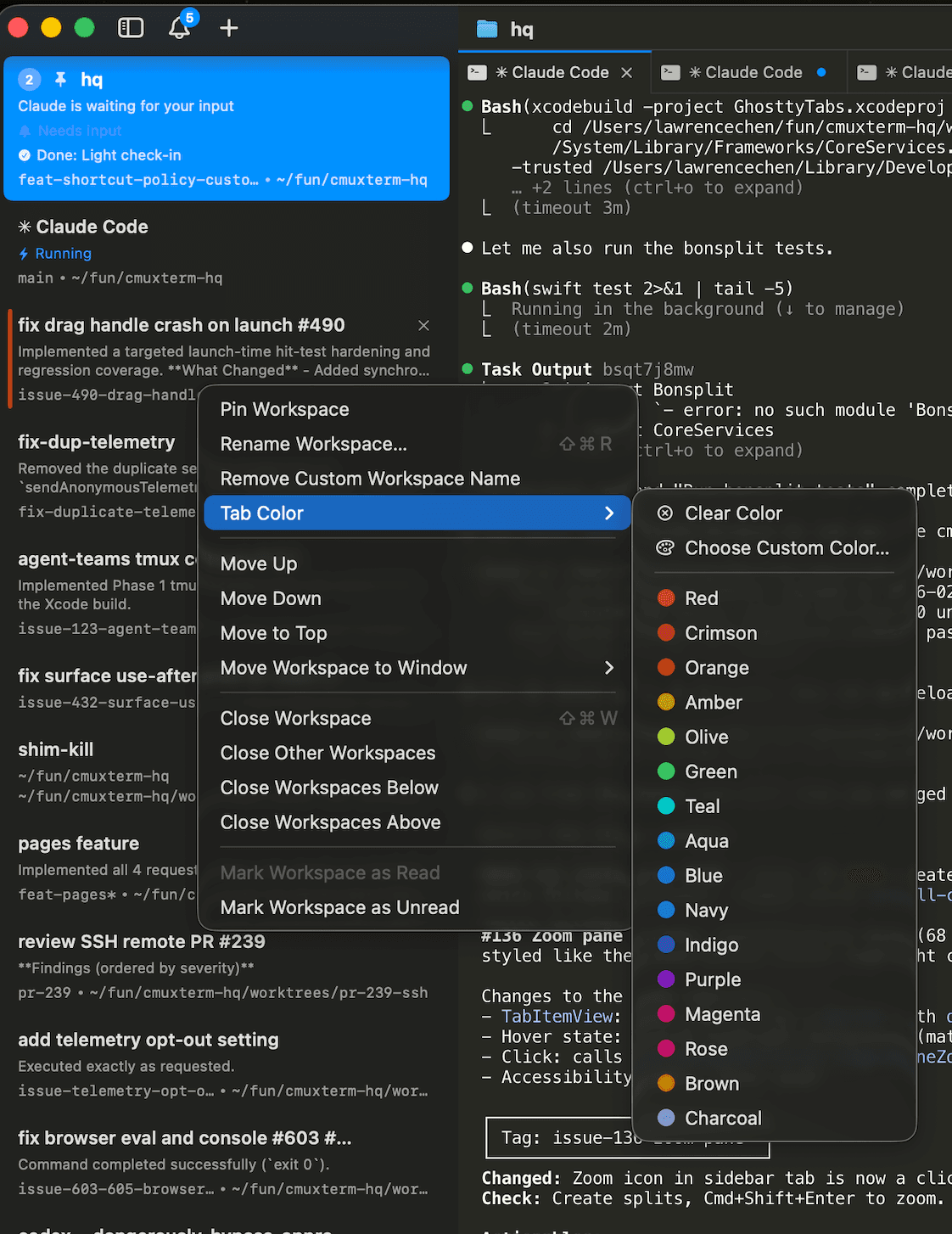
 avisser
 gnguralnick
 ijpatricio
 jperkin
 jungcome7